What is on the Keywords page?
On this page
The Keywords page, under Analytics, shows every Google search your site appears for, read from your own Search Console. Its tabs show the same data in different ways: Keywords (the full table), Topics, Pages and Trends, with six more under More: AI Score, Breakdown, Articles, Landing pages, Seasonal and Content audit.
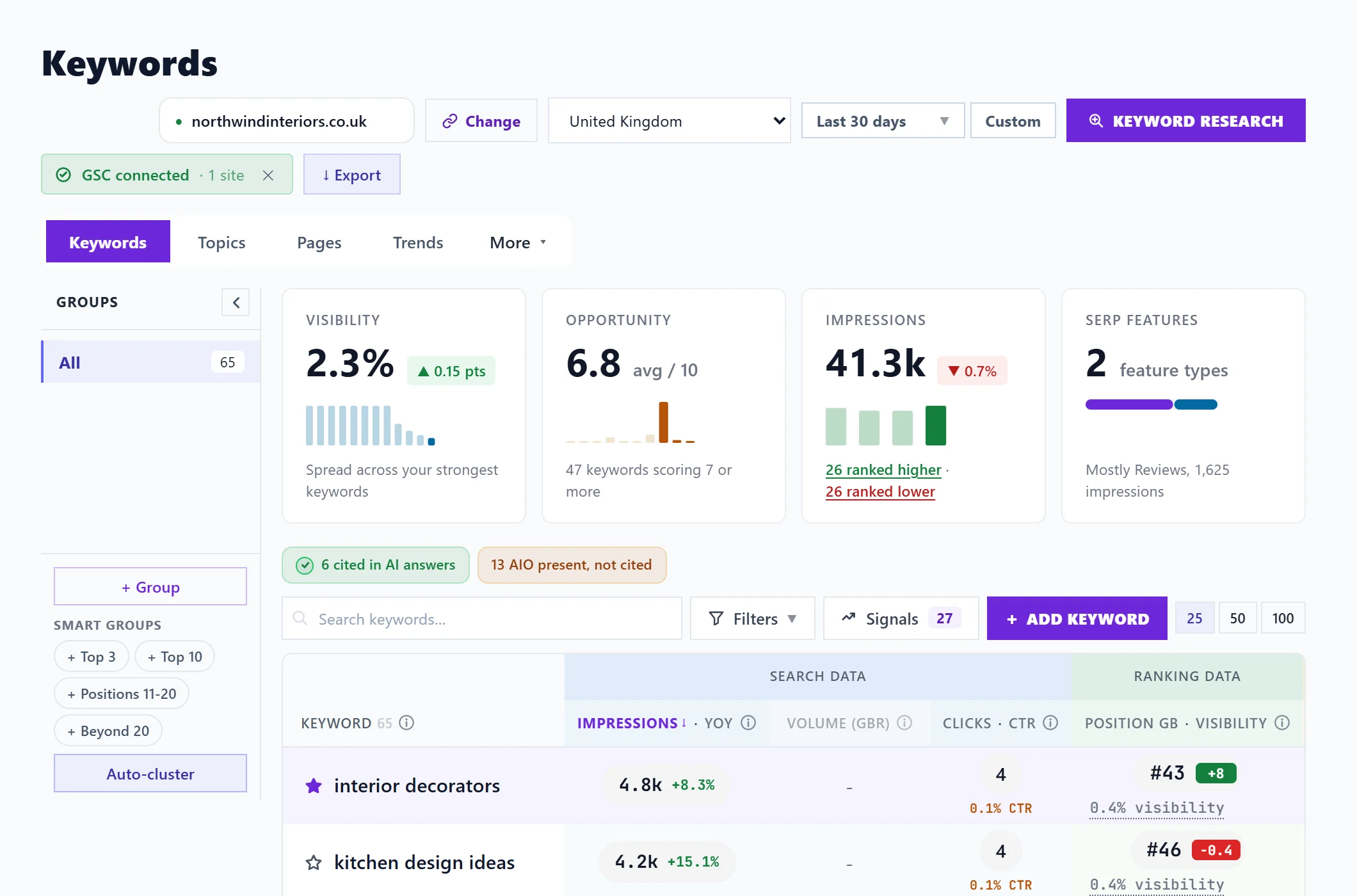
Before anything shows
The page needs Google Search Console connected for the project. Until then it shows a Connect Google Search Console banner. Connecting works on every paid plan and during your trial. See connect Search Console.
The bar at the top
- The website address: the one Search Console property this project reads. Change beside it opens the project's connection settings. See one website, one property.
- Country: shows positions in one market, or Worldwide.
- Date range: a preset or your own dates, back about 16 months.
- Keyword research: finds new searches to target. See keyword research.
- GSC connected: shows the connection is working. The small cross beside it disconnects Search Console.
- Export: downloads what you see as a spreadsheet or a printable PDF.
More on these in country, dates and export.
The tabs
| Tab | What it is for |
|---|---|
| Keywords | Every search, with impressions, volume, clicks, position and an opportunity score. See read the Keywords table. |
| Topics | Your searches grouped into topics, as a map, a wheel or tiles. See the Topics tab. |
| Pages | Each page of your site and the searches it earns. See the Pages tab. |
| Trends | Clicks, impressions, position and click rate over time. See the Trends tab. |
Under More:
| Tab | What it is for |
|---|---|
| AI Score | Rates one page's content and how ready it is to be quoted by AI answers. See AI Score. |
| Breakdown | Your searches by device and country. See devices and countries. |
| Articles and Landing pages | How your blog posts and your landing pages perform. See Articles and Landing pages. |
| Seasonal | Searches that peak at a time of year, and when. See seasonal keywords. |
| Content audit | Pages competing with each other, quick wins, low click rates and more. See the Content audit tab. |
Where the numbers come from
Everything on this page is Google's own data about your site, not an estimate: see where keyword data comes from. The page reloads its figures whenever you change the country or dates, so there is no refresh button.
Questions people ask
It says there is nothing for my country in this period. Is something broken?
No. Search Console has no impressions for your site in that country in the dates chosen. Press Show every market, or widen the date range.
The page says it could not load my keyword data. What do I do?
Press Try again. Anything already loaded stays on screen. If it keeps happening, see reconnect Google.