Why does UtilitySEO ask for access to my Google account?
On this page
We ask for access so UtilitySEO can read your own Search Console, Google Analytics and Google Ads numbers and turn them into advice. Search Console and Analytics access is read-only, we never change anything in your Google Ads, and you can disconnect at any time.
What each connection asks for
| Connection | What Google's screen asks | What we do with it |
|---|---|---|
| Search Console | Read-only access to Search Console and Google Analytics | Read your searches, positions, clicks and impressions |
| Google Analytics 4 | Read-only access to Google Analytics | Read visits, where they come from and conversions |
| Google Ads | Access to Google Ads (Google offers only one level) | Read search volumes, bids and, if you run ads, their results |
Signing in with Google is separate. It shares only your name, email address and picture, and gives us no access to Search Console, Analytics or Ads.
Why we need it
Without your own data, any SEO tool can only guess. With it, UtilitySEO can show the searches you really appear for, the pages losing clicks, the searches closest to page one and what is worth fixing first.
How we look after it
- The keys Google gives us for your account are encrypted before they are stored.
- Each project reads only the property chosen for it.
- Nobody at UtilitySEO reads your Google data in normal running. Support can view your account only for a support, security or legal reason, and that access is logged.
- Some features send a summary of your Google data (for example your top searches and their clicks) to an AI provider to write a report you asked for. Google Ads data is never sent. The providers process it only to return the answer and do not use it to train their models.
Disconnecting
Open Project settings (the cog on your project card), Connections, and press Disconnect beside the service. We ask Google to revoke our access and delete the stored keys. Reports already collected stay in your account until you delete the project or close your account.
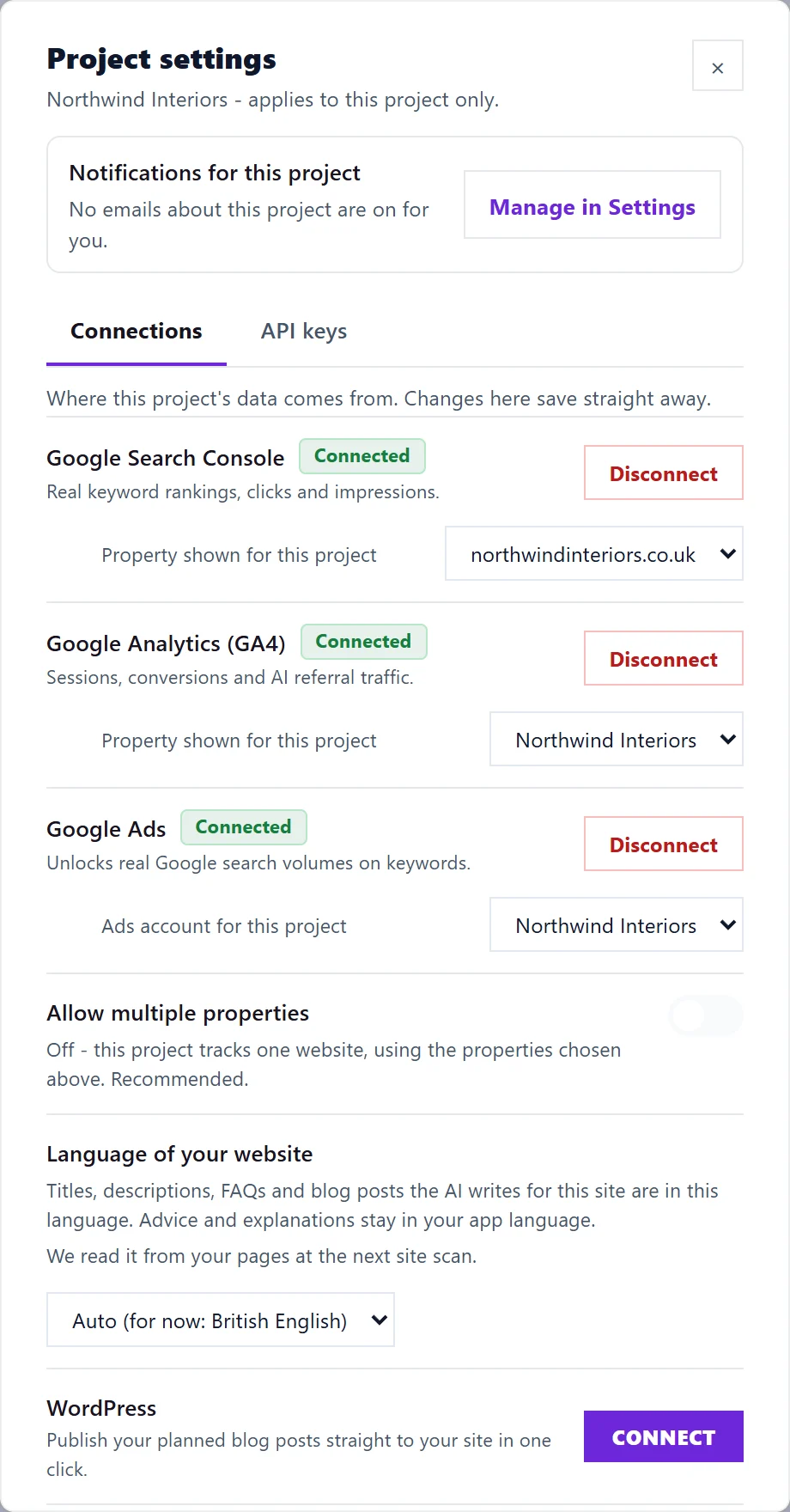
You can also remove UtilitySEO's access from your Google account's security settings at any time.
Questions people ask
Can UtilitySEO post, delete or change anything in my Google accounts?
No. Search Console and Analytics access is read-only. Google Ads only offers one level of access, so its screen reads more broadly, but we only read from it and never change a campaign.
What happens to my Google connections if I stop paying?
Ten days after your trial or subscription ends, we disconnect Search Console, Analytics and Google Ads for you. Nothing already collected is deleted, and reconnecting later is the same click as before.