How do I read the Keywords table?
On this page
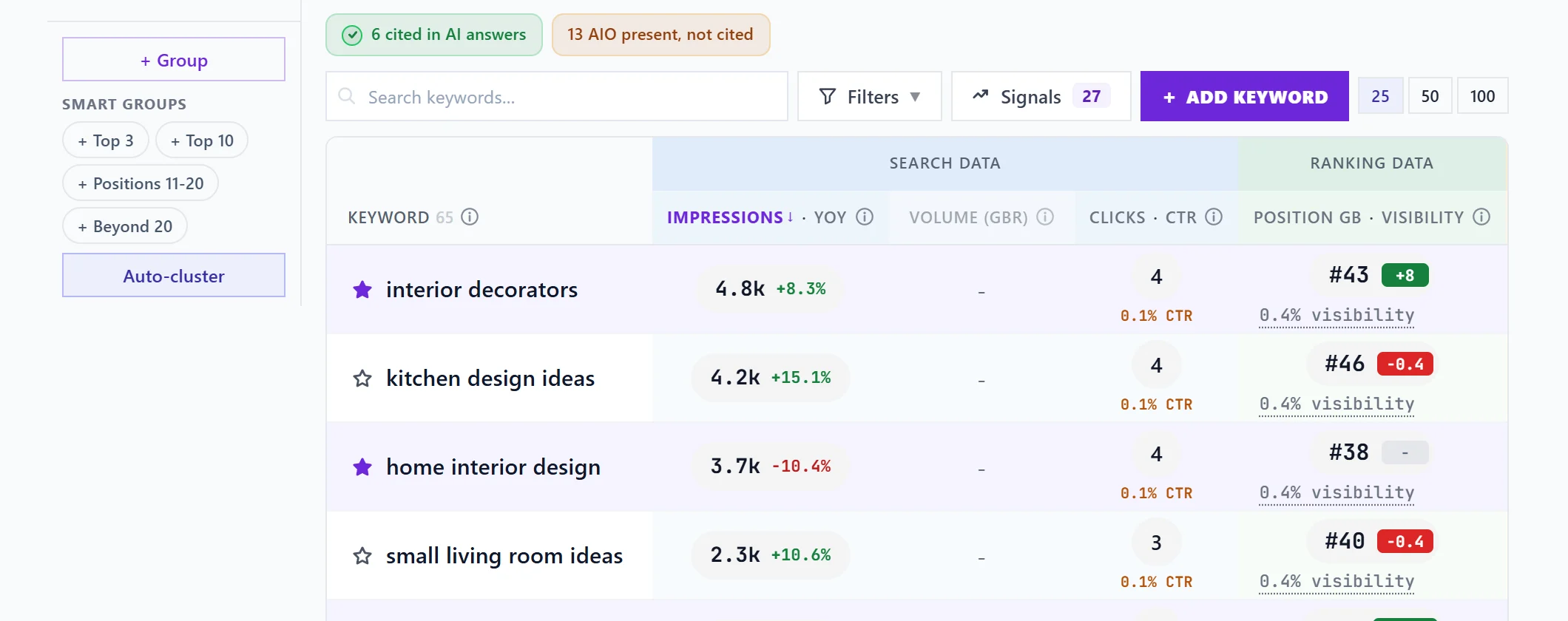
The Keywords table lists every search your site showed up for in Google, from your own Search Console: how often you were seen (impressions), how many people search for it each month (volume), how many clicked, your average position and an opportunity score from 0 to 10. Open it from Analytics, then the Keywords tab, and click any row for the full detail on that search.
The columns
| Column | What it means |
|---|---|
| Keyword | The search. The star in front of it tracks it. |
| Impressions | How many times your site was shown for it in the period. YoY beside it compares the same period a year ago, once there is that much history. |
| Volume | Monthly Google searches in the country chosen above the table, from Google's Keyword Planner. Blank until Google Ads is connected. |
| Clicks and CTR | Clicks in the period, and the click rate (the share of people who saw you and clicked). Amber marks a rate below your site's average on a keyword with real impressions. |
| Position and Visibility | Search Console's average position (lower is better) with the change against the previous period, and underneath it the share of people who saw you that this position usually wins. |
| Score | The opportunity score, 0 to 10: room to climb, search volume, the gap between your click rate and what the position usually earns, and how hard the search is. |
| AI Overview | Three marks: an AI Overview appears, it mentions you, it cites a page of yours. |
The AI Overview marks
Only the third mark, cites a page of yours, can fill in today. It comes from Google's AI report, which you import from Search Console: see import your Google AI report. The first two marks need a live look at Google's results page, which is not switched on, so they stay grey. Grey means "not known", never "no".
Small badges in the rows
- Best ever: the keyword is at its best average position in your Search Console history.
- Rising or Falling: impressions moved a lot against the previous period.
- 2 pages (or more): more than one of your pages shows for the search, which can split the credit. Click it to see which one to keep.
- new under YoY: the search was not in last year's data for the same period.
- Not ranking yet: a keyword you track that Google has not shown your site for.
Controls above the table
Search box, Filters, Signals, Add keyword, the page size (25, 50 or 100 rows) and Ignored (N) sit above the table. The groups rail sits beside it. See filters and Signals and groups and Auto-cluster.
Searches with fewer than 3 impressions and no clicks, bare numbers and pasted web addresses are left out and counted as low-data hidden under the table. A tracked keyword always shows.
Clicking a keyword
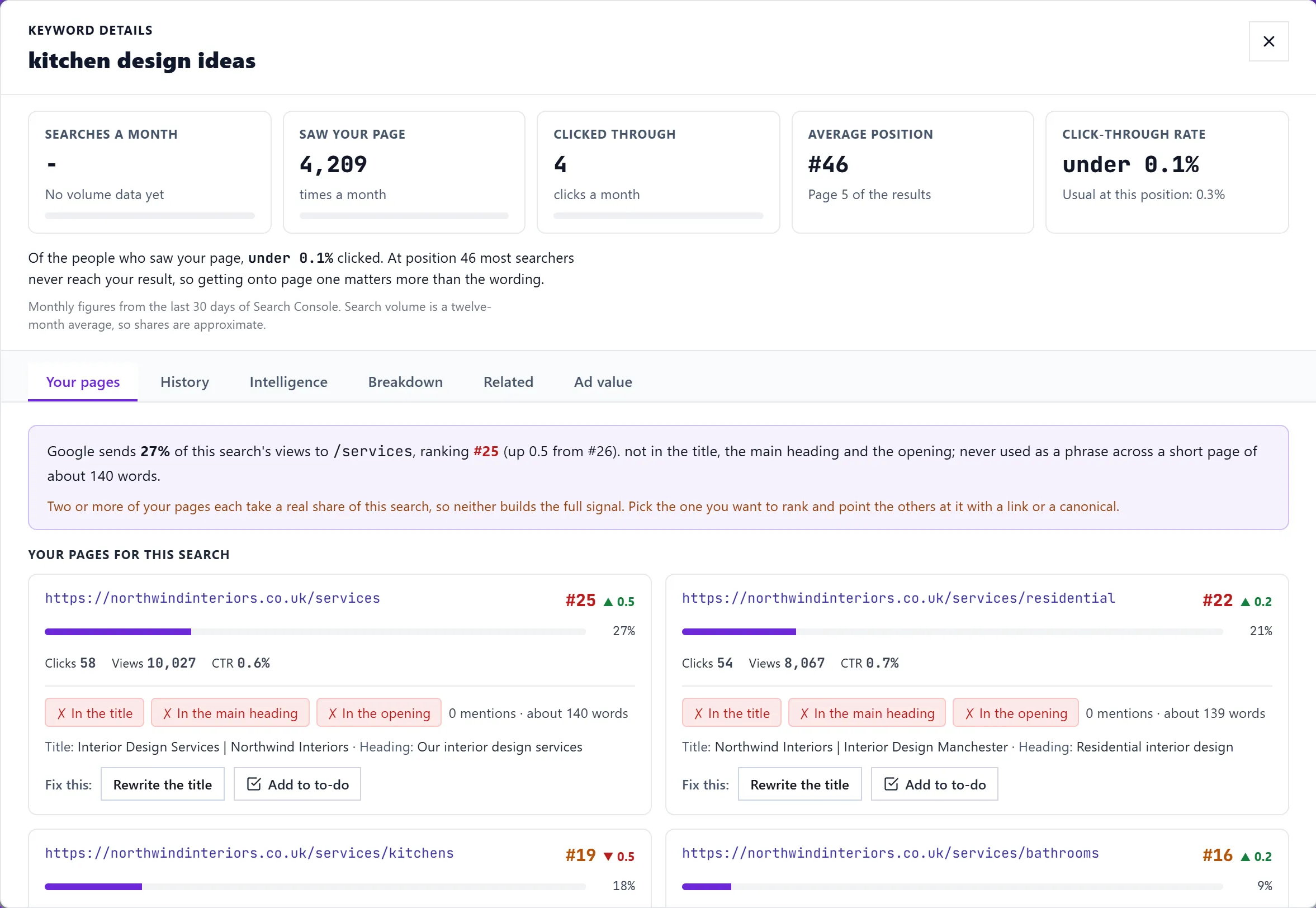
The details window shows searches a month, how many saw your page, how many clicked, your average position and your click rate against what that position usually gets, then tabs for your pages, history and more. See the keyword details window.
Leaving a keyword out
Open the row's ... menu (on a phone, tap the row) and choose Ignore. It leaves the table, the summary cards, filters, group counts and exports. Ignored (N) above the table opens a list where Stop ignoring brings it back.
Questions people ask
Why does the table add up to fewer clicks than my site total?
Google leaves rare searches out of Search Console for privacy. They count in your site total but never appear as rows. See where keyword data comes from.
Why are some positions shown faintly?
A position measured on fewer than 10 impressions is shown dimmed. Google's average on a handful of searches swings a lot without anything changing.
Why is the Volume column blank?
Volumes come from Google's Keyword Planner and need Google Ads connected for the project, with a country chosen. See search volume.