What does the Pages tab on Keywords show?
On this page
The Pages tab on the Keywords page lists each page of your site that appeared in Google search in the period, with its impressions, clicks, click rate, average position, how many searches it is the top result for, and roughly how many more clicks a month it could take in the top three. Open a row to check the page's index status with Google.
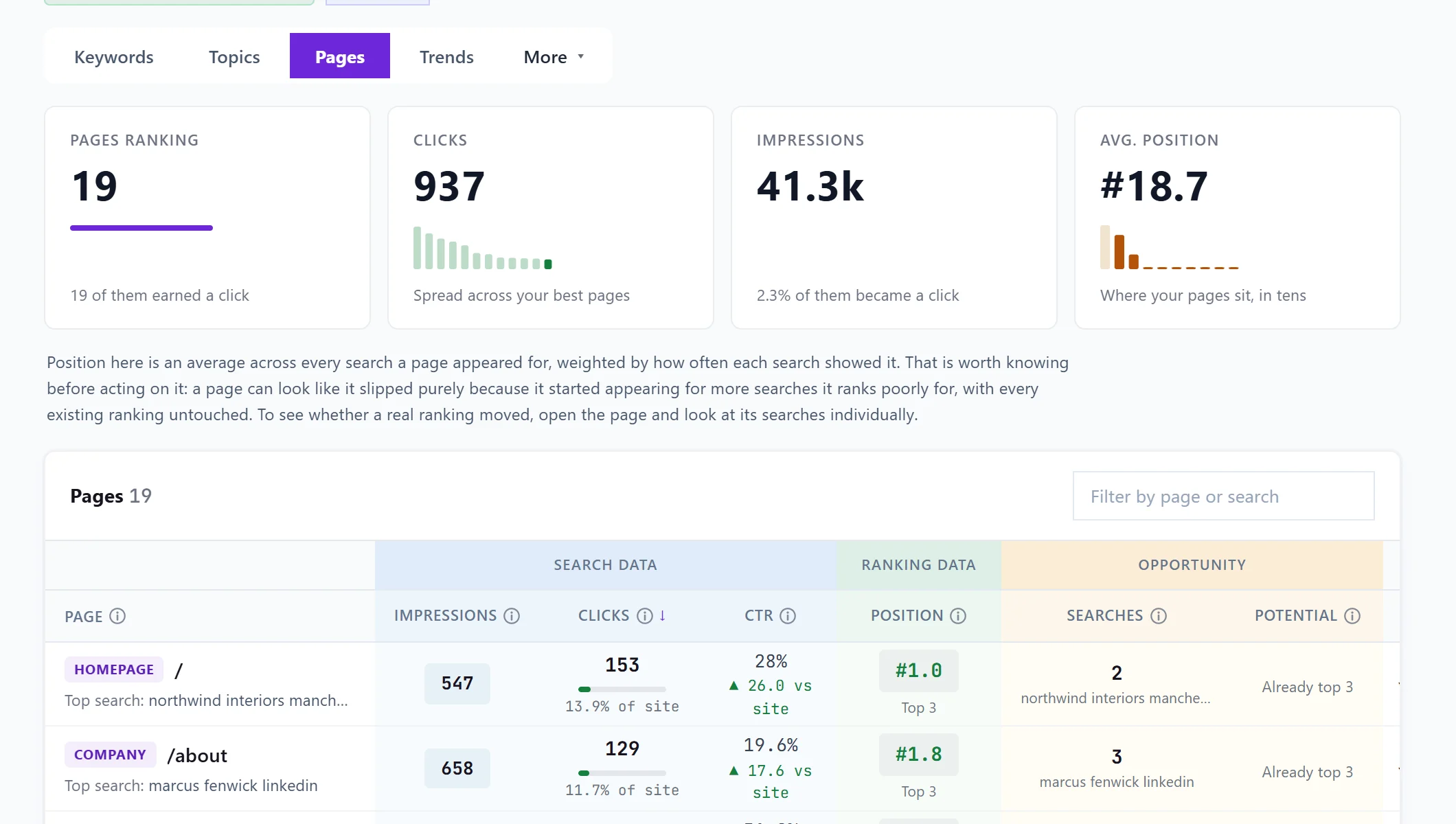
The four cards
- Pages ranking: pages that appeared in search at least once, up to the 1,000 with the most clicks. The bar is the share that earned at least one click.
- Clicks: total clicks, with your twelve best pages as bars. One tall bar means the traffic rests on one page.
- Impressions: how often your pages were seen, and the share that became a click.
- Avg. position: the average across every page, weighted by impressions, with pages grouped in tens so you can see whether the average is a real middle or two clusters pulling apart.
Click a card for its breakdown.
The table
| Column | What it means |
|---|---|
| Page | The address on your site. |
| Impressions | How often the page appeared, across every search. |
| Clicks | Clicks to the page, and its share of all your site's clicks. |
| CTR | The share of impressions that became clicks, against your site average. |
| Position | The average across every search the page appeared for, weighted by how often each showed it. |
| Searches | How many searches this page is your top result for, and the biggest of them. |
| Potential | About how many more clicks a month it could take in the top three for what it already appears for. |
A page's position is an average over many searches. It can look like it slipped just because it started appearing for more searches it ranks poorly for, with every existing ranking unchanged. To see whether a real ranking moved, open the page and look at its searches.
Use Filter by page or search to find a page, and Back and Next to move through the list.
Page checks from your site scan
If you have run a site scan, Page checks flags pages it found with spam signals, low value or worth a look, with the date of the scan. Show only flagged narrows the table to them. See page checks and low-value pages.
Open a page
Click a row to open it. You see its top searches, and Inspect URL asks Google for the page's index status: coverage, crawl status, whether it is indexed, when it was last crawled and as which device, whether Google picked a different main address (canonical), mobile usability and rich results. Open in Search Console opens the same page there.
Questions people ask
Why do the page clicks add up to more than the keyword clicks?
Page totals include searches Google keeps private for being too rare, which never appear as keyword rows.
Inspect URL failed. What now?
Google does not always answer an inspection request. Press Refresh to try again, or use Open in Search Console instead.