How do I reconnect Search Console, GA4 or Google Ads?
On this page
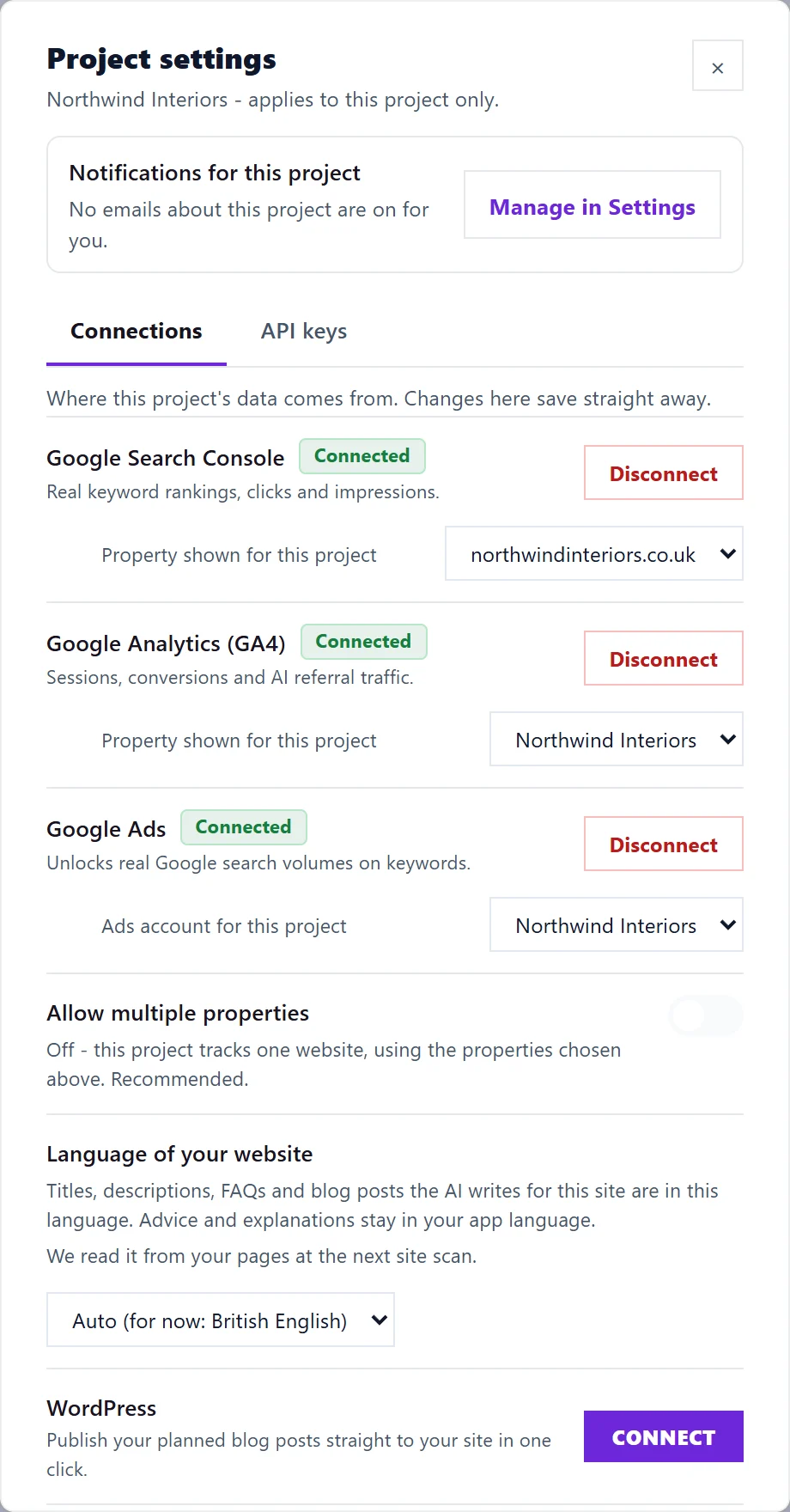
Open the project's Project settings (the cog on the Projects screen), go to the Connections tab, press Disconnect beside the Google service that stopped, then press Connect and sign in with the Google account that can see your property. Your history is kept, and new data starts arriving again.
Reconnect step by step
- Go to Projects and press the cog on the project to open Project settings.
- Open the Connections tab. You will see Search Console, Google Analytics (GA4) and Google Ads.
- Press Disconnect beside the one that stopped, and confirm if asked.
- Press Connect beside it.
- Choose the Google account that has access to the property. This is often not the account you use for email, so check which one it is in Search Console or GA4 first.
- Allow access on Google's screen.
- Back in UtilitySEO, if you are asked which property this project should read, pick the one for this website.
- Open Keywords (or GA4) to check the numbers are coming through.
You can also do it from the page itself: GA4 and Google Ads have Disconnect at the top, and on Keywords the Disconnect GSC button sits beside the Search Console status, after which the page offers Connect →. For search volume only, the Keywords page shows Reconnect in the volume column when Google Ads needs it.
If it stops again straight away
- Check the account has access to the property. In Search Console, open Settings, then Users and permissions, and make sure the Google account you connected is listed. In GA4, check Admin, then Property access management.
- Check the property matches the website. A project reads one property. If the address differs (for example www against no www, or a Domain property), choose the right one in Project settings. See one website, one property.
- Check your Google account's connected apps at https://myaccount.google.com/permissions. If UtilitySEO was removed there, connecting again restores it.
- Check your plan. When a trial or plan ends without a new plan, Google connections are disconnected 10 days later. Choose a plan in Settings, then Billing, then connect again.
Questions people ask
Will I lose my history if I disconnect?
No. When you disconnect, we revoke our access with Google and delete the stored access tokens, but reports we already collected stay in your account until you delete the project or close your account.
Why do I have to reconnect at all?
Google stops a connection when the access is removed, the Google account's password changes, or the account loses access to the property. We tell you by email and in the bell when that happens: see Google connection stopped alert.
Does reconnecting fill in the days I missed?
Partly. Screens that read Google directly show the recent past again, because Google keeps about 16 months of Search Console data. The weekly history we keep for you, which runs beyond Google's 16 months, cannot go back and record the weeks it missed.