What does the Topics tab on Keywords show?
On this page
The Topics tab groups your Search Console searches into topics: searches that Google sends to the same page of yours, joined with other pages whose searches use the same words. It shows how much demand each topic has, where you rank for it, where your own pages compete with each other, and the searches around your topics that your site is not shown for at all.
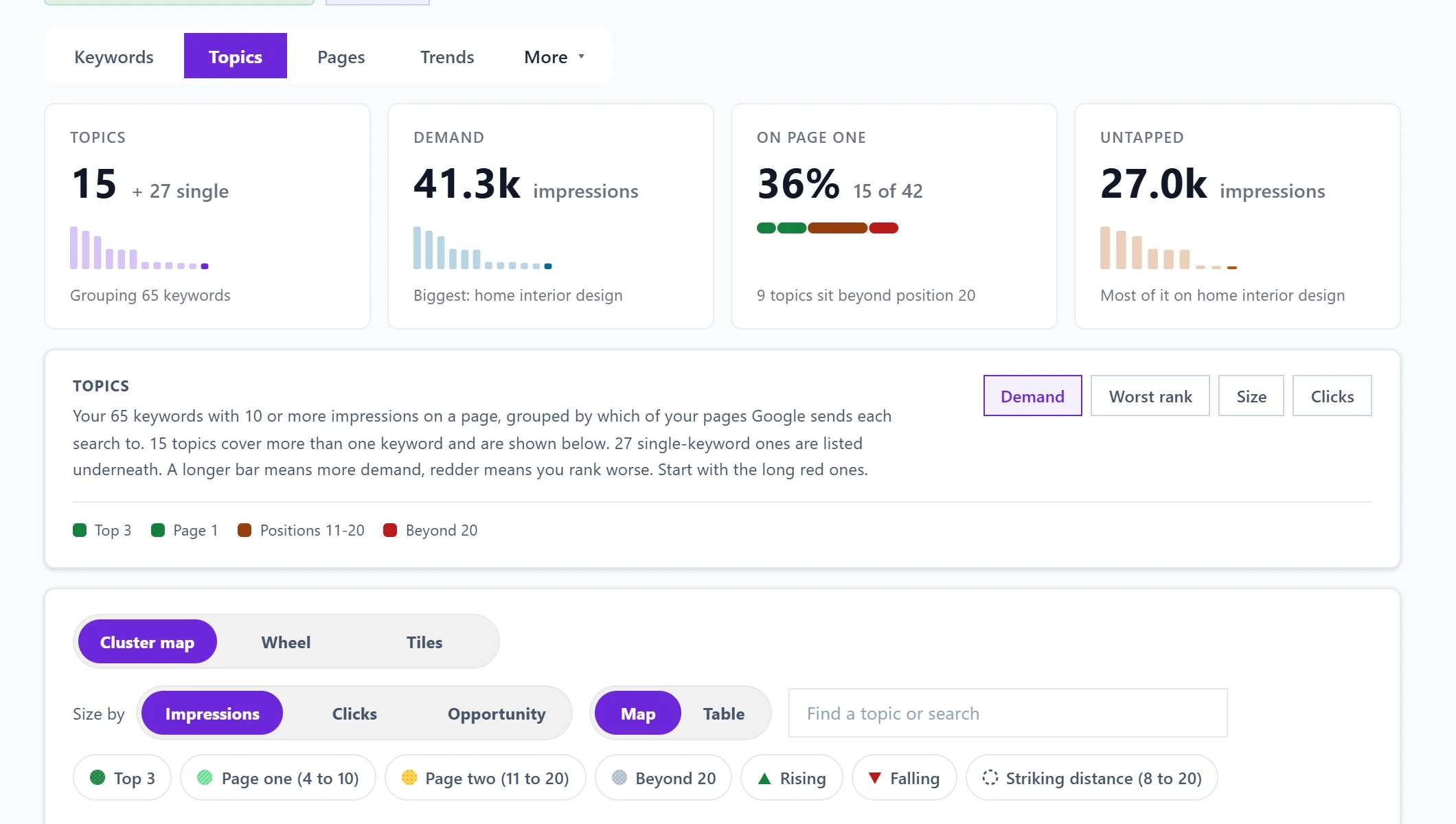
The four cards
- Topics: how many topics were found, plus how many single searches stood alone.
- Demand: total impressions across every topic, with your biggest topic named.
- On page one: how many topics average position 10 or better. The bar splits them into top 3, page one, positions 11-20 and beyond 20.
- Untapped: impressions on topics where you rank beyond position 20. Google already shows you for these and almost nobody finds you, which is often the shortest route to more clicks.
Searches with fewer than 10 impressions on a page are left out.
Cannibalisation
If any search is split across more than one of your pages, a Cannibalisation box lists them. Cannibalisation means your own pages compete for the same search, so neither builds a full signal. Open one to see which page to keep and how to point the others at it, or press Plan the merge to add the steps to your to-do list.
How to show your topics
Choose Cluster map, Wheel or Tiles. See Cluster map, Wheel and Tiles.
With Wheel or Tiles, filter by Where you rank (Anywhere, Top 3, Page 1, Positions 11-20 or Beyond 20) and by Demand at least (100 to 5,000 impressions). In Tiles, each tile shows a topic's keywords, impressions, clicks and average position; a longer bar means more demand and redder means you rank worse, so start with the long red ones. Open a tile to see its searches with Track beside each.
Keywords you're missing
Under the topics, Keywords you're missing lists real searches people type around your own topics that your site is not shown for at all. They come from Google Autocomplete (the suggestions Google shows as you type), seeded by your topics, so they are not estimates. Click one to track it, or use them as the outline of your next page. Suggestions that are not about your topic are hidden; each topic says how many, with Show them.
Single-keyword topics
A search with nothing else close enough to group with is counted separately. Show single-keyword topics lists them. These are often the clearest content gaps: real demand with no page properly built for it.
Questions people ask
It says there is not enough search data to find topics. Why?
Topics are built from the searches Google already shows you for. Try a longer date range, or come back once the site has more Search Console history.
Is this the same as Topic gaps?
No. This tab groups searches you already appear for. Track, then Topic gaps scans a subject you want to be found for, including searches you do not show for yet. See topic gaps.