What is in Project settings?
On this page
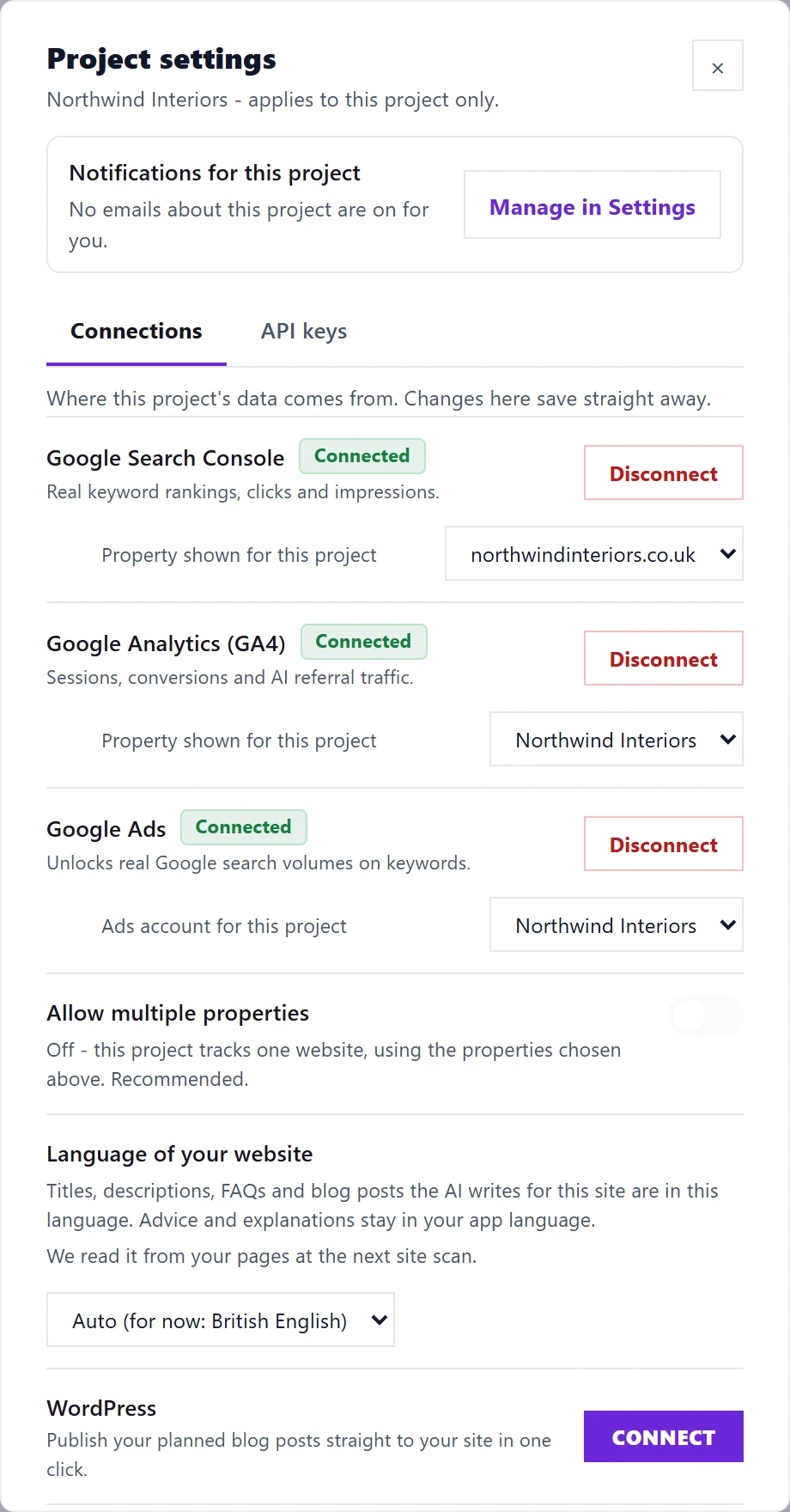
Project settings is the panel behind the cog on each project card. It has two tabs: Connections, where the project's Google services, website language, website platform and instant indexing are set up, and API keys, for your own software. Changes save as soon as you make them, and apply to that project only.
Open it
On the Projects screen, press the cog on the project's card. The panel also opens by itself straight after you create a project, as the setup step, with a Finish setup button at the bottom. The API keys tab appears once setup is done.
Notifications for this project
The line at the top says how many kinds of email about this project are on for you, or that your notifications are paused. Press Manage in Settings to change them; emails are chosen in one place, Settings, then Notifications. See choose your emails.
Connections tab
In order, from the top:
- Google Search Console: your keyword rankings, clicks and impressions. Once connected, choose the site under Property shown for this project. See connect Search Console.
- Google Analytics (GA4): visits, conversions and AI referral traffic, with its own property picker. If the chosen property measures another website, a warning says so. See connect Google Analytics.
- Google Ads: search volumes for your keywords. Pick the account under Ads account for this project. See connect Google Ads.
- Allow multiple properties: off by default, so the project tracks one website. Turn it on only if the project really covers more than one site. See one website, one property.
- Language of your website: what titles, descriptions and blog posts are written in. See language of your website.
- Website platforms: WordPress, Strapi, Shopify, Wix, Webflow and Custom API, for publishing posts and applying title changes. See connect WordPress and the other platform guides.
- Publishing activity: a log of everything written to your website.
- Instant indexing: tell Bing and other engines the moment a page changes. See instant indexing with IndexNow.
Each Google service has Connect or Disconnect beside it. Disconnecting asks you to confirm, and the project's data for that service stops updating until you connect again.
API keys tab
Keys that let your own software start scans of this site and read the results. Only the owner and Full Access members can create or revoke them. See the UtilitySEO API.
Who can change what
Anyone with Full Access can connect Google services and website platforms for the project. A website platform shared by every project in the workspace can only be set by the owner. View Only and Billing members can look but not change anything. See team roles explained.
Questions people ask
I closed the setup step too early. Can I finish later?
Yes. Press the cog on the project card at any time; everything in the setup step is on the Connections tab.
Why does Google send me back to the Projects screen?
After you allow access on Google's page, UtilitySEO brings you back and reopens Project settings, so you can connect the next service.