How do I choose which emails UtilitySEO sends me?
On this page
Every optional email is switched on or off in one place: Settings, then Notifications. You can turn each kind of email on or off, choose which projects it covers, or press Pause all notifications to stop every optional email at once. Emails about your account and its security always arrive.
The emails you can choose
| Group | Emails |
|---|---|
| Reports and summaries | Weekly report, Keyword rundown, Monthly performance summary |
| Alerts | Ranking movement alerts, Big ranking drops, AI citation changes, Google connection stopped |
| When something finishes | Scan finished, AI visibility check finished, SEO plan check-in |
| From us | Referral rewards, Tips and follow-ups |
Each one says what it is and how it reaches you (by email, and for some alerts also the bell in the app). For a new account, only Google connection stopped, SEO plan check-in, Referral rewards and Tips and follow-ups start switched on.
Change your emails
- Open Settings, then Notifications.
- Use the switch beside each kind of email.
- For Keyword rundown, choose How often: Daily, Weekly (Monday) or Monthly (1st). For Big ranking drops, choose how far a keyword must fall.
- For an email about projects, press Choose projects to tick the projects it covers. Tick Include projects I add later if new projects should be covered too.
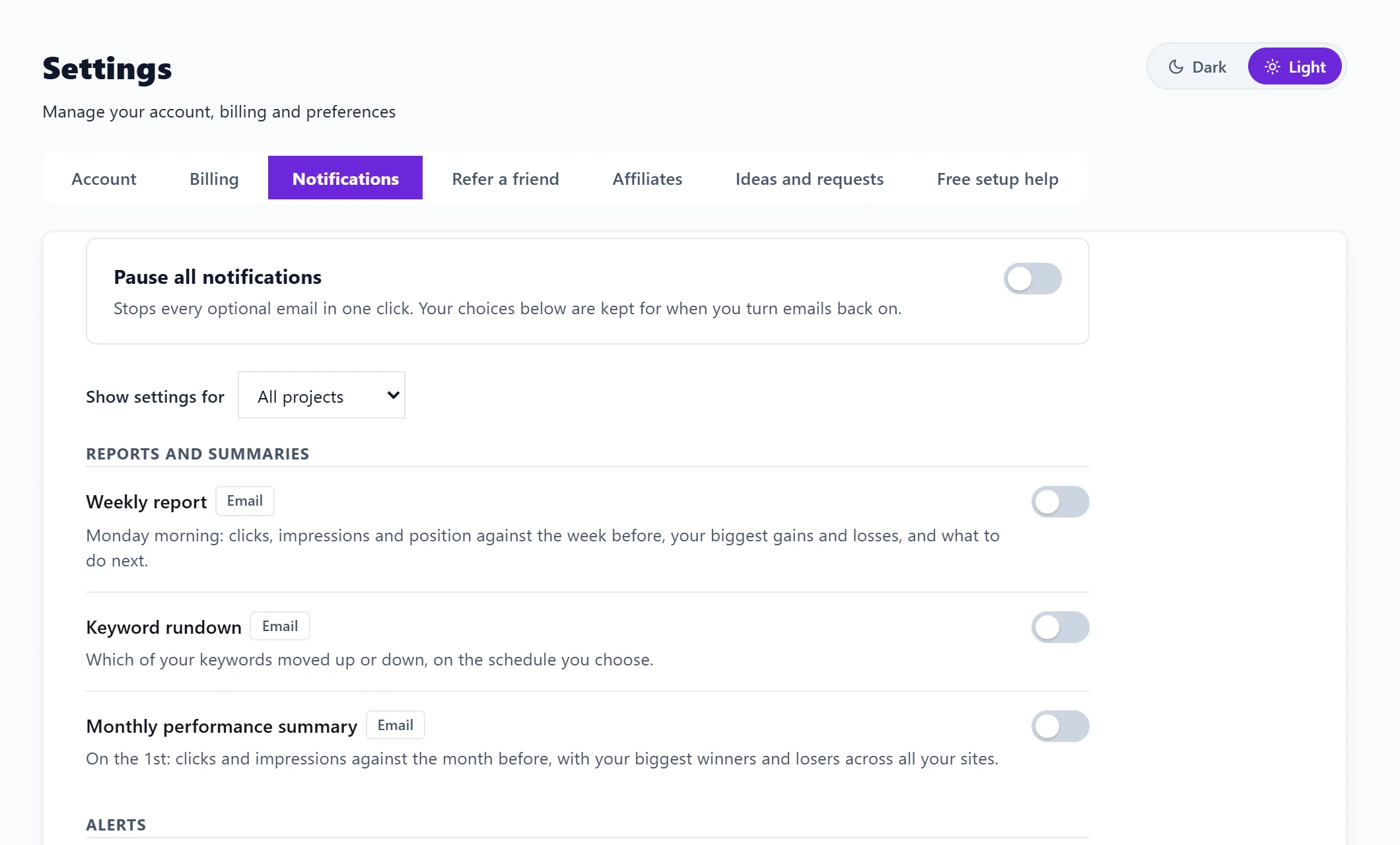
To see the settings for one site only, pick it under Show settings for. A line then reads On for all projects or, for example, On for 2 of 5 projects. In a project's settings window, Manage in Settings opens this page already showing that project.
Changes save as you make them.
Pause everything
Pause all notifications at the top stops every optional email in one click. Your choices are kept, so when you turn it off again everything comes back as it was. Alerts still show in the bell inside the app while you are paused.
Emails that always arrive
Listed under Always sent at the bottom of the page: Sign-in codes, Password resets, Changes to your email address, Team invitations, Receipts, payment problems and billing, and Trial and subscription notices. These are about your account and its security, so they cannot be turned off and pausing does not stop them.
Questions people ask
What does the unsubscribe link in an email do?
It turns off that one kind of email and nothing else. If you clicked it by mistake, press That was a mistake, keep sending them on the page it opens.
Does my team see my choices?
No. Everyone on a team sets their own emails. Copies of the weekly report sent to clients are managed on the project's report, see weekly reports and client links.
I switched an email on but nothing has come. Why?
Some emails only go out when something happens (a big drop, a finished scan), and others need data first, such as a full week of Search Console data for the weekly report. See emails not arriving.