How do I set the language UtilitySEO writes in for my website?
On this page
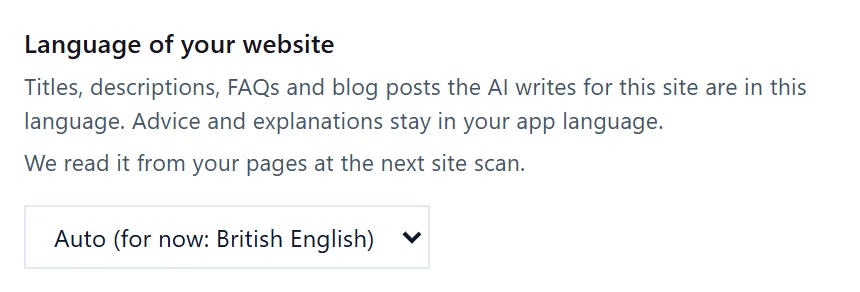
Each project has a Language of your website setting in Project settings, on the Connections tab. Titles, descriptions, FAQs and blog posts written for that site are in this language. It starts on Auto, which uses the language the latest site scan found on your pages; choose a language from the list to set it yourself.
Change it
- On the Projects screen, press the cog on the project's card to open Project settings.
- On the Connections tab, find Language of your website.
- Leave it on Auto, or pick a language from the list. It saves straight away and says Language of your website saved.
How Auto decides
Auto reads your pages at each site scan. It looks at the language your pages say they are in, checks that against the words on the page, and if that is not clear, uses the country of your web address. The setting shows what it found, for example "Auto (detected: English)".
Before a scan has read your pages, it shows a best guess, for example "Auto (for now: English)", and says "We read it from your pages at the next site scan."
Choose a language yourself when:
- your pages are marked with the wrong language, which is common with some website themes;
- your site is in more than one language and you want everything written in one of them;
- you are setting up a new site before it has much content.
What it affects
- Titles and meta descriptions written for your pages, for example in the Meta Generator.
- FAQs and blog posts written from your Blog Plan.
What it does not affect
Advice, explanations and the app itself stay in your app language, set in Settings, Account, Language. See app language and theme. So a Dutch speaker can read the advice in Dutch while writing for an English website.
Questions people ask
My site is in Welsh and English. What should I choose?
Choose the language most of your visitors read. If you keep both, set the language before writing each batch, then switch back.
I changed the language. Does it rewrite what was already written?
No. It applies to what is written from then on. Write a post or title again to get it in the new language.
Does this change which country's searches I see?
No. Search Console figures follow the market selector on each page, not this setting.