How do the AI visibility checks work?
On this page
Once a week UtilitySEO asks the AI assistants we check, such as ChatGPT, Gemini, Perplexity and Claude, up to eight buyer questions about your kind of business, then records whether each answer names you and the competitors you list. You fill in Setup once and press Start tracking; after the first check it runs by itself every Sunday at 6am, your time.
Set it up
- Open Analytics, then AI Visibility, then the Setup tab. It is filled in for you where we can: your brand name from the project, competitors from your Competitors page and keywords from your Search Console searches. A note at the top says what was filled in.
- Check the fields below, then press Save config.
- On the Prompts tab, add your own questions if you like. See choose the questions.
- Press Start tracking at the top of the page. The first check takes a minute or two and runs in the background, so you can leave the page.

The Setup tab, field by field
- Your brand name: the name the answers are searched for. It is required.
- AI suggestions - find competitors and keywords from your URL: press Find competitors or Find keywords and we read your website and suggest some. Click a suggestion to add it.
- Competitors: the businesses to look for in the same answers. Type a name and press Add, or Import CSV with one name per line. Only competitors listed here are counted.
- Context keywords: phrases for your kind of business. They are turned into general questions only when you have written none of your own and none could be chosen from your data.
- When it checks: every Sunday at 6am, your time.
- Automated tracking: the switch that pauses and resumes the weekly checks. Your history is kept while paused.
After that
There is no button to run a check again by hand: one check a week keeps the week-on-week changes meaningful. To be emailed when a check finishes, turn on AI visibility check finished in Settings, Notifications.
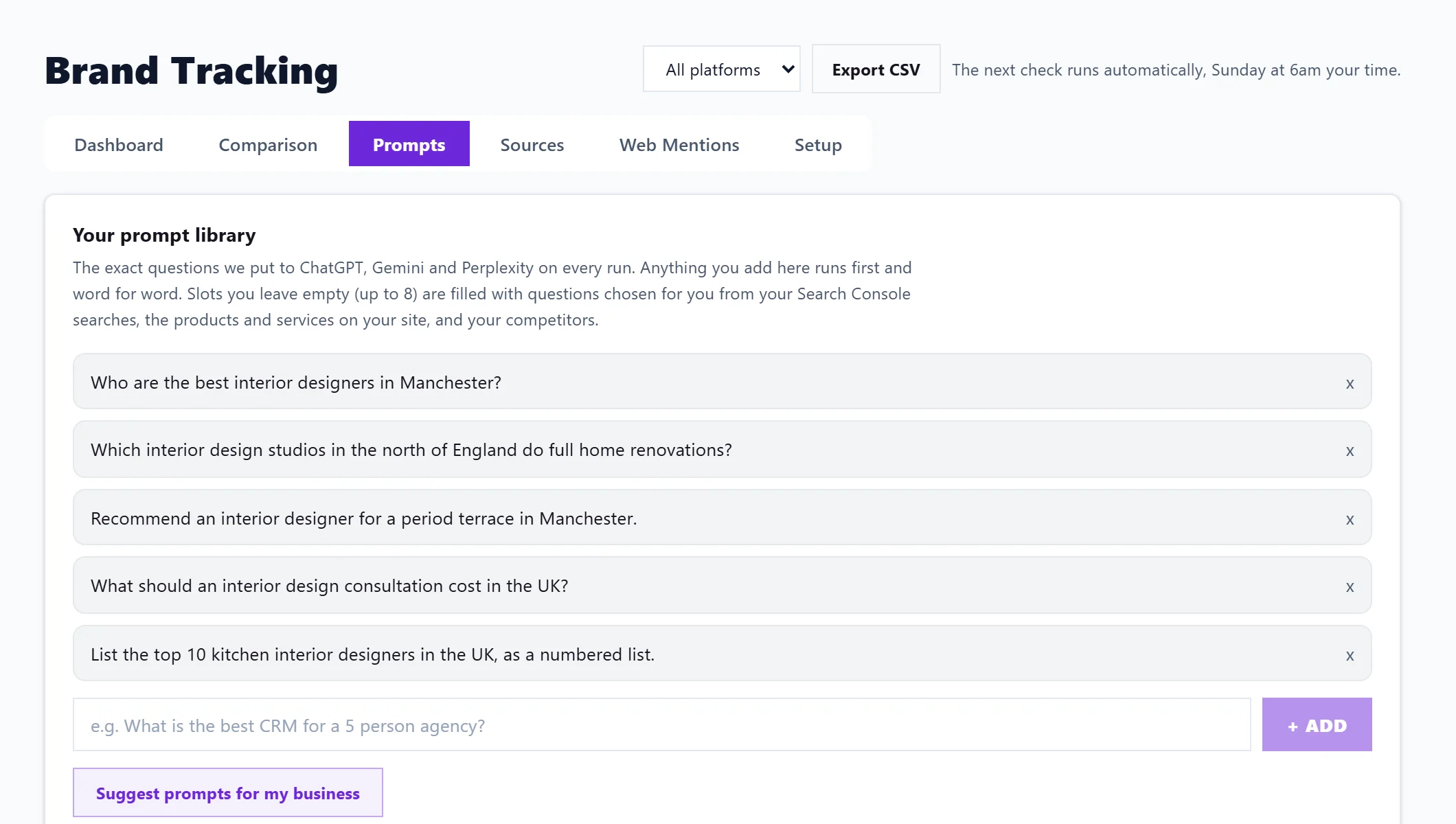
Reading the results
- Visibility trend: your mentions against each competitor's, run by run. It starts with your second weekly check.
- How steady the answers are: each question says steady, flips between runs or too early to call (fewer than three runs).
- Platform filter (top of the page): pick one assistant and every figure switches to it. Dashboard figures cover your latest six runs.
- Export CSV: downloads each question with its mentions and checks, following the platform filter.
Questions people ask
Why does ChatGPT say something different when I ask it myself?
We ask each assistant through its official connection for businesses, without your chat history or location, so answers can differ from what one person sees. AI answers also change from one asking to the next, which is why we track the pattern over weeks.
What does "not checked" mean for an assistant?
That assistant did not answer us on the last run, usually a problem on our side or theirs. It is asked again on the next run, and there is nothing for you to do. Results only show for assistants that answered.
Does the weekly check use my AI uses?
No. The weekly checks never use AI uses. They are included in Entrepreneur and Enterprise.
Why does it say the score comes from generic questions?
There was nothing in the project to choose buyer questions from yet. Add your own prompts, connect Search Console, run a site scan or add competitors.