How do I add my website to UtilitySEO?
On this page
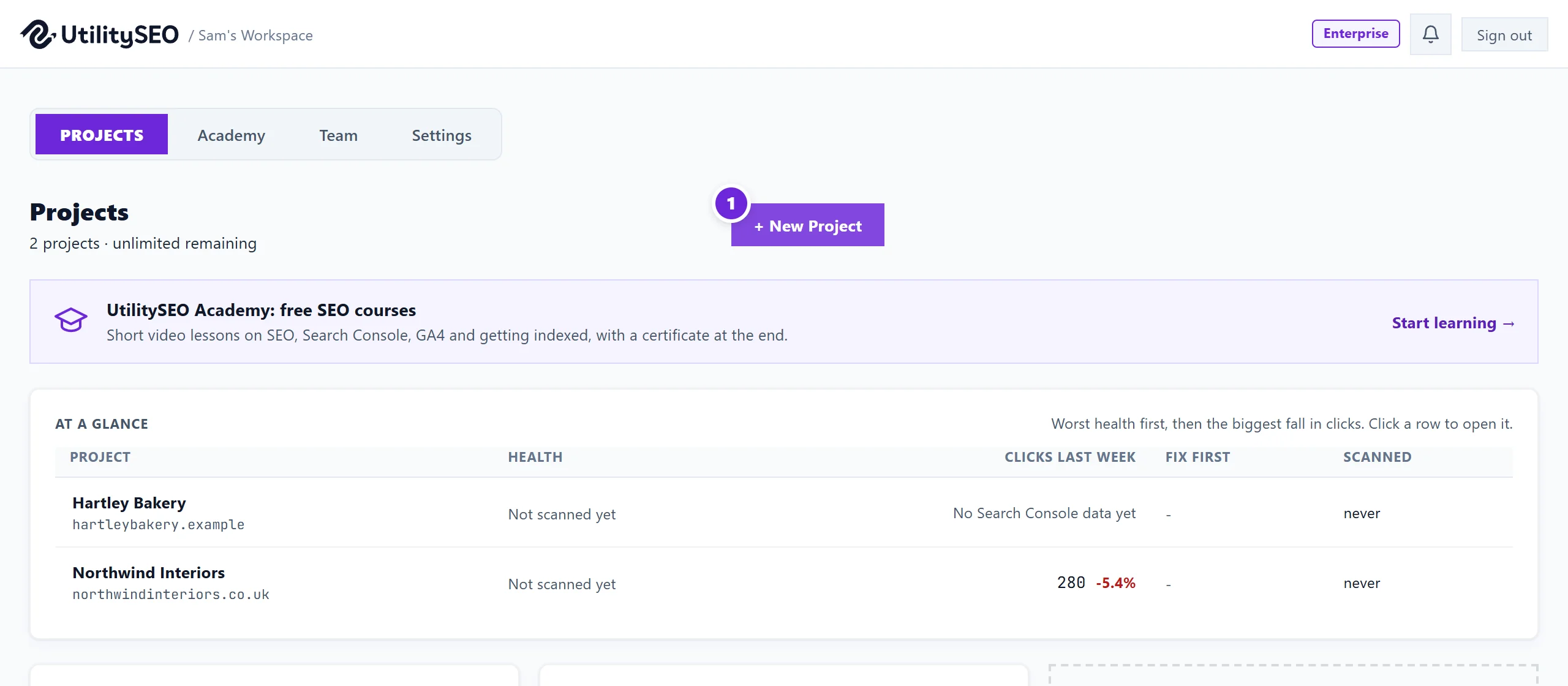
On the Projects screen, choose + New Project, enter your website address (for example https://yoursite.co.uk) and press Create. Each website is one project. We start a site scan straight away, then ask you to connect Google so the project can show your keywords and traffic.
Add a project
- Sign in at https://app.utilityseo.com. You land on Projects.
- Choose + New Project. Inside the app the same button can read + Add Project, and an empty slot shows Add a project.
- Type your website address, starting https://. Add a name if you like; it is optional.
- Press Create (or Add).
What happens next
- A first site scan starts on its own. It reads up to 100 pages it can reach and lists what it found. You can run a bigger scan later, up to your plan's page limit. You do not need to wait on the page; the results appear when it is done. See run a site scan.
- A setup window opens saying your project is ready, with a Connections list: Google Search Console, Google Analytics (GA4) and Google Ads. Press Connect beside each one you use, then Finish setup. You can skip this and connect later.

Connecting Search Console is the most useful step: without it the Keywords page has nothing to show. See connect Search Console.
How many websites you can add
| Plan | Projects |
|---|---|
| Minimum | 1 |
| Entrepreneur | 3 |
| Enterprise | Unlimited (fair use) |
When you reach your plan's limit, the Projects screen says so and offers an upgrade. Projects you already have keep working.
Changing a project later
Open Projects and press the cog on the project card to open Project settings. That is where you connect or disconnect Google and choose which property the project shows.
Questions people ask
Can one project cover two websites?
A project is meant to be one website, so its numbers stay clean. If you look after two sites, add two projects. See one website, one property.
Should I enter www or not?
Enter the address your site actually uses. We treat the www and non-www versions of the same site as one website when matching your Google properties.
My site is new and has hardly any pages. Is it still worth adding?
Yes. The scan will show the basics to get right early, and Search Console starts collecting data from the day it is set up. A brand new Search Console property usually needs a few days before there is anything to show.