What does the Projects screen show?
On this page
The Projects screen is the first thing you see after signing in. It has one card per website, with its health grade, its address and when it was last scanned, plus At a glance, a table of every project with the worst first, once you have more than one. Tabs at the top take you to the Academy, your Team and Settings.
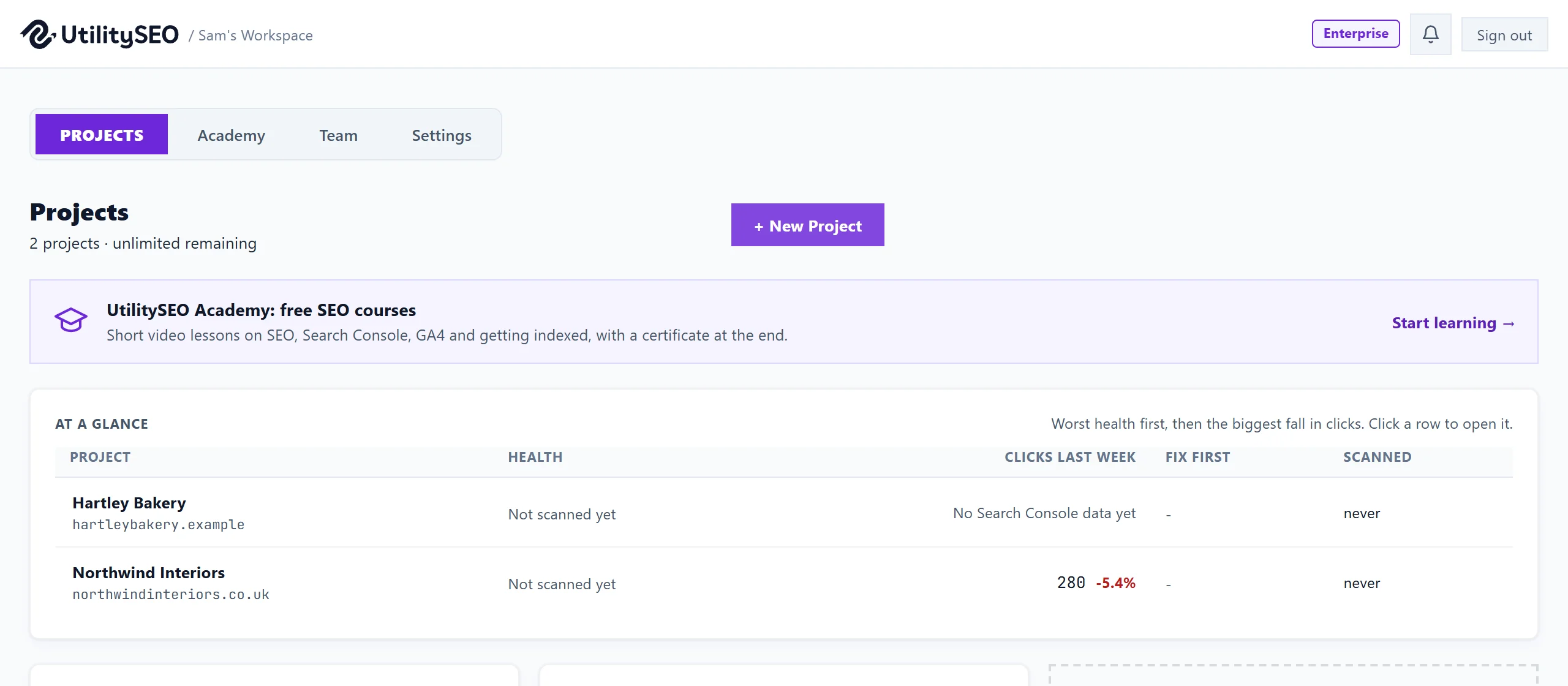
The top of the screen
- Your plan shows in a badge in the top bar, next to the bell and Sign out. After a trial ends without a plan it reads Trial ended.
- Under the Projects heading you see how many projects you have used, for example "1 / 3 projects used", or "unlimited remaining" on Enterprise.
- + New Project adds a website. See add your website.
- The UtilitySEO Academy card opens the free courses. See the Academy.
At a glance
With two or more projects, At a glance lists them in one table: Project, Health, Clicks last week (against the week before), Fix first (the one fix that matters most, and on how many pages) and Scanned (how long ago). The worst health comes first, then the biggest fall in clicks, so the top row is usually the one to look at today. Click a row to open that project.
A project without Search Console says No Search Console data yet, and one that has never been scanned says Not scanned yet.
Each project card
- The name and address of the website.
- Last scanned: the date of the most recent site scan, or Never scanned.
- The grade in the corner, a letter from S down to F with the health score under it, from the latest scan. See health score explained.
- Access: who on your team can see this project, with their role.
- Open Project goes in.
- The cog opens Project settings.
- The pencil renames the project and the bin deletes it (workspace owner only). See projects and workspaces.
When your plan has room for more, empty cards say Add a project with how many more you can add.
Demo projects
Some accounts, such as those set up for a guided demo, also see Add demo workspace. It adds a worked example with made-up Search Console, Analytics, Ads and content data, so every screen can be seen full. Its card is marked Demo data, and none of its figures belong to a real business. Refresh demo data rebuilds it.
When you reach your plan's limit
A note says you have used your plan's projects and names the plan with more, with an Upgrade button that opens Settings. Everything you already have keeps working. See what happens when you reach a limit.
Questions people ask
Why does a card show a dash instead of a grade?
The project has not had a site scan yet. Open it and start one from New Scan.
I see "We could not load your workspace". What now?
Press the retry button, and if that fails press Log in again. See workspace will not load.
Can I reorder the cards?
No. Use At a glance to see them sorted by what needs attention.