What happens when I reach a limit on my plan?
On this page
Nothing you already have stops working. You simply cannot add one more of that thing, and the message says which plan gives you more. Daily and monthly limits come back by themselves: site scans at midnight UK time, AI uses and Growth blogs on the 1st of the month. To lift a limit straight away, change plan in Settings, Billing.
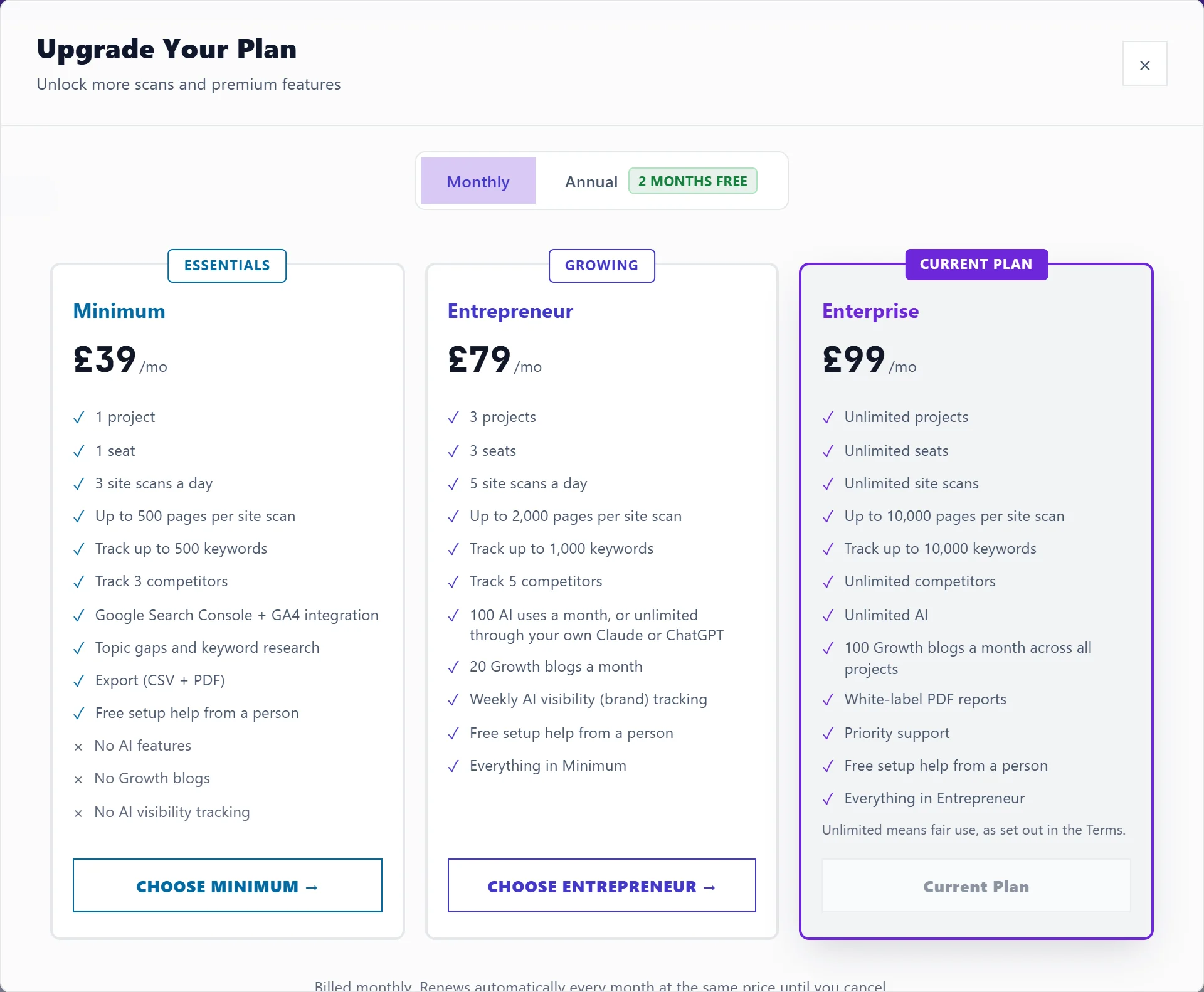
The limits on each plan
| Minimum | Entrepreneur | Enterprise | |
|---|---|---|---|
| Websites (projects) | 1 | 3 | Unlimited |
| People, you included | 1 | 3 | Unlimited |
| Site scans a day | 3 | 5 | Unlimited |
| Pages per site scan | 500 | 2,000 | 10,000 |
| Tracked keywords per website | 500 | 1,000 | 10,000 |
| Competitors per website | 3 | 5 | Unlimited |
| Topic gap scans a month | 30 | 30 | 200 |
| AI uses a month | None | 100 | Unlimited |
| Growth blogs a month | None | 20 | 100, across all websites |
"Unlimited" means fair use, as set out in our Terms. Single-page checks also have a daily limit that normal use does not reach.
What you see at each limit
- Projects: the + New Project button is greyed out, and the Projects screen says you have used your plan's limit, with an Upgrade button.
- Team: the Team tab says the member limit is reached and that Enterprise has unlimited seats. On Minimum it says Minimum is for one person.
- Site scans: New Scan shows Site scans left today. Failed scans are not counted, and the count resets at midnight UK time.
- Pages per scan: a scan reads up to your plan's page limit and stops there.
- Tracked keywords and competitors: adding one more is refused with a message naming the plan with more.
- AI uses: AI buttons say AI uses used up. See AI uses explained.
- Features not on your plan show a padlock and Upgrade to unlock.
If you have more than your plan allows
This can happen after moving to a smaller plan. Everything keeps working; you just cannot add more until you are back under the limit. For example: "You have 4 projects and Entrepreneur includes 3. Everything you already have keeps working - you just cannot add another without upgrading."
Lift a limit
- Open Settings, Billing.
- Press Compare plans to see the plans side by side, or Manage billing & subscription if you already pay.
- Choose the bigger plan. A change is prorated, so you only pay the difference.
See change or cancel your plan.
Questions people ask
Do team members have their own limits?
They work on your plan, so the plan's limits apply inside your workspace. Projects and seats are the workspace owner's.
Are limits counted per website or per account?
Projects, people and site scans a day are per account. Tracked keywords and competitors are per website. Growth blogs are counted across all your websites.
Does the API have its own limits?
It uses the same site scans and page checks as the app, plus its own limits on how often a key can call. See the UtilitySEO API.