How do I ask for a new feature or report a problem?
On this page
Open Settings, choose the Ideas and requests tab, pick what kind of request it is, describe it in a few words and press Send request. It goes straight to the people who build UtilitySEO, and it stays listed on the same tab with where it has got to and any reply from us.
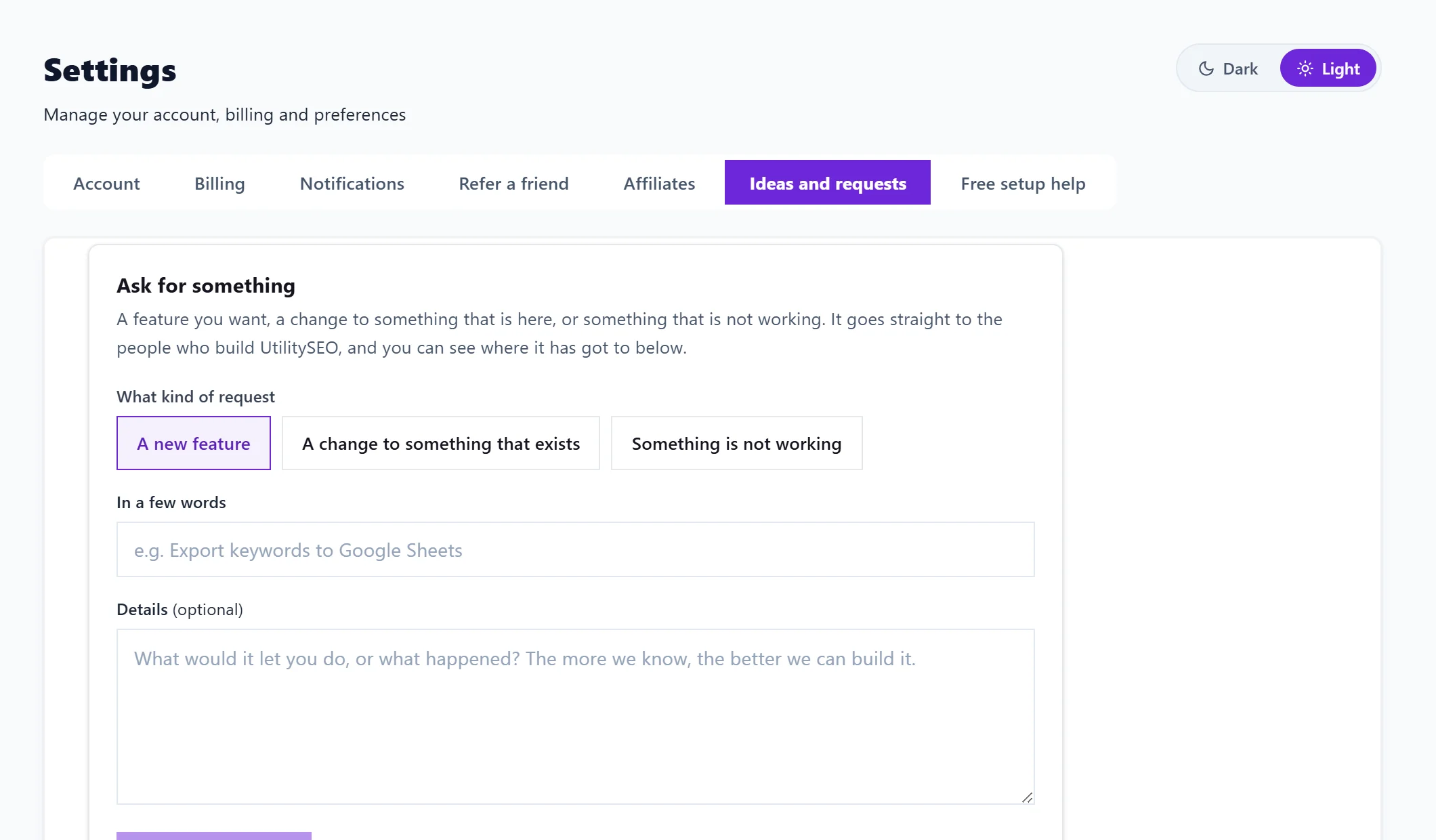
Send a request
- Open Settings and choose Ideas and requests.
- Under What kind of request, choose one: - A new feature - A change to something that exists - Something is not working
- Under In a few words, give it a short title, for example "Export keywords to Google Sheets" or "The keyword table will not load". It needs at least 4 characters.
- Under Details (optional), say what it would let you do, or what happened. The more we know, the better we can build it.
- Press Send request. You see "Sent. Thank you, we read every one."
Follow your requests
Below the form, Your requests lists everything you have sent, newest first, with its kind, the date and a status:
| Status | What it means |
|---|---|
| Received | We have it and have not decided yet |
| Planned | We intend to build it |
| Being built | Work has started |
| Done | It is in the app |
| Not planned | We have decided not to build it |
When we reply, the reply appears under the request.
When to use something else
- Help getting set up, such as connecting Google or reading your first scan: use Free setup help instead, and a person gets back to you within one working day. See free setup help.
- Anything urgent or private, such as a billing question or a problem signing in: email support@utilityseo.com.
Questions people ask
Who sees my request?
The UtilitySEO team. It is not shown to other customers.
Will I be told when it is done?
The status on the tab changes to Done. Check back on Ideas and requests to see where each request has got to.
Can my team members send requests too?
Yes. Each person sends and sees their own from their own Settings.