What does the This week view in Track show?
On this page
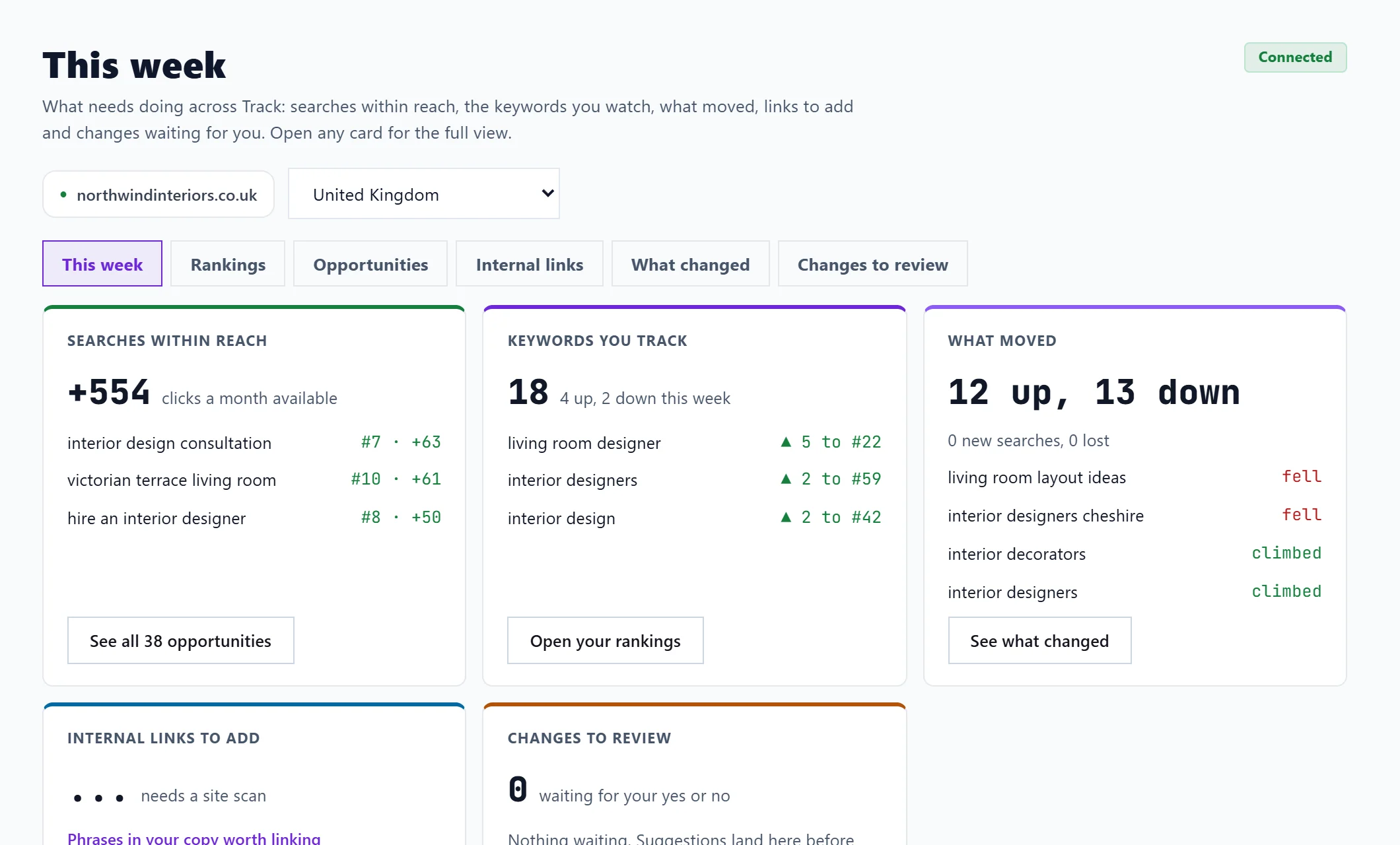
This week is the first view you see when you open Track. It puts everything that needs doing across Track on one screen: one card each for searches within reach, the keywords you track, what moved, internal links to add and changes waiting for your review. Each card shows its headline number, the top few items and a button into the full view.
Open it
- Open Track in the sidebar. The Opportunities tab opens on This week.
- If you are on another view, press This week in the row of views at the top.
This week needs Search Console connected. Without it, only Changes to review works; see connect Search Console.
The five cards
| Card | What it shows | Its button |
|---|---|---|
| Searches within reach | The clicks a month available from searches just off page one or with a low click rate, and the top three | See all opportunities opens the Opportunities view |
| Keywords you track | How many keywords you track and how many went up or down this week | Open your rankings, or Pick keywords to track if you have none |
| What moved | How many searches climbed and fell, how many are new and how many were lost | See what changed |
| Internal links to add | Pages that nothing on your site links to, from your last site scan | See them in Site Health; it says needs a site scan until you have one |
| Changes to review | Suggested title and description edits waiting for your yes or no | Review changes |
Searches for other businesses' brands are left out of the first card's total, as they are on the Opportunities view.
If one card could not load, it says Could not load this just now. Open the view to try again. The other cards still work.
Where each card leads
Questions people ask
How often does it update?
The rankings and what moved come from our weekly record of your Search Console data, which is taken each Thursday. Opportunities read Search Console when you open the page.
Why does Keywords you track say 0?
You have not picked any keywords to track yet. Press Pick keywords to track, or see track keywords.
Does it cost anything to use?
No. Track uses your own data and no AI uses. It is on every paid plan.