How do Opportunities and the SEO plan work?
On this page
Opportunities finds the searches you could win more clicks from, using your own Search Console data: searches just off page one, and searches where you rank but few people click. Plan turns the ones you pick into a 30, 60 or 90-day plan of weekly tasks, then shows what moved. Both are under Track, need Search Console connected and use no AI uses.
The Opportunities view
Open Track, then Opportunities, and choose the Opportunities view. The other views on the same page are This week, Rankings, Internal links, What changed and Changes to review; see the This week view.
- Striking distance: searches just off page one, where a small push reaches it.
- Low click rate: you rank, but few people click. Usually the page title or description needs work: see meta descriptions and titles.
Filter with the All, Striking distance and Low click rate chips. Total upside at the top adds up the clicks a month on offer.
Each card shows the search, your page, how hard it is (Easy, Medium or Hard), a chip for how long the job takes and the clicks a month it could bring, with your Rank, impressions and click rate. It leads with Start here, the first thing to do; How to do it opens every step. With a site scan the steps quote your page (its current title, heading and word count); without one they say what to check. For a title job you see Your result now beside the Suggested one, as Google would lay it out.
Under each card: Add to plan opens Plan with that search picked, and View in Search Console opens Google's own report.
Use Sort: Potential, Sort: Position or Sort: Impressions, the country picker (positions are measured in the country you choose), the date range, or Export CSV.
Searches for other businesses at the bottom are searches for someone else's brand. They are not yours to win and are left out of Total upside.
Make a plan
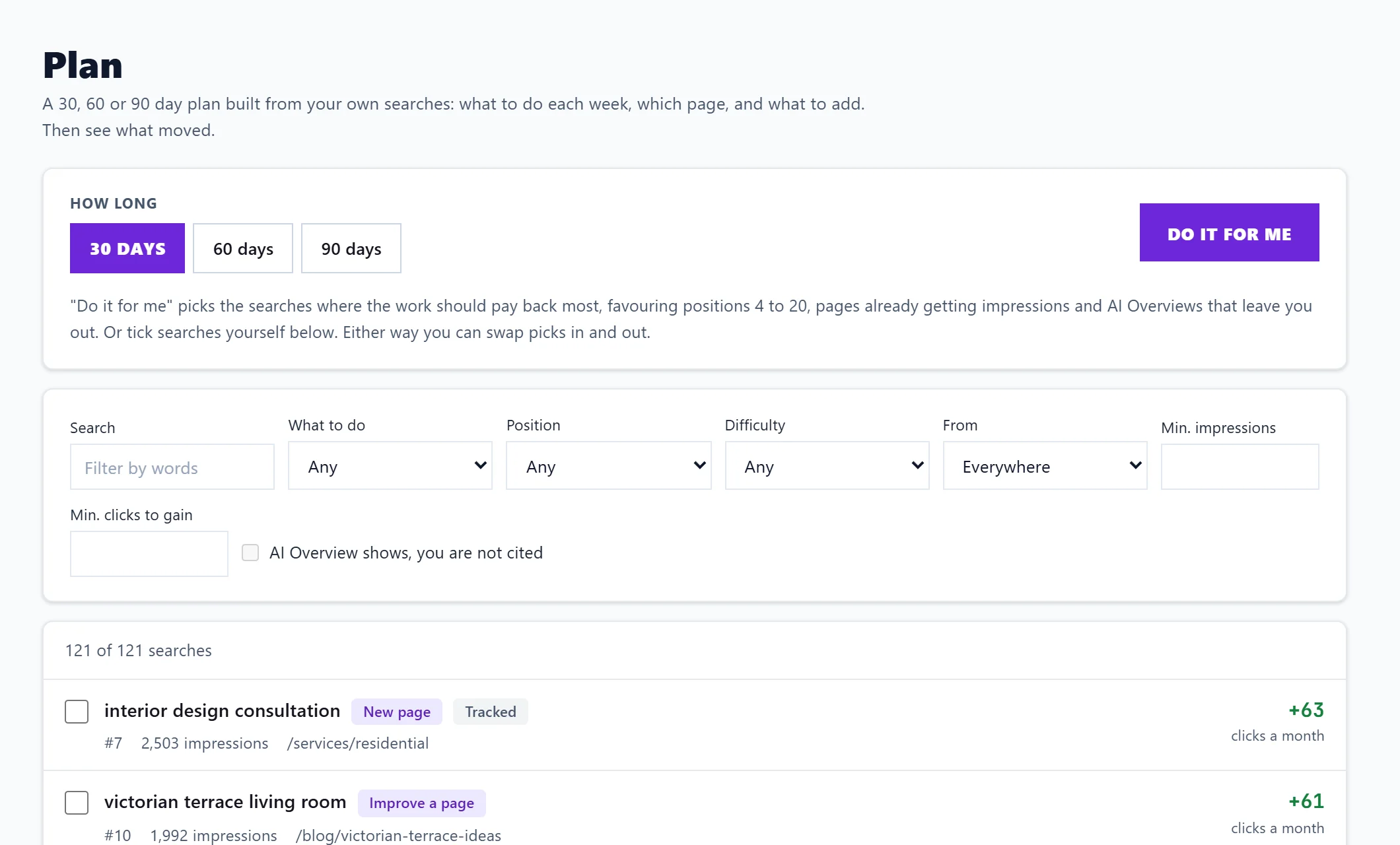
Open Track, then Plan, choose 30, 60 or 90 days (60 and 90 are on Enterprise), press Do it for me or tick searches yourself, then Make the plan. Title and description rewrites and page improvements come first; new pages and merges never go in the first week. The full guides are build a 30, 60 or 90 day plan and follow your plan and see what moved.
Seeing what worked
Each task shows Before (the four recorded weeks before the plan) and Now (the weeks since): position and clicks a week. Nothing can be compared until the first week after the plan has been recorded, usually by the following Thursday. Changes usually show in Search Console two to four weeks after the work is done. Each Monday a check-in in the bell says what is due and what moved, and the same check-in comes by email unless you turn off SEO plan check-in in Settings, Notifications.
Questions people ask
Where do the click estimates come from?
From your own Search Console figures: your impressions and how many clicks the position you could reach usually earns. They are estimates, not promises.
Why does it say to connect Search Console?
Both are built from the searches your site already shows for. Without Search Console there is nothing to build them from. See connect Search Console. Changes to review works without it.
Do Opportunities or Plan use AI uses?
No. Both read your own data and use no AI uses. They are on every paid plan.