How do I read the results for a single page?
On this page
The This Page view on Audit, SEO Results shows one page's results from a single-page check: four scores out of 100, how the page performs on Google's speed and stability checks in plain English, and the problems found on it, grouped by how serious they are, each with how to fix it. On Entrepreneur and Enterprise, three buttons ask for written suggestions about the page.
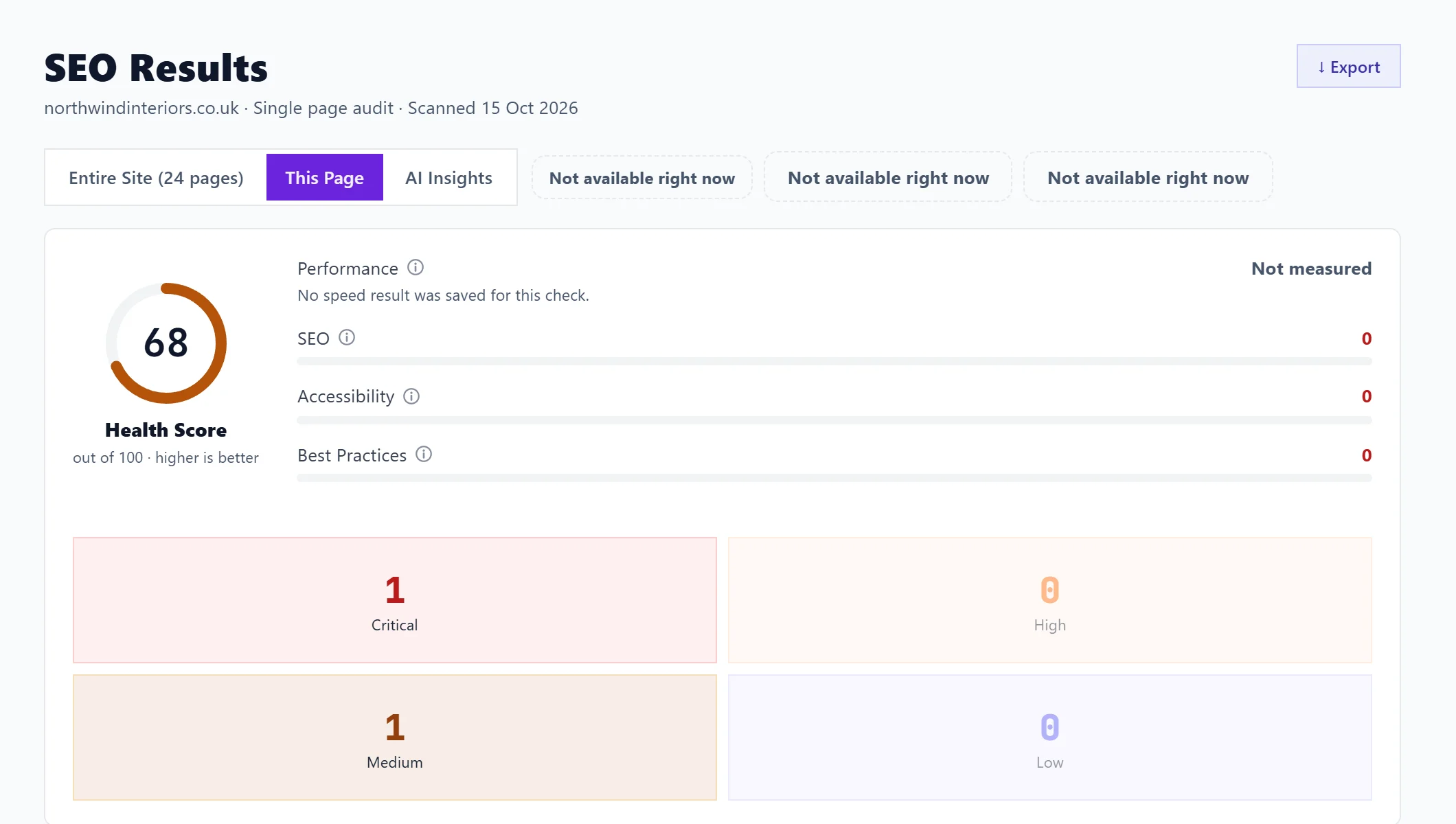
The scores
- Health Score, out of 100, higher is better.
- Performance: how fast the page loads, measured by Google Lighthouse (Google's page testing tool).
- SEO: how well the page is set up for search engines, such as its tags and whether it can be read on a phone.
- Accessibility: how usable it is for people with disabilities, such as colour contrast, alt text and keyboard use.
- Best Practices: whether it follows modern web standards, such as https and no errors in the browser.
Hover over any score for what it measures.
How your page performs
Google's speed and stability checks, explained in plain English: how long the main content takes to appear, how soon anything appears, how quickly your server answers, and whether the page jumps about while loading. Each is marked good, needs work or poor. Where a check fails, On your page names the part responsible, such as the image that loads last or the part that moves, and a guide button explains the fix.
The issues
The counts at the top (Critical, High, Medium, Low) are buttons: click one to show only that severity. Below, issues are grouped by severity. Each issue has:
- Show how to fix with the steps, and What is this? for an explanation.
- Track Issue, to add it to your Progress list. See track issues and the Progress list.
- A tick to mark it fixed. See mark issues fixed and re-check them.
- For title, description and image issues, a shortcut to write new ones.
All, Tracked and Untracked, with counts, and Show tasks for (Everyone, Marketing or Developer) narrow the list. See filter and search scan results.
Written suggestions (Entrepreneur and Enterprise)
Three buttons sit beside the view switch:
- AI suggestions: 3 to 5 prioritised improvements for the page's search performance, from its issues and score.
- Conversion ideas: whether a visitor would act on the page: calls to action, wording, friction, trust, proof and mobile use. You can say what visitors should do on the page first.
- Multi-model audit: the same page reviewed by three different AI models side by side, since each spots different things. Act first on the points two or more agree on.
Each uses 1 AI use on Entrepreneur. Answers are kept for 24 hours per page, so opening the same one again within a day is free. On Minimum the buttons show as locked. See AI uses explained.
Questions people ask
How do I see another page?
Run a single-page check on it from New Scan. See check a single page. To go back to earlier checks, use Scan History. See scan history.