How do I mark issues fixed and re-check a page?
On this page
On SEO Results, tick the box at the start of a finding to mark it fixed, or tick off its pages one at a time on the Where it is tab. To have us confirm a fix on the live page, track the issue, open it on your Progress list and press Re-check this page: we fetch the page again and tell you whether the problem is gone, without a whole new scan.
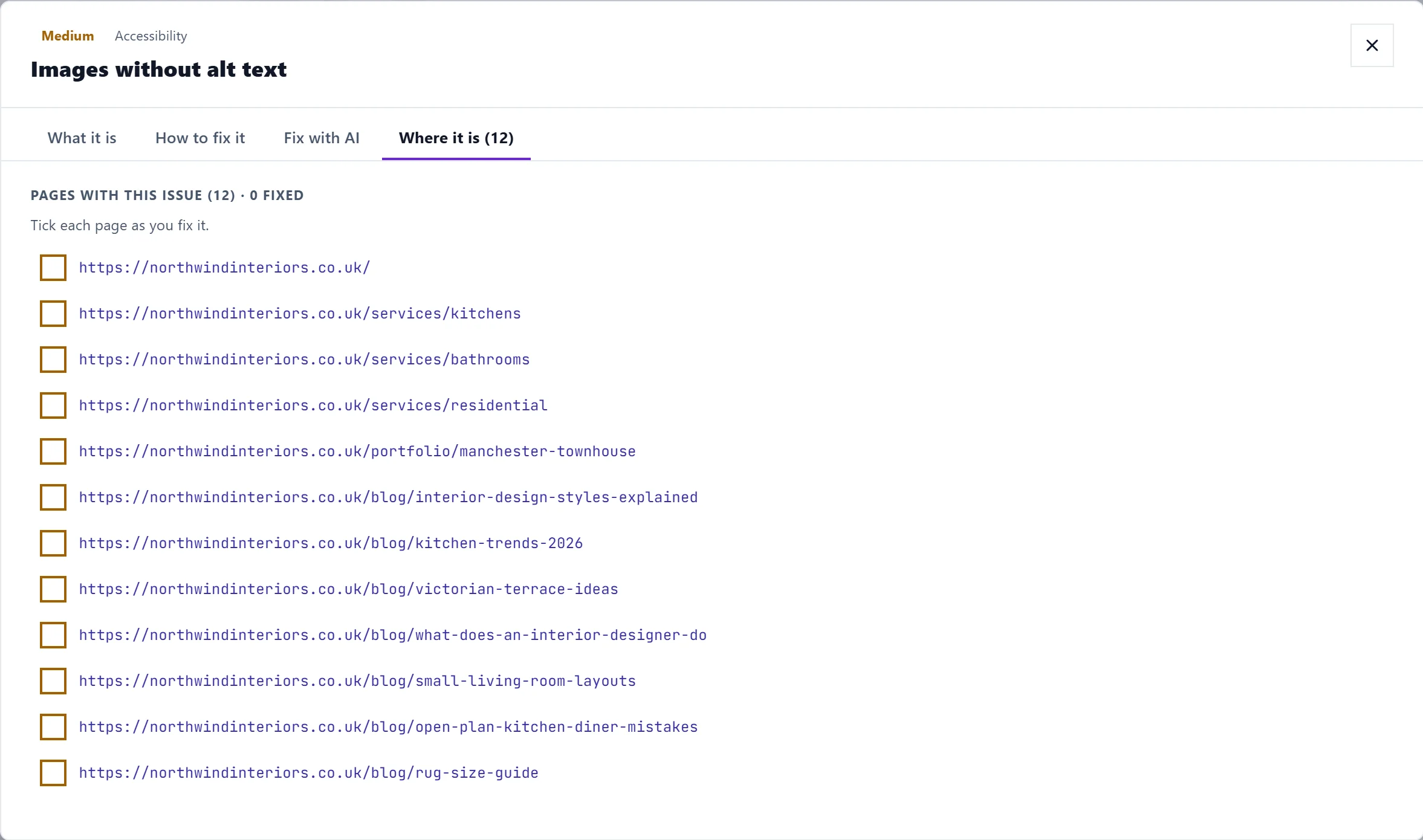
Mark a finding fixed
- Tick the finding: the box at the start of each row (Mark fixed; ticked again, Mark not fixed). The title is struck through.
- Tick page by page: the pages count on the row (for example 3/12 fixed) opens the pages. Tick each one as you fix it. When every page is ticked, the finding is marked fixed too.
- Mark all fixed on a group ticks every finding in it; Reset all unticks them. A group where everything is ticked says All fixed.
Your ticks are saved with the scan, so they are still there when you come back, and anyone else on the project sees them. If a tracked issue is ticked here, it is marked fixed on your Progress list as well.
Ticking is your record of what you have done. The health score itself changes only when you scan again.
Re-check a page
- Press Track Issue on the finding.
- Open the Progress page (Audit, Site Health, View Progress) and open the issue with View details.
- For an issue on one page, under Affected page, press Re-check this page. It says Checking that page… while it fetches it.
You get one of three answers:
- Fixed. The problem no longer appears on the page, and the issue is marked done for you.
- Still there. The page still has the problem, with what was found.
- Run a full scan. Some problems cannot be judged from one page, such as copied titles across pages or broken links between them. Checking one page would find nothing and wrongly call it fixed, so we say why and ask you to run a new scan instead.
After you fix
- The next site scan lists it under Fixed since last scan in See what changed, and the Activity log records fixes from your Progress list. See the Activity log.
- Did it help? See what changed on the Dashboard's Recent activity shows the searches that moved since.
Questions people ask
I ticked something by mistake. How do I undo it?
Tick it again (Mark not fixed), or press Reset all on the group.
I fixed it but the next scan still lists it. Why?
The scan reads the live page. Check the change is published, and that any cache on your site has been cleared. Re-check the page if it is a single-page issue.