How do I write alt text for my images?
On this page
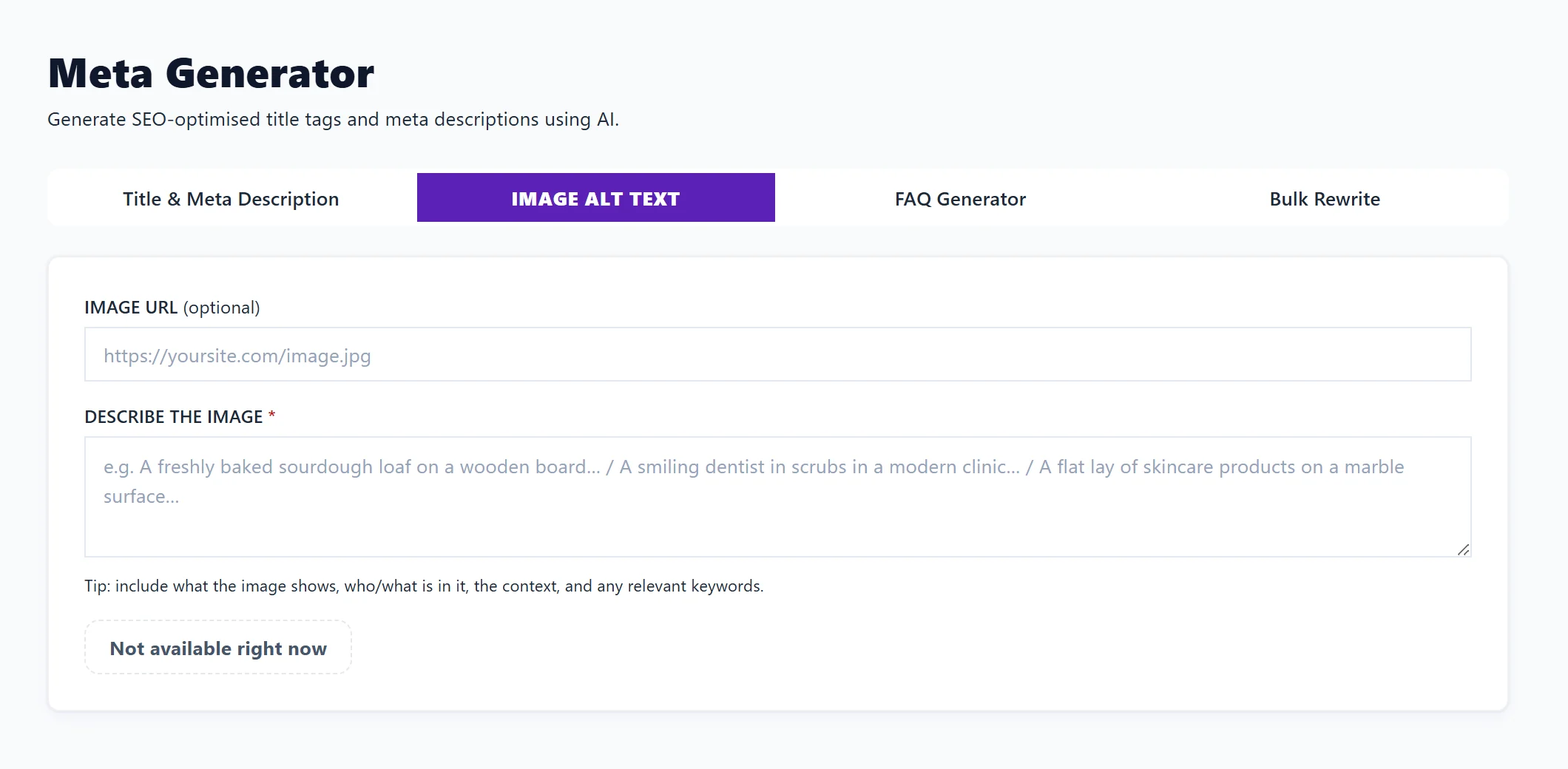
Open Content, then Meta Generator, and choose Image Alt Text. Describe the image under DESCRIBE THE IMAGE, optionally add its address, and press Generate. You get alt text ready to paste, with a character count and alternative versions. Each Generate uses 1 AI use and is on Entrepreneur and Enterprise.
What alt text is for
Alt text is a short description of an image. Screen readers read it out to people who cannot see the image, and search engines read it to understand what the picture shows. Every meaningful image on your site should have some.
Write it
- Open Content, then Meta Generator, and choose Image Alt Text.
- Under IMAGE URL, paste the image's address if you have it. This is optional.
- Under DESCRIBE THE IMAGE, say what the image shows, who or what is in it, the context and any search you want it to support. For example: "A freshly baked sourdough loaf on a wooden board in our Leeds bakery".
- Press Generate.
- Under ALT TEXT, press Copy. ALTERNATIVE OPTIONS gives other versions, each with its own Copy.
- Paste it into the image's alt text field in your website editor, or into the image's
alt=""attribute in your HTML.
The character count turns red above 125 characters. Keep alt text short and specific; describe the picture, do not stuff it with searches.
Tips
- Say what matters about the image for this page, not every detail.
- Leave out "image of" or "picture of"; screen readers already say it is an image.
- Purely decorative images, such as dividers, need no alt text.
Images in blog posts
For posts written in the Blog Plan with Use my library, each library image has its own alt text box. See blog autopilot and images.
Questions people ask
Does it look at the image itself?
It writes from your description. The better the description, the better the alt text.
Can I do this on Minimum?
The writing uses AI, which starts on Entrepreneur. On Minimum the button shows a lock; you can still write alt text yourself using the tips above.
Where are my past results?
Recent generations at the bottom of the Meta Generator keeps your past results for the project.