What should I do in my first week?
On this page
Work through the Your first week checklist on your Dashboard: run your first site scan, connect Google Search Console, fix one issue, track your first keywords, set up the weekly email and try AI Visibility. Each step has a button that takes you to the right screen, and it ticks itself once it is really done.
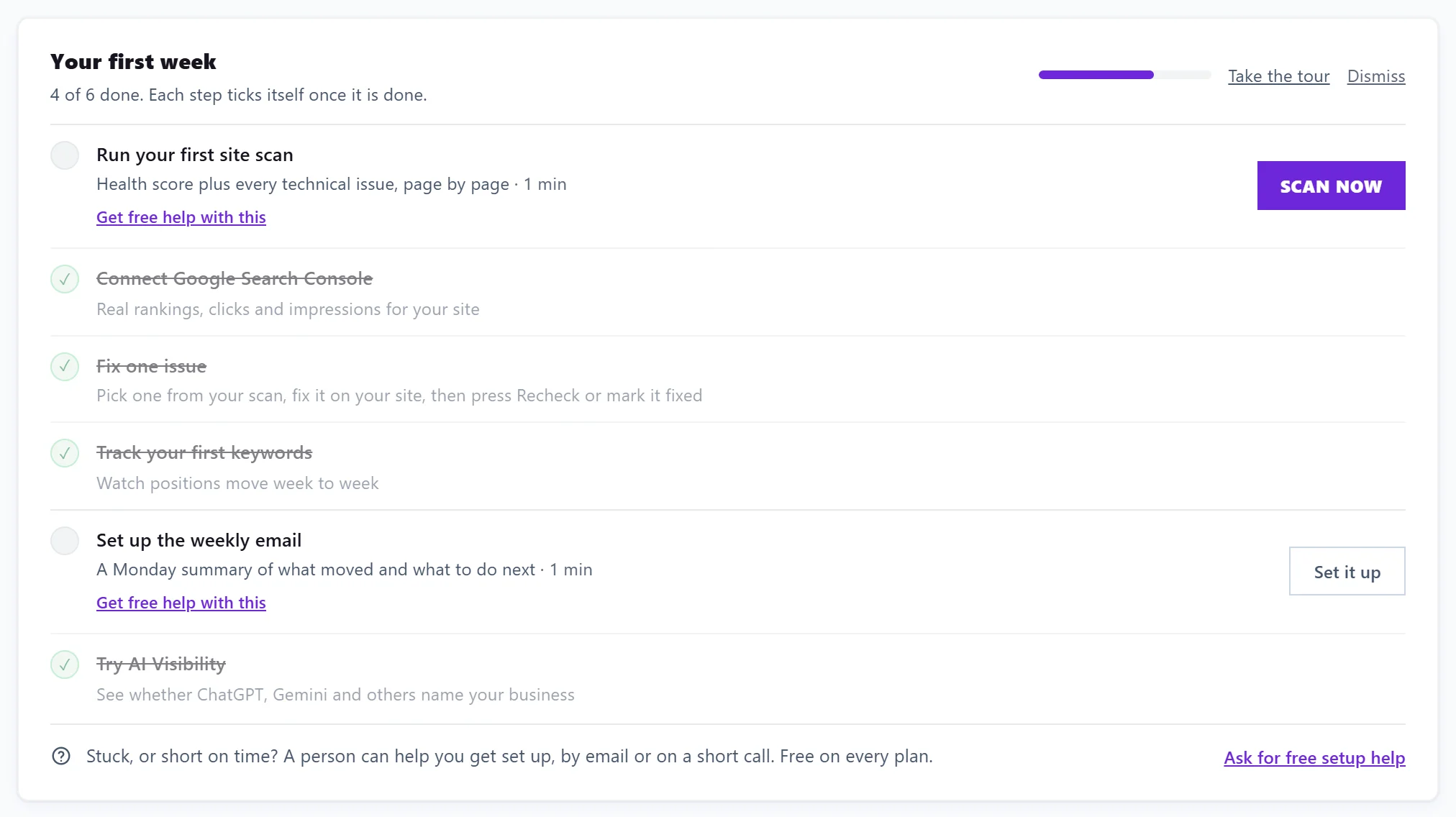
The six steps
- Run your first site scan. Usually already running, because we start one when you add your website. It gives you a health score and a list of problems, page by page. Button: Scan now.
- Connect Google Search Console. This is Google's free report of the searches your site shows up for. It fills the Keywords page with your real rankings, clicks and impressions. Button: Connect. See connect Search Console.
- Fix one issue. Pick one from your scan, fix it on your website, then tick it fixed on SEO Results or on your Progress list. Button: Show me the issues. See what to fix first.
- Track your first keywords. Choose the searches you care about and watch their positions move week to week. Button: Add keywords.
- Set up the weekly email. A Monday summary of what moved and what to do next. Set it up opens the notification settings for this project.
- Try AI Visibility. See whether AI assistants such as ChatGPT and Gemini name your business. Button: Try it. AI Visibility is on the Entrepreneur and Enterprise plans, and on a trial of either.
The card shows how many steps are done and a short progress bar. Take the tour opens a two-minute walk through the app (see the product tour). Dismiss hides the checklist for good.
Once the scan and Search Console are in
The checklist shrinks to the next open step, with Show all 6 steps to see the rest. Above it, the Dashboard shows Your first 3 improvements, in the order to do them:
- The top fix from your scan, with Show me the fix. If the scan found nothing urgent, it says so and offers Scan again.
- The search closest to winning, a search on page two or low on page one, with Open Opportunities. If nothing is close yet, it suggests tracking 5 keywords instead.
- The next topic to plan, from your topic and competitor scans, with Plan this topic. Without one, it offers to scan a topic or to open the Blog Plan.
Dismiss hides this card for the project you are in.
While you wait for Search Console data
Search Console data arrives a day at a time. Some screens that are waiting for it show While you wait, any of these can be done today, with three buttons: Run a site scan, Track 5 keywords and Plan a topic (or Plan a post, which opens the Blog Plan).
Learn as you go
The free Academy has short courses on SEO basics, Search Console, Google Analytics 4 and getting found in AI answers. See the Academy.
Questions people ask
A step will not tick, but I have done it. Why?
Each step ticks from real data, not from a click. Search Console, for example, ticks once it is connected to this project. If you did the step in a different project, switch to that project to see it ticked.
What counts as "fixed one issue"?
Ticking a finding fixed on SEO Results, marking a tracked issue fixed on your Progress list, or a re-check that confirms the fix.
I am stuck on a step. Can someone help?
Yes. Under any open step, Get free help with this asks a person to help you, by email or a short call, free on every plan. See free setup help.
Can I bring the checklist back after dismissing it?
No. It stays hidden on every device once dismissed. Everything it points to stays in the app, and you can reopen the tour from the search box or the command palette (Ctrl+K, then Take the product tour).