How do I get free help setting up UtilitySEO?
On this page
Choose Free setup help in the sidebar (or Settings, Free setup help), pick what you want help with, choose email or a short call, and press Ask for help. A person gets back to you within one working day. It is free on every plan, the trial included.
Ask for help
- Open the form from any of these: - Free setup help at the foot of the sidebar (on a phone, in the menu). - Ask for free setup help on the Dashboard, during your first weeks. - Get free help with this under any open step of the first-week checklist. - Settings, Free setup help. - The command palette: press Ctrl+K and type "setup help".
- Under What would you like help with?, choose any of: Connecting Google, Reading the first scan, Picking keywords, Setting up the blog, Something else.
- Under How should we get in touch?, choose By email or A short call. A call asks for a phone number.
- Add your best times and a note if you like. Both are optional.
- Press Ask for help.
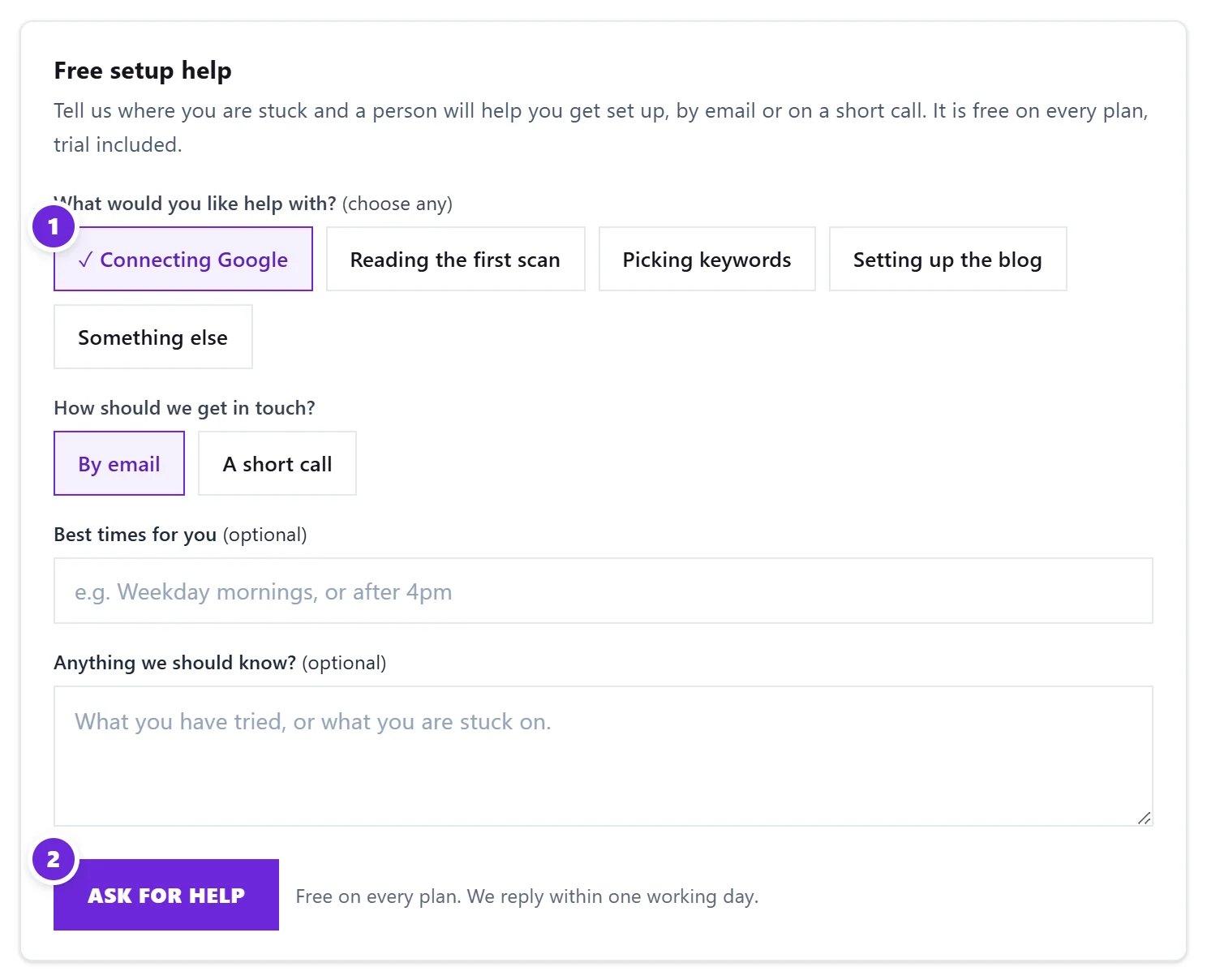
You get an email confirming we have your request. We reply within one working day.
Follow your request
Settings, Free setup help lists your requests with their status: Received, We have been in touch, or Done.
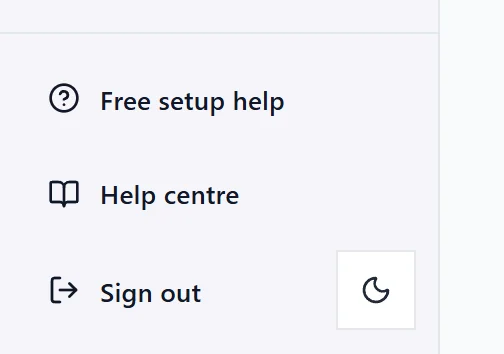
Help centre, beside it, opens these help articles in a new tab. See how to find help.
What we can help with
Setup help is a person walking you through the app with your own site: connecting Search Console, Analytics and Google Ads, reading your first scan and deciding what to fix first, choosing keywords to track, and getting the blog plan going. We explain what to change on your site; the changes themselves are yours to make.
Questions people ask
Does setup help cost anything?
No. It is free on every plan and during the trial.
How quickly will someone reply?
Within one working day, by email or with a call at the time you suggested.
It says I already have requests from today. Why?
You can send up to three requests a day. We have the earlier ones and will answer them. For anything else, email support@utilityseo.com.
Can I just email instead?
Yes. support@utilityseo.com reaches the same people. The form helps because it tells us which project and which step you are on.