How do I see my Google AI Overviews and AI Mode appearances?
On this page
Export the Generative AI report from Google Search Console and import the zip on the Appearances in AI answers card, on your Dashboard or on the AI Visibility page. It shows how often your pages appeared inside Google's AI Overviews and AI Mode, and which pages Google answered with. Google does not offer this report through its API, so an import is the only way to bring it in.
Import the report
- In Search Console, open Performance, then Generative AI.
- Press Export, top right, and choose Download CSV. Google downloads a zip.
- In UtilitySEO, find the Appearances in AI answers card on the Dashboard, or on Analytics, AI Visibility, Dashboard tab.
- On the Search tab of the card, press Import the Search report and choose the zip as it is. Do not unzip it.
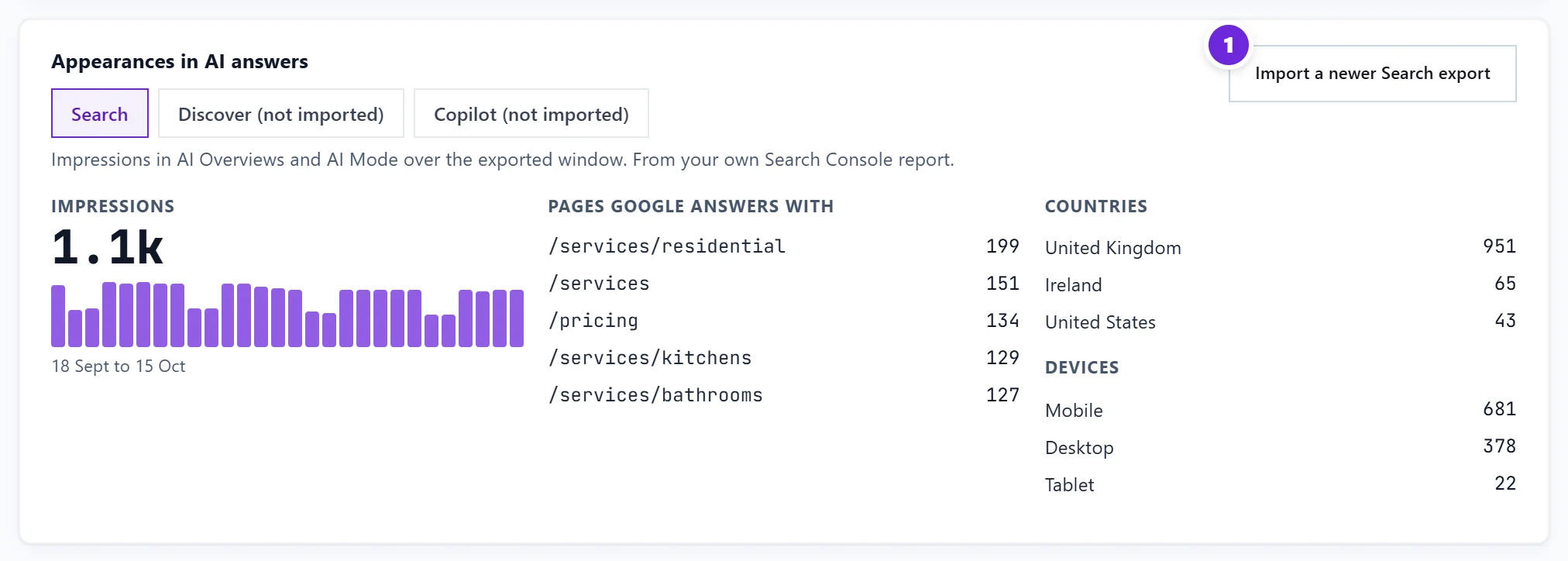
The daily trend, your pages, countries and devices all come in together. Next time, press Import a newer Search export to bring it up to date.
What it shows
- Impressions in AI Overviews and AI Mode over the exported window, shown as one figure because that is how Google gives it.
- Pages Google answers with: which of your pages appeared.
- Countries and devices.
The Keywords table also uses it: a keyword whose ranking page is in the report gets the "cites a page of yours" mark in its AI Overview column. See read the Keywords table.
Discover and Copilot
- Discover: Search Console has a separate report for the AI features in Discover. Open Performance, then Generative AI (Discover), export it the same way and import it on the card's Discover tab.
- Copilot: in Bing Webmaster Tools open AI Performance (your site must be added and verified there), press Export for the daily overview, the pages and the grounding queries, and import the files on the Copilot tab, one at a time or together in a zip. Bing counts citations: how often an AI answer named your page as a source.
Limits to know
Google's report gives impressions only, with no clicks and no breakdown by search, and its data starts on 18 May 2026. The card shows only what you imported, so it does not update by itself. Import a fresh export whenever you want newer figures.
Questions people ask
It says this is the ordinary Performance export. What went wrong?
You exported the normal Performance report, which has clicks. Open Performance, then Generative AI, and export from there.
Can UtilitySEO fetch this automatically?
Not yet. Google has no API for this report. We check regularly, and the import stays the way in until one exists.
Which plan do I need?
The import works on every paid plan and trial. It is your own Search Console data, so it uses no AI uses.