How do I track a blog post after it goes live?
On this page
Once a post is live, add its address in the Writer's Publish step under Add the published link and press Start tracking. The Track step then shows whether Google has indexed it, its clicks, impressions and position in Google over the last four weeks, how each of its target searches is doing, and AI answers that cite it. When we published it through your connected website, the address is usually filled in for you.
Add the link
- Open the post from Content, Blog Plan.
- Go to Publish.
- Under Add the published link, paste the live address of the post.
- Press Start tracking.
The message Tracking started. Figures appear as Google reports them. confirms it. To change the address later, press Change link on the Track step.
What the Track step shows
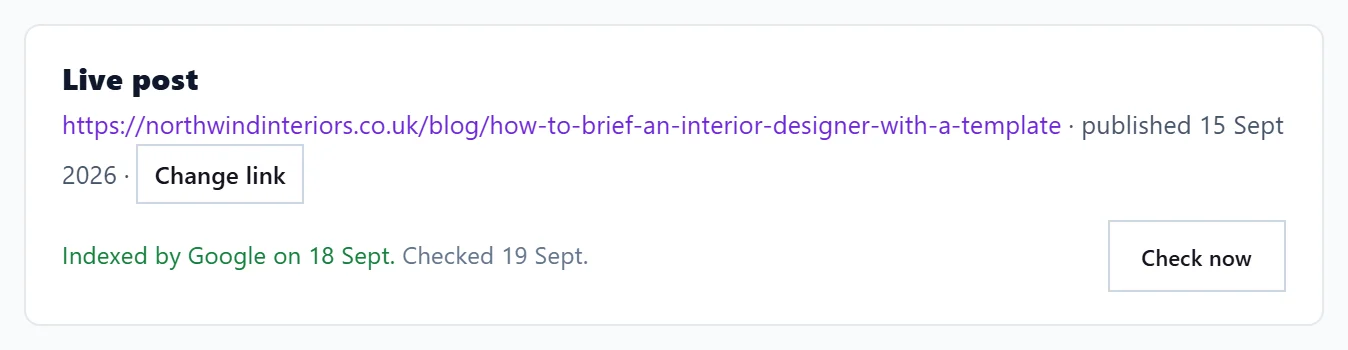
Live post: the address and the date it was published, with whether Google has indexed it. We check this regularly; new posts are often not indexed for a few days.
Google Search, last 4 weeks: the post's Clicks, Impressions and Average position from Search Console, and how many of its target searches show this post. A new post usually shows up within 1 to 3 weeks; figures arrive with the weekly update.
A table of its target searches, with Monthly searches, Clicks, Impressions, Position and Page Google shows:
- This post: Google shows this post for the search.
- Another page of yours: Google shows a different page of your site, so the two compete. Link from that page to this post, or make their topics distinct.
- Not showing yet.
Cited in AI answers: which AI assistants cited this page in your AI Visibility checks, how often and when last. If none have, it says so; add a question about this topic in AI Visibility to watch it. See how AI visibility checks work.
Where else it shows
Tracked posts climb the Results board on the Blog Plan and, if they stall, appear on Track, Not winning. See the blog calendar and Results.
Questions people ask
Why are there no figures yet?
Search Console has not reported the page yet. Make sure Search Console is connected and give it one to three weeks.
Can I track a post I copied across myself?
Yes. Choose Copy and paste it myself on the Publish step, put it on your website, then paste its live address under Add the published link.
Does tracking cost anything?
No. Tracking uses no AI uses or Growth blogs.