What is in the keyword details window?
On this page
Click any keyword on the Keywords page and its details window opens. A strip at the top shows searches a month, how many saw your page, how many clicked, your average position and your click rate against what that position usually gets. Six tabs below it cover Your pages, History, Intelligence, Breakdown, Related and Ad value.
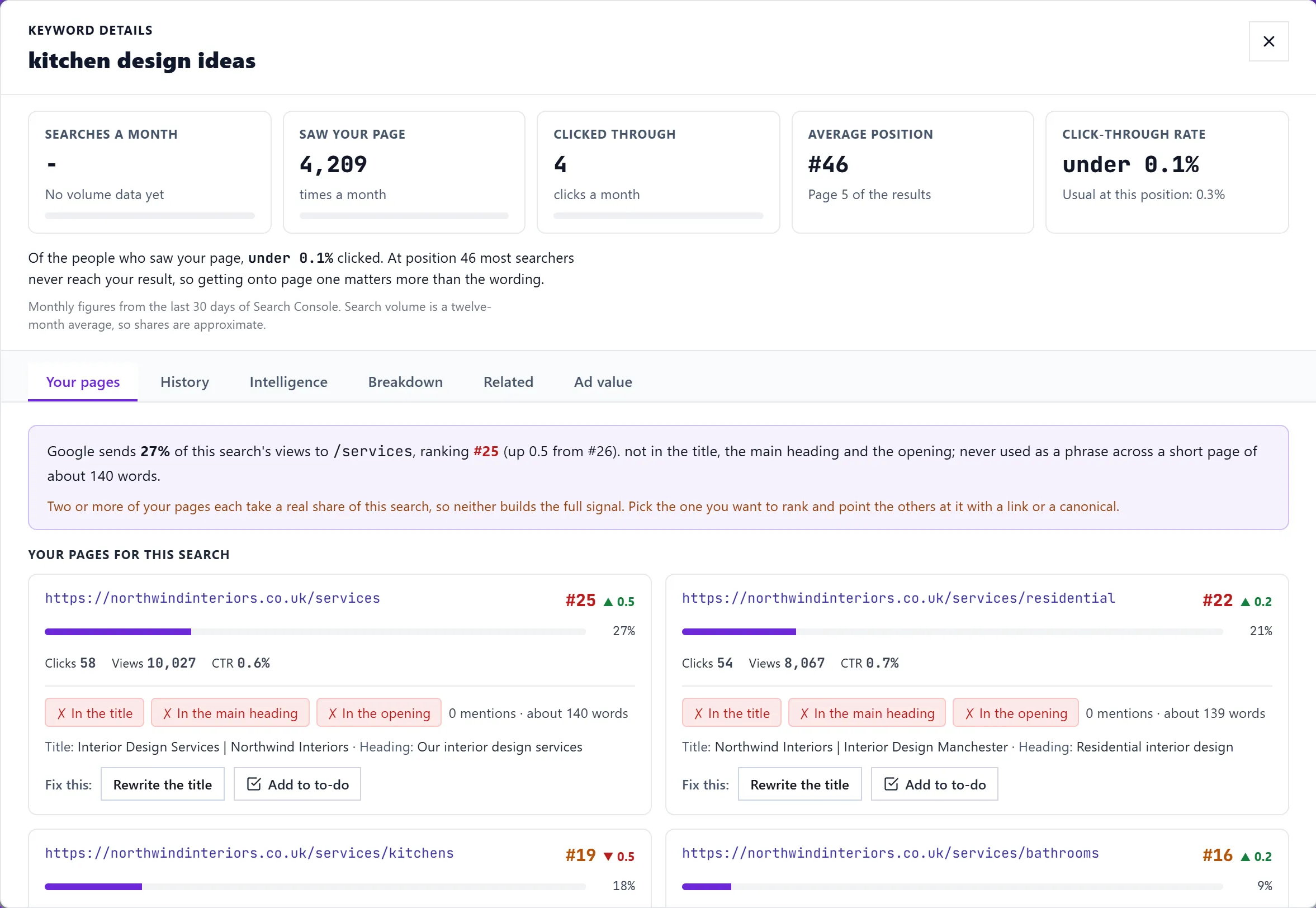
The strip at the top
- Searches a month: from Keyword Planner, once Google Ads is connected.
- Saw your page and Clicked through: monthly figures from your Search Console, with their share of everyone searching.
- Average position: and whether that is page one.
- Click-through rate: against what a result at that position usually gets. When yours is lower, it says roughly how many more clicks a month closing the gap is worth, usually from a sharper title and description.
Your pages
The pages of yours Google shows for this search, with each page's share of the views, clicks and position. For each page it checks whether the search appears In the title, In the main heading and In the opening, and how many times it is mentioned. Where something is missing, Fix this offers Rewrite the title, which opens the Meta Generator for that page, and a button that adds the other changes to your to-do list. How it looks in Google previews the listing. If two or more of your pages share the search, it says so and suggests picking one.
History
A chart of position and clicks over 30 days, 90 days, 6 months or 1 year, with your current, best and average position and total clicks. A drop offers Win it back, which adds the steps to your to-do list. Below it, Full history reads our weekly records, which go back further than Google's 16 months.
Intelligence
- Why it ranks here: what is working for the page and what is holding it back.
- How the position moved over the period, notable jumps and drops, and climbing or falling streaks.
- Competitor content activity: for your competitors, links that open Google in a new tab to see their new pages, recent posts on this search and who ranks now.
- What to do next: advice for where you stand.
Breakdown
How this search splits by device (desktop, mobile, tablet) and by country, the search result features your site appeared in, and the AI Overview state. See read the Keywords table for what the AI Overview marks mean.
Related
Related searches with their impressions and clicks. + Track tracks one, and Act on it gives the same actions as the table row.
Ad value
What your clicks for this search would cost if you bought them as Google ads, worked out from impressions, the usual click rate at your position and what advertisers bid. It shows Ad spend equivalent a month, an Annual saving, and what ranking higher could be worth. Bids need Google Ads connected; see search volume.
Questions people ask
The History tab says no data. Why?
Search Console has no readings for this search in that window. Pick a longer range, or the search may be new.
Can I track the keyword from here?
Yes. Use the star in the table, or + Track on the Related tab for related searches. See track keywords.