How do I find help inside UtilitySEO?
On this page
Press Help centre at the bottom of the sidebar to open these help articles in a new tab, or type your question into the command palette (Ctrl+K) to see matching articles straight away. For a person, use Free setup help just above it, or email support@utilityseo.com.
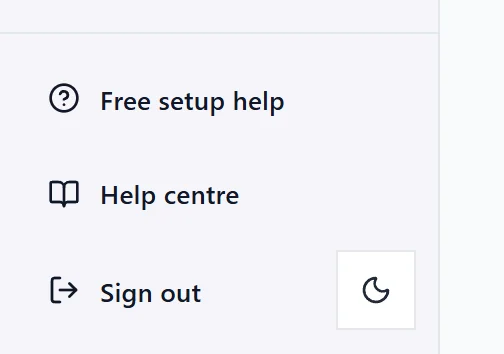
The help centre
The help centre lives at https://help.utilityseo.com. It has articles for every part of the app, grouped by topic, from getting started and the site scan to keywords, AI visibility, plans and privacy. You do not need to be signed in to read it.
To open it from the app:
- Help centre at the foot of the sidebar (on a phone, in the menu).
- The command palette: press Ctrl+K (Cmd+K on a Mac) and choose Help centre: answers to common questions.
It opens in a new tab, so the screen you were on stays where it was.
Search the help from the app
Open the command palette and type three letters or more. Under Help articles, up to five matching articles appear. Choose one to read it on the help centre. See the search box and command palette.
Help on each screen
- Every finding from a site scan has its own guide: what it means, why it matters and how to fix it. See the Fix Guides.
- Empty screens say why they are empty and offer the one thing to do next.
- The free Academy teaches the basics in short courses. See the Academy.
Talk to a person
- Free setup help: a person helps you get set up, by email or a short call, free on every plan. See free setup help.
- Email support@utilityseo.com for anything else.
- Ideas for the product go in Settings, Ideas and requests.
Questions people ask
I cannot find an answer. What should I do?
Email support@utilityseo.com with what you were trying to do and which project. A screenshot helps.