How do I use the search box and command palette?
On this page
Press Ctrl+K (Cmd+K on a Mac), or click Search at the top of the sidebar, to open the command palette. Type a few letters to find any page, a tool that lives inside a page, or an action such as switching to dark mode, then press Enter to go there.
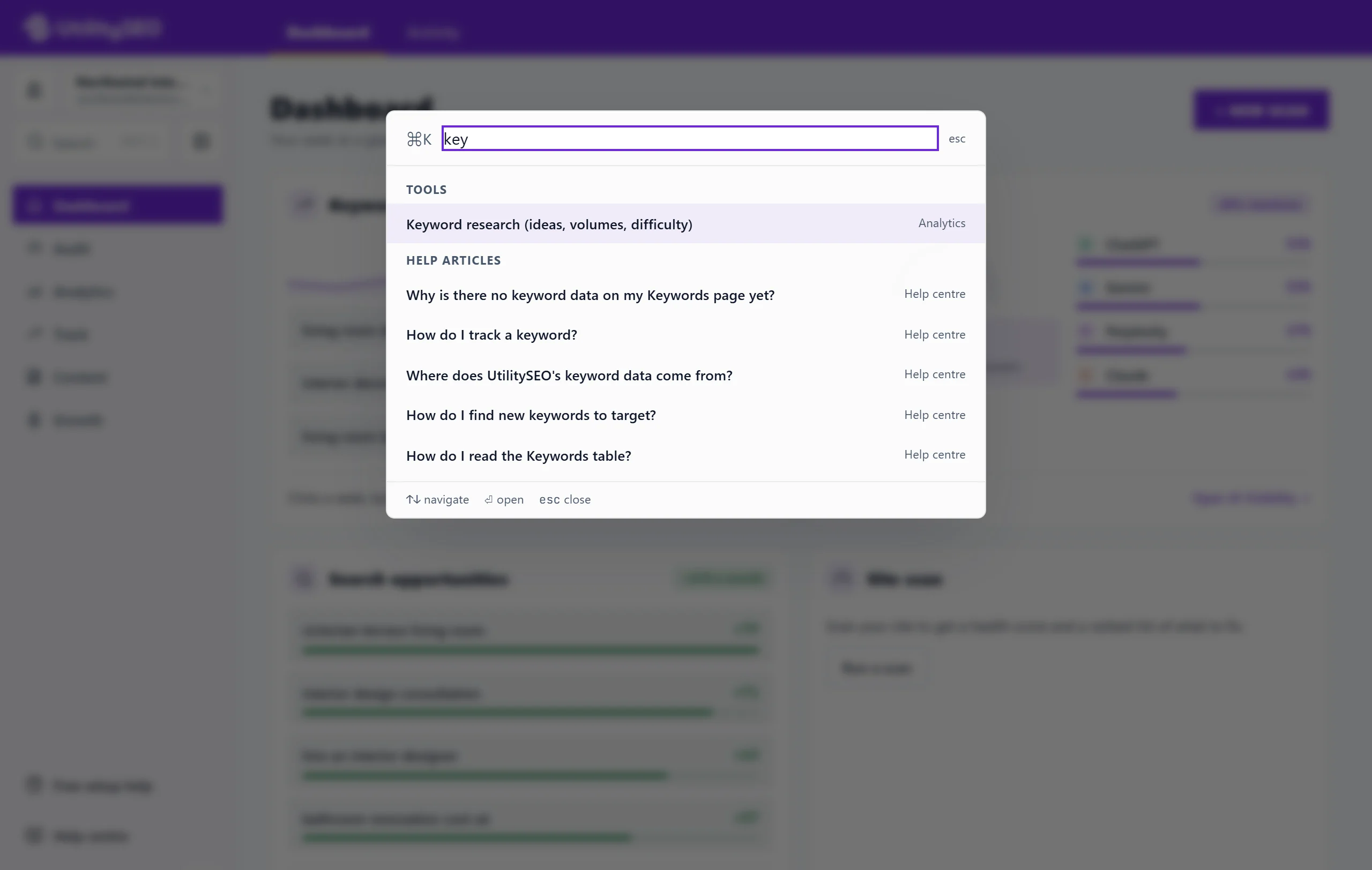
Open it
- Click Search at the top of the sidebar (on a phone, open the menu first).
- Or press Ctrl+K anywhere in a project (Cmd+K on a Mac).
A box opens with Jump to a page or run an action… in it.
Find and run
- Type part of a name, for example "health", "keywords" or "tour".
- Use the up and down arrow keys to pick, or click a line.
- Press Enter to open it. Esc closes the palette.
If nothing matches, it says No matches.
What you can find
Pages. Every page in the app: Dashboard, Activity, New Scan, SEO Results, Site Health, Site Audit, Fix Guides, Keywords, GA4, Google Ads, AI Visibility, the Track and Content pages and the rest.
Tools that live inside a page, so you can find them by name:
- Internal links, link opportunities and pages nothing links to
- Cannibalisation, searches where your own pages compete with each other
- What changed, the searches that moved, from your history
- Sitemap check and Google spam policies audit on Site Health
- AI readiness, whether AI assistants can read your site
- Keyword research, ideas, volumes and difficulty
Actions:
- Settings
- Take the product tour (see the product tour)
- Free setup help (see free setup help)
- Help centre: answers to common questions, which opens these help articles in a new tab (see the help centre)
- Switch to dark mode or Switch to light mode
- Back to workspaces, the Projects screen
- Sign out
Search the help articles
Type three letters or more and, under Help articles, the palette also lists up to five help centre articles that match. Choosing one opens it on the help centre in a new tab.
Questions people ask
Ctrl+K does nothing. Why?
Some browsers or extensions take that shortcut for themselves. Click Search in the sidebar instead.
Can I search my keywords or pages with it?
No. The palette finds screens and actions. To search your own data, use the search box on the page itself, such as the search on SEO Results (see filter and search scan results) or the Keywords table.