How do I write better page titles and meta descriptions?
On this page
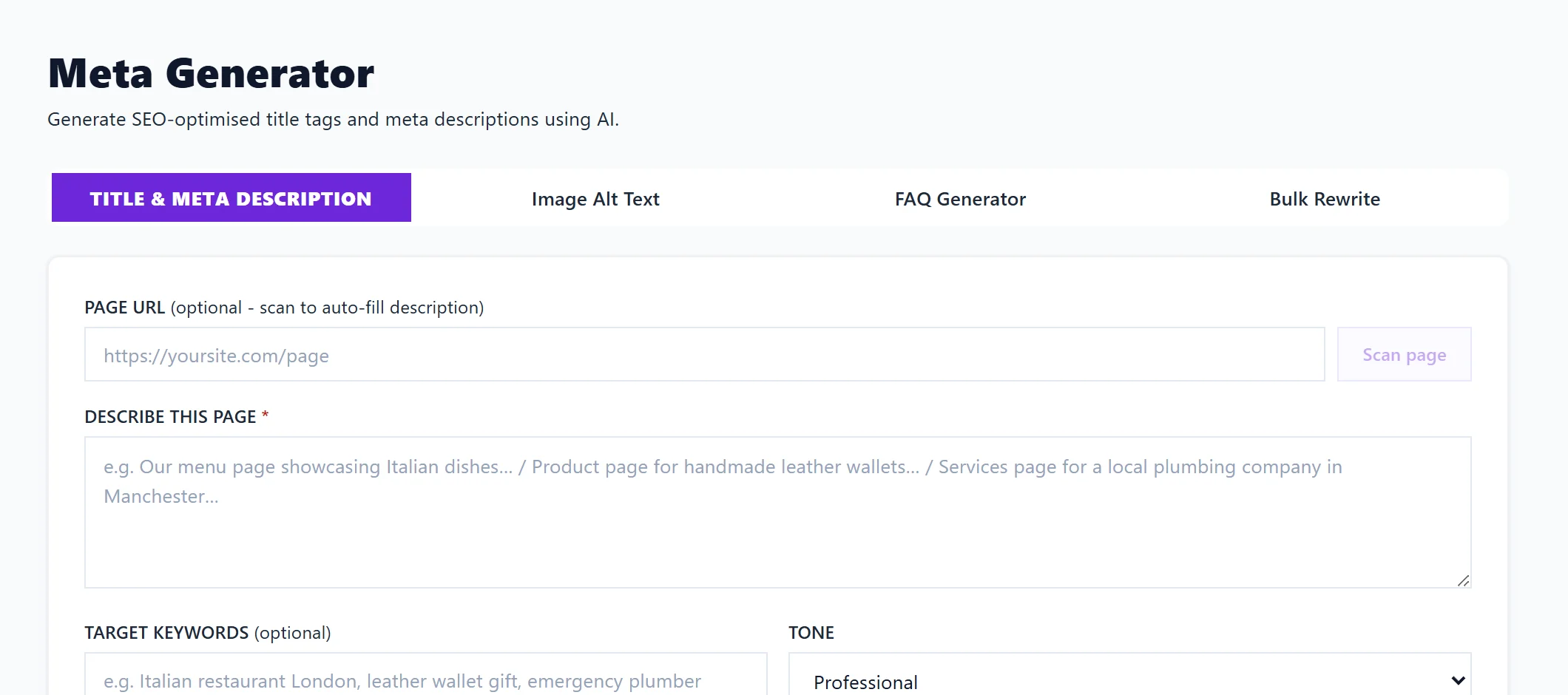
Open Content, then Meta Generator, enter the page's address and the searches it should be found for, and press Generate. You get a page title and meta description written for that page, with a preview of how it looks in Google, character counts and alternative versions to choose from. Each Generate uses 1 AI use, on Entrepreneur and Enterprise.
Why titles and descriptions matter
The title and meta description are usually what Google shows for your page in search results. A page can rank well and still get few clicks if they undersell it. The Keywords page marks a click rate below your site's average in amber, and Track, Opportunities lists searches with a Low click rate: those pages are the place to start.
Write a title and description
- Open Content, then Meta Generator, and choose Title & Meta Description.
- Paste the page's address under PAGE URL and press Scan page. We read the page and fill in DESCRIBE THIS PAGE; edit it if it is off.
- Add the searches under TARGET KEYWORDS.
- Pick a TONE: Professional, Friendly, Authoritative, Urgent / Action-driven or Conversational.
- Press Generate.
- Check the Google preview, then press Copy beside the TITLE TAG and META DESCRIPTION and paste them into your website's page settings. ALTERNATIVE TITLES gives other versions to pick from, and Regenerate writes a fresh set (1 AI use).
The counter turns red past 60 characters for a title and 160 for a description, the usual lengths Google shows. The preview is the real answer: it shows whether the end is cut off. Text is written in your website's language. Recent generations keeps your past results for the project, so you can go back to one.
The other tools here
- Image Alt Text: describe an image (what it shows, who or what is in it, the context) and get alt text, the description read out to people using screen readers and read by search engines. See write image alt text.
- FAQ Generator: 6 to 8 questions and answers from a page or description, with FAQ structured data (JSON-LD) to paste into the page. See generate FAQs.
- Bulk Rewrite: check and rewrite titles and descriptions for up to 50 pages at once. See Listing Optimiser and Bulk Rewrite.
Questions people ask
Does Google always use my meta description?
No. Google sometimes writes its own snippet from the page text when it thinks that fits the search better. A clear, specific description makes it more likely yours is used.
Can UtilitySEO change the title on my site for me?
Use Bulk Rewrite and Send to review queue. In Track, Opportunities, Changes to review, approved changes apply automatically where your connected website supports it, and are marked copy and paste where it does not.
I am on Minimum. Can I still use this?
The Meta Generator writes with AI, which starts on Entrepreneur. On Minimum you can still see which pages have missing, cut-off or repeated titles and descriptions in your site scan, and in Bulk Rewrite with Check pages, which is free.