How do the Listing Optimiser and Bulk Rewrite work?
On this page
The Listing Optimiser scores a product listing or video for search and AI shopping answers: paste an Etsy listing, Shopify product or YouTube video and get a score, the issues and what to change, free. Bulk Rewrite checks the titles and descriptions of up to 50 of your pages at once, free, then rewrites the ones that need it for 1 AI use per 10 pages.
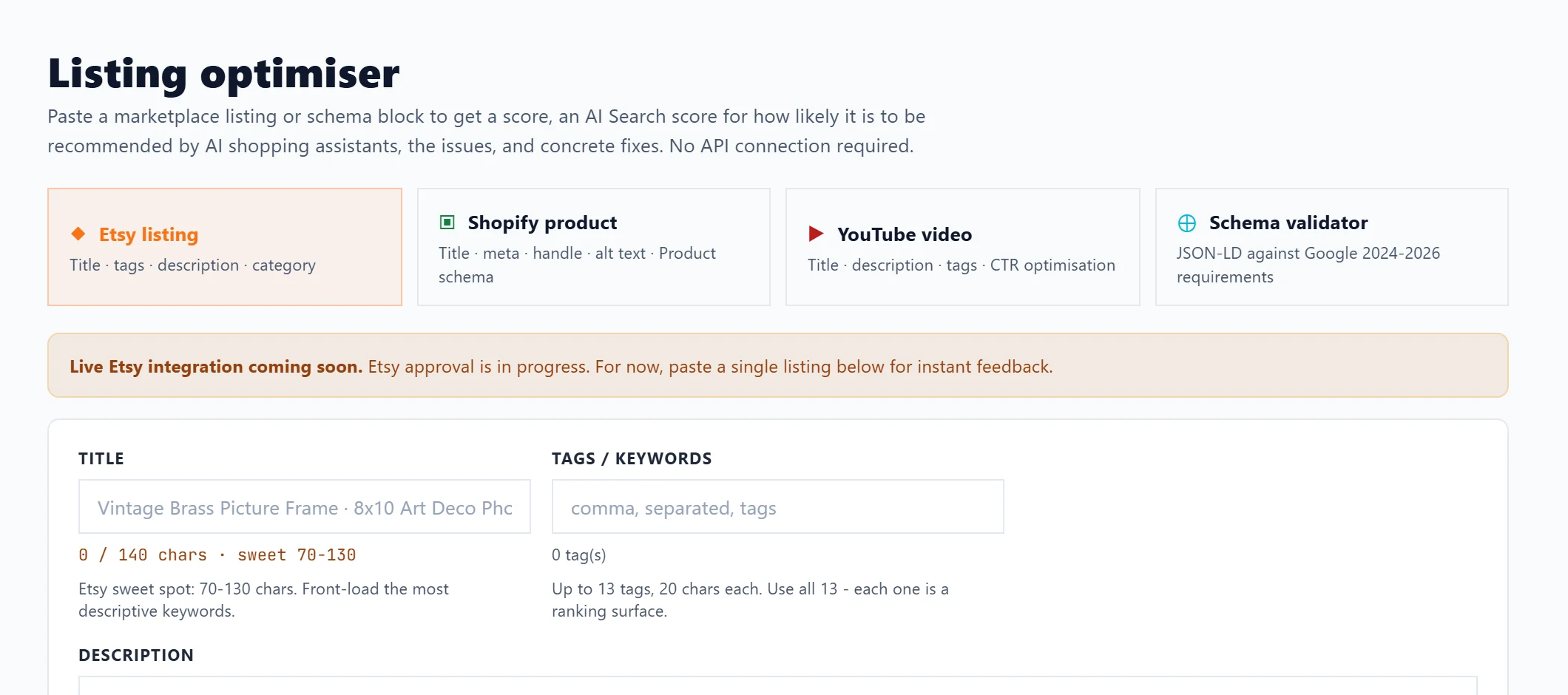
Listing Optimiser
- Open Content, then Listing Optimiser.
- Choose the platform: Etsy listing, Shopify product or YouTube video.
- Paste the title, tags, description and the other fields shown. Each field says what works best, such as Etsy's 70 to 130 characters for a title and all 13 tags.
- Press Audit listing. You get an SEO score, the issues found (worst first), the attributes you state and the ones missing, and recommendations.
- For the AI Search score (how ready the listing is to be cited in AI shopping answers) and written fixes, press Write the AI fixes (uses 1 AI use). The same listing again within 24 hours shows them without using another.
The score and issues never use an AI use. The AI fixes need Entrepreneur or Enterprise.
What each platform asks for:
| Platform | Fields |
|---|---|
| Etsy listing | Title, tags (up to 13, 20 characters each), description and Category |
| Shopify product | Title (the page title Google shows, 50 to 60 characters), tags, description, URL handle (the part after /products/) and Product type |
| YouTube video | Title (front-load the hook and main search in the first 50 characters), tags and description |
To write a new video title and description from scratch, use the YouTube Writer.
Schema validator is the fourth option: it checks structured data (JSON-LD) pasted from a page against schema.org and Google's rules. See check structured data with the Schema validator.
Export CSV on a result downloads the issues and recommendations in one file.
Bulk Rewrite
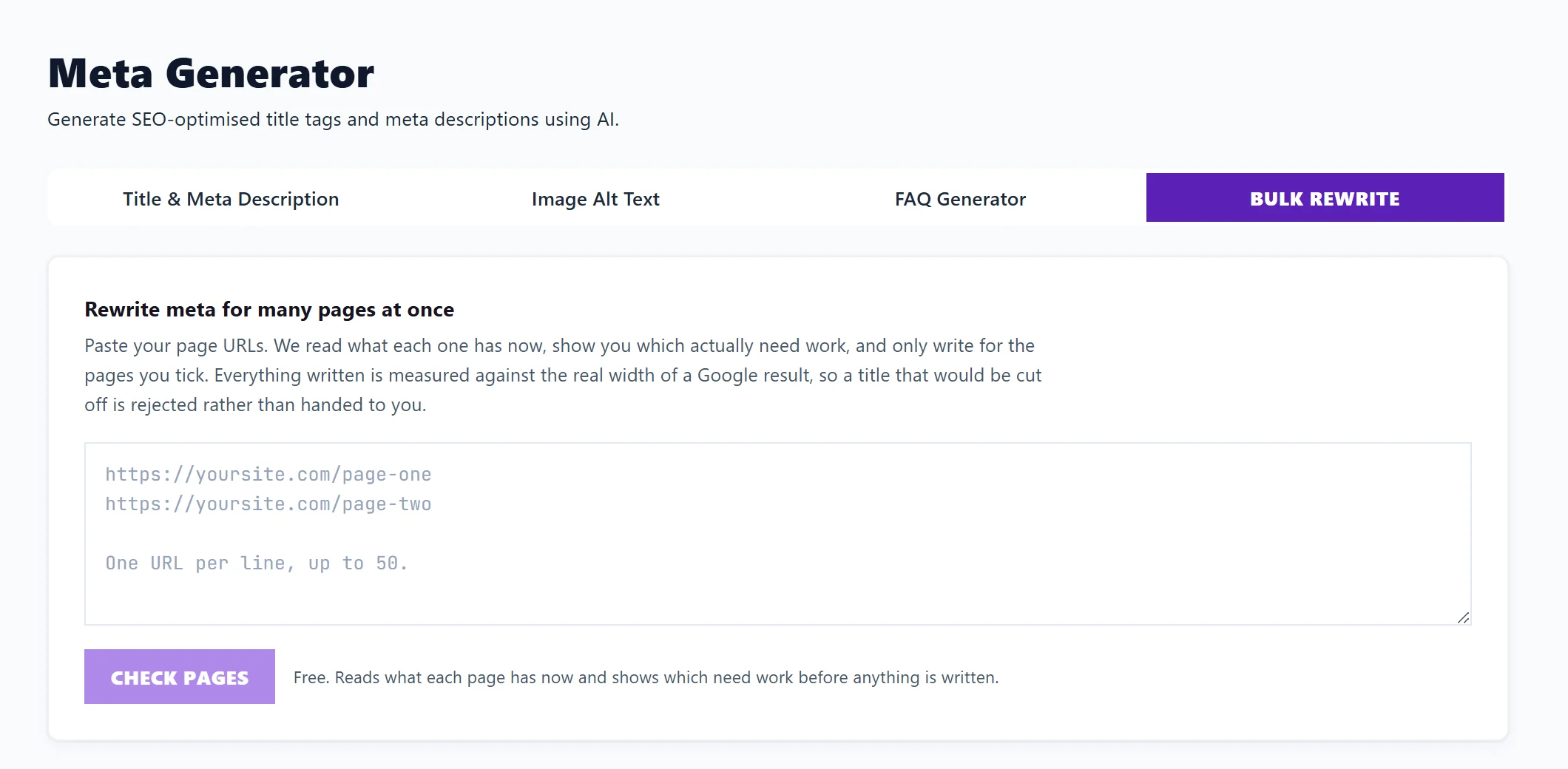
- Open Content, then Meta Generator, and choose Bulk Rewrite.
- Paste your page addresses, one per line, up to 50.
- Press Check pages. It is free: we read each page's current title and description and flag the ones that are missing, cut off, too short or used on other pages. Pages that need a rewrite are ticked; tick or untick any.
- Press Write meta for the ticked pages. Under the button it says what it costs: 1 AI use per 10 pages, so 11 to 20 pages uses 2.
- Copy the results, press Download CSV, or press Send to review queue.
Your brand name at the end of titles (such as "| Your Business") is kept. Titles that come out cut short or repeating an existing one are rejected, and uses for pages that fail are given back.
Review before anything changes
Send to review queue puts the new titles and descriptions in Track, Opportunities, Changes to review. Nothing is written to your site until you approve and apply it there. See Changes to review.
Questions people ask
It says I do not have enough AI uses left. What can I do?
Press Rewrite the first N pages instead to use what you have, wait for your uses to reset on the 1st, or see Growth blogs and AI uses.
Can I audit my whole Etsy shop at once?
Where the Etsy listing tab offers Connect Etsy, yes. Where it says Live Etsy integration coming soon, paste listings one at a time.
Why did some pages come back as unreachable?
They may be blocked, password protected or down. Check each opens in a browser, then try again.