How does UtilitySEO use my Google data?
On this page
We read the Search Console, Google Analytics (GA4) and Google Ads data you connect to show your own keywords, traffic and search volume in UtilitySEO, and to write the reports you ask for. Search Console and GA4 access is read-only, the access Google gives us is stored encrypted, and you can disconnect at any time. Some AI features send a summary of your data to an AI provider to write an answer; those providers do not use it to train their models, and Google Ads data is never sent to them.
What we read and why
- Search Console: the searches your site appears for, with clicks, impressions, positions and pages. This fills Keywords, Opportunities, the weekly report and alerts. We keep a weekly copy so your history runs beyond the 16 months Google keeps.
- GA4: visits, where they came from and what visitors did, for the GA4 page and for linking searches to visits.
- Google Ads: monthly search volume from Keyword Planner, and your Ads reports. We only read: we never create, change or pause campaigns.
Each project reads only the Search Console and GA4 property chosen for it. See why we ask for Google access.
How it is protected
- The access tokens Google gives us are encrypted before they are stored (AES-256-GCM), and never shown or exported, even in your own data download.
- Our servers are in the United States (US East, Virginia), with encrypted backups in Western Europe.
- No one at UtilitySEO reads your Google data in normal running. Support can view your account as you only through a logged admin action, for support, security or legal reasons.
When AI is involved
Some features send a summary of your Google data, for example your top searches and their clicks, to an AI provider (Anthropic, OpenAI or Google) to write the answer you asked for. These are:
- Ask, the question box that answers from your project's data;
- explanations of a traffic drop or a page losing clicks;
- the "what changed and why" summary;
- keyword opportunity ideas;
- choosing the questions for AI visibility checks, from your top searches;
- the AI visibility audit summary;
- blog writing, using the search terms you chose.
We use these providers' paid business services, which process your data only to return the answer and do not use it to train their models. Google Ads data is never sent to an AI provider.
Disconnecting
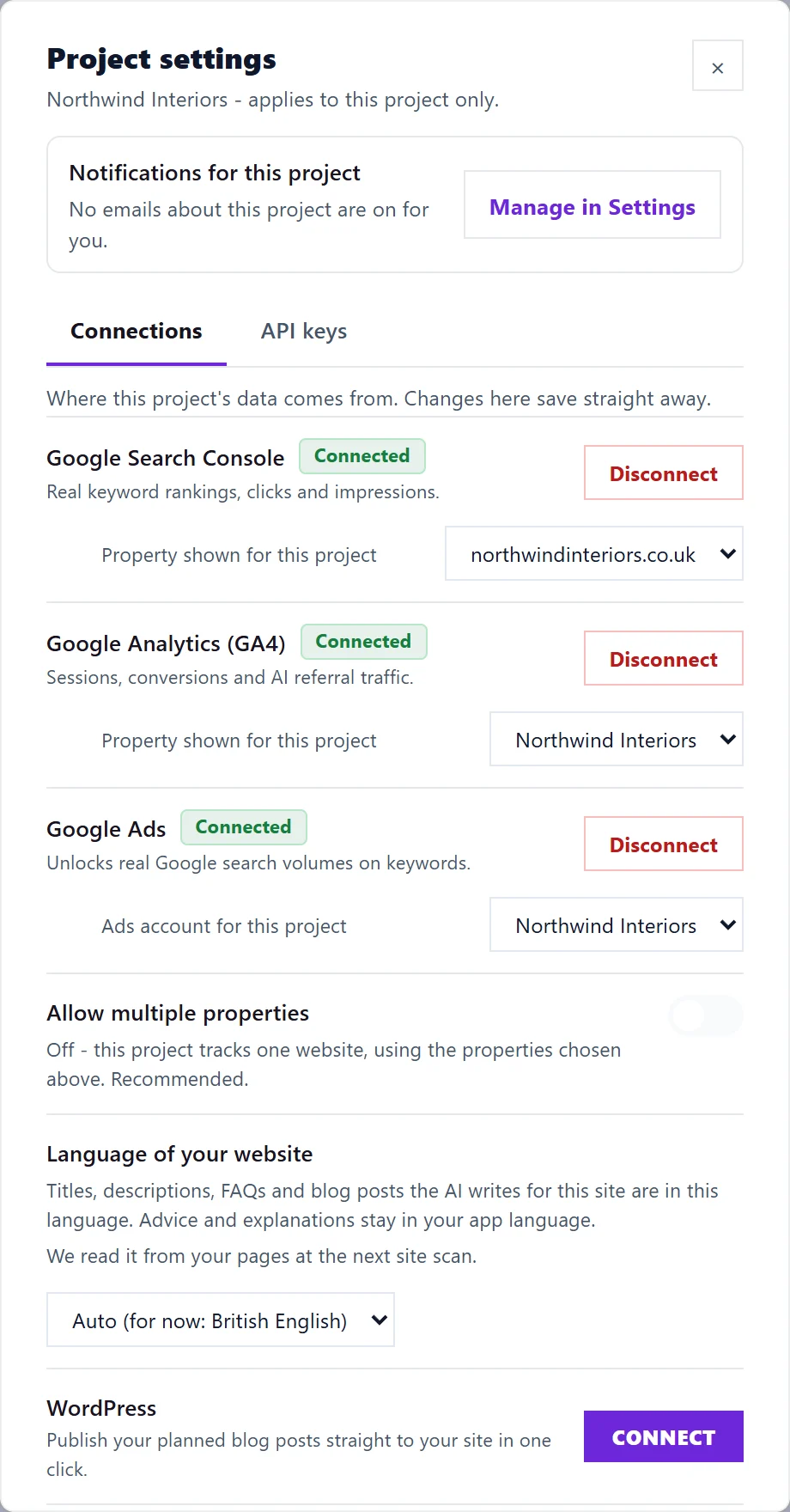
Open Project settings (the cog on the Projects screen), then Connections, and press Disconnect. We ask Google to revoke our access and delete the stored access tokens. Reports we already collected stay in your account until you delete the project or close your account.
If your trial or plan ends without a new plan, we disconnect Search Console, GA4 and Google Ads 10 days later. Nothing is deleted when that happens.
Questions people ask
Can UtilitySEO change anything in my Google account?
Not through Search Console or GA4: that access is read-only. Google's permission for Ads is broader, but we only use it to read.
Where can I see that UtilitySEO is connected?
In your Google account under https://myaccount.google.com/permissions. Removing UtilitySEO there stops the connection. For Search Console and GA4 we then tell you by email and in the app's bell, see Google connection stopped alert.
Where is the legal detail?
In our privacy policy at https://utilityseo.com/privacy.