How do white-label reports work?
On this page
White-label reports put your agency's name, logo and colour on the reports you export, instead of UtilitySEO's. They are part of the Enterprise plan. Set your branding once in Settings, Billing, under White-label reports, and it applies to new exported PDF and PowerPoint reports.
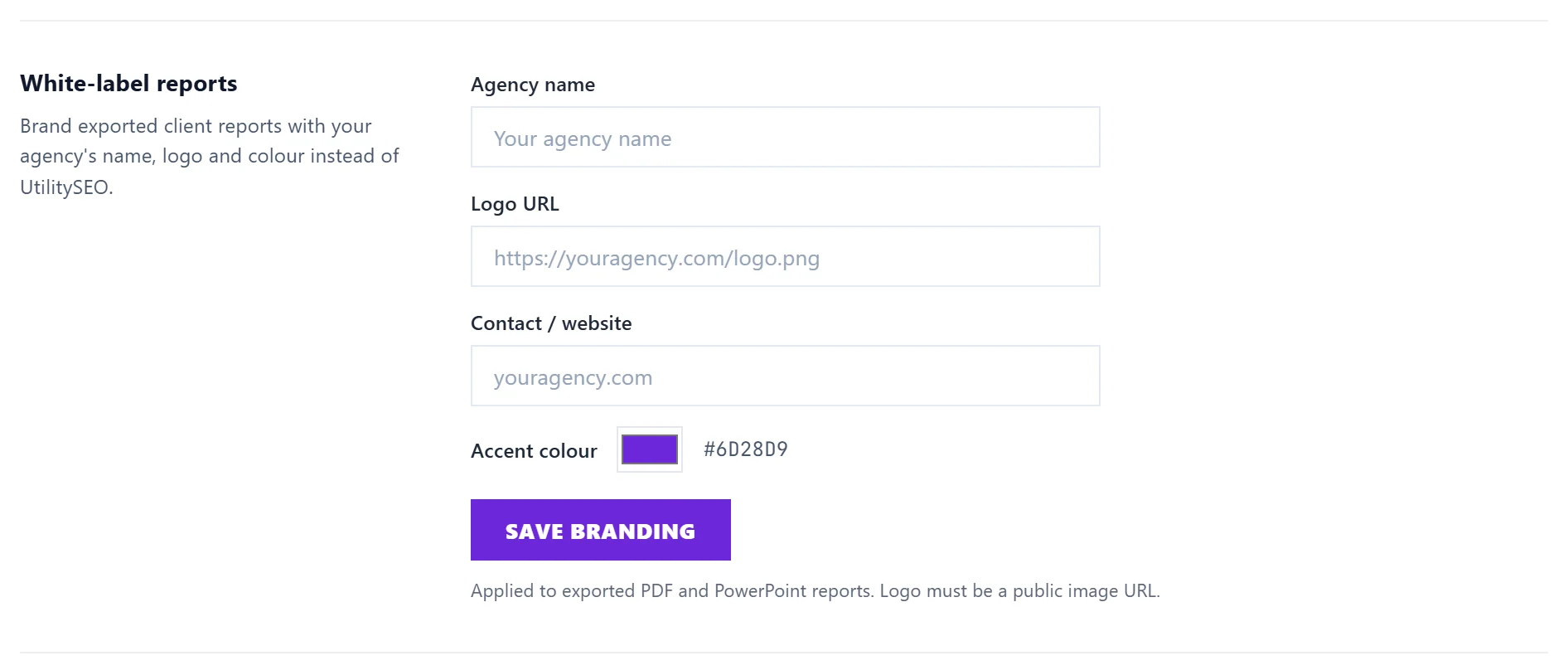
Set your agency branding
- Open Settings and choose the Billing tab. On Enterprise you see White-label reports.
- Fill in: - Agency name, as it should appear on reports. - Logo URL: the web address of your logo image. It must be a public image link, for example from your own website. - Accent colour: the colour used for headings and highlights. - Contact / website: how clients can reach you.
- Press Save branding. You see "White-label branding saved - it applies to new reports."
Brand a report for a client
On Growth, then Reports, the report builder has a Branding choice:
- Your agency (name): the agency branding from Settings. Without white-label it reads UtilitySEO.
- Your client's name and logo (Enterprise): type the Client name on the report, upload their Logo (PNG, JPEG or WebP, up to 300 KB) and pick an Accent colour.
Press Make the report. It opens ready to print: choose Save as PDF in the print window. Every report is kept under Past reports. See weekly reports and client links.
On other plans
Minimum and Entrepreneur reports carry UtilitySEO's name. The client branding option shows (Enterprise) and cannot be chosen. To get white-label, move to Enterprise in Settings, Billing. See change or cancel your plan.
Questions people ask
Does white-label change the app my clients log in to?
No. It brands the reports you export. If clients sign in as team members, they see the UtilitySEO app.
My logo does not show on the report. Why?
The Logo URL in Settings must open as an image in a private browser window. Links that need a sign-in, or point to a web page rather than the image itself, do not work. For a client logo, upload the file instead.
What happens to my branding if I leave Enterprise?
The White-label reports section in Settings and the client branding choice on Reports are only there on Enterprise, so you can no longer change your branding or brand a report with a client's name. If you need a report finished in your branding, make it before you change plan.