How do I put my agency or client branding on reports?
On this page
On Enterprise, open Settings, then Billing, and fill in White-label reports with your agency's name, logo and colour. From then on, client copies of the weekly report, the client report page and the reports you make carry your branding instead of UtilitySEO's. For a single report, you can instead put your client's own name and logo on it from Growth, Reports.
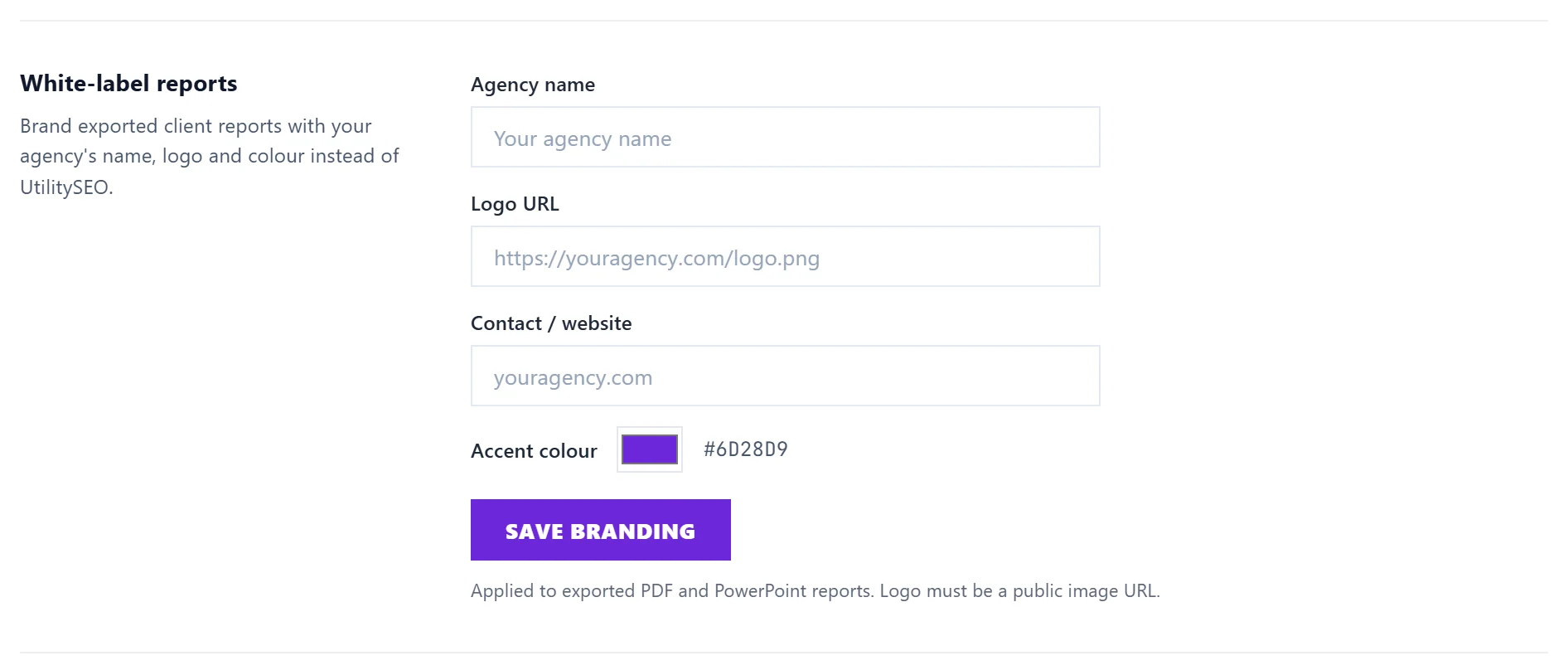
Set up white-label
- Open Settings, then Billing.
- Under White-label reports, fill in Agency name, Logo URL (the web address of your logo image, which must be public), Contact / website and Accent colour.
- Press Save branding. The message says it applies to new reports.
The section only appears on Enterprise.
Where your branding shows
- Weekly report emails sent to people under Send it to someone else.
- The read-only page your client opens from a Client link.
- Reports made under Make a report, and the AI Visibility audit, when the branding is your agency.
Client-facing reports never contain links into your UtilitySEO account, so nobody can follow them back to the app.
See weekly reports and client links and make a one-off report.
Your client's branding on one report
On Growth, Reports, under Make a report, choose Your client's name and logo under Branding. Add the Client name on the report, a Logo (PNG, JPEG or WebP, up to 300 KB) and an Accent colour, then press Make the report. This is also on Enterprise. The report shows in Past reports marked client branding.
Questions people ask
I am on Entrepreneur. Can I remove the UtilitySEO name?
Not on Entrepreneur. Reports carry UtilitySEO branding on Minimum and Entrepreneur. See plans and prices.
Do old reports change when I change my branding?
No. Past reports stay exactly as they were built. New ones use the new branding.