Can I use UtilitySEO inside Claude or ChatGPT?
On this page
Yes. Create a key in Settings, under Connect your own AI, and add UtilitySEO as a connector (also called a custom MCP server) in your own Claude or ChatGPT. You can then ask it about your site health, keywords, AI visibility and blog plan in plain words. It runs on your own AI subscription, so it never uses your UtilitySEO AI uses, and it works on every paid plan and during your trial.
Connect it
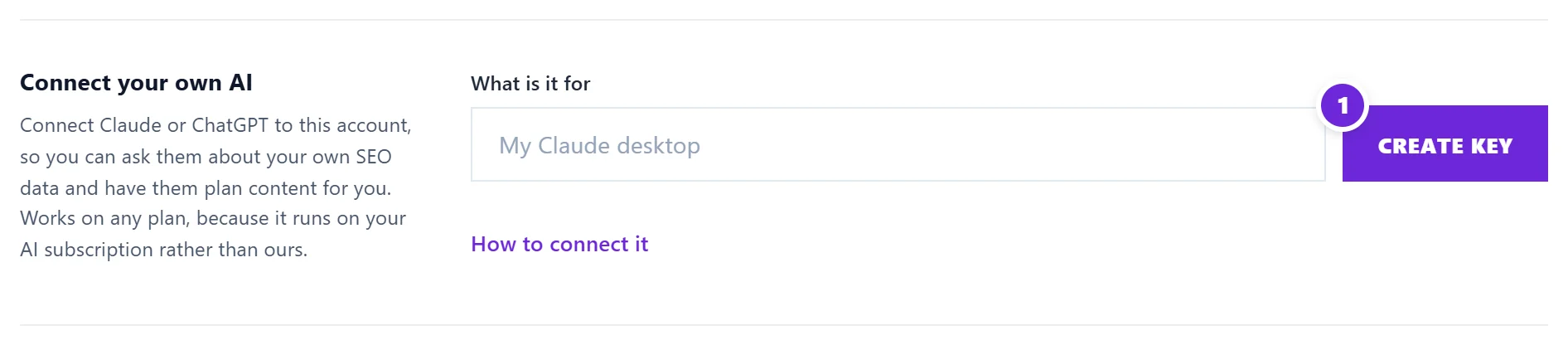
- In UtilitySEO, open Settings and find Connect your own AI.
- Under What is it for, type a name you will recognise, such as "My Claude desktop", and press Create key.
- Press Copy key and keep it somewhere safe. It is shown once only.
- Under How to connect it, copy the server address.
- In Claude or ChatGPT, add a connector or custom MCP server with that address. Choose bearer token as the way to sign in and paste your key as the value.
Your AI app's own help pages explain where custom connectors live. The app must let you add a custom connector with a key; if yours does not, it cannot connect yet.
What you can ask
- "How is my site health?"
- "Which keywords lost the most clicks this month?"
- "Which questions do AI assistants answer without naming us?"
- "Plan a cluster of posts about emergency boiler repair."
It can read your projects, site health, open fixes, keywords, topics, topic scans, blog plan, analytics and AI visibility. It can also add posts or a whole topic cluster to your blog plan, and track keywords, with the same limits as the buttons in the app.
What it cannot do
It cannot start a site scan, write with UtilitySEO's AI, change your subscription, delete anything, or see any account but yours. Each key reaches only the account that created it.
Keep your key safe
Treat the key like a password: never post it in a chat, an email or a shared document. If you think it has leaked, press Revoke beside it in Settings and create a new one. The list shows when each key was last used.
Questions people ask
Does it cost extra?
No. It is included in every paid plan and the trial. The AI's work runs on your own Claude or ChatGPT subscription.
What happens when my trial ends?
The connector stops answering with your data and says the trial has ended. Choose a plan and it works again straight away, with the same key.
I have run out of AI uses. Can I still use this?
Yes. The connector never counts against your AI uses, which makes it a good way to keep going until they reset on the 1st. See AI uses explained.