How do I use the blog calendar and the Results board?
On this page
On Content, Blog Plan, switch between Calendar and Results above your posts. Calendar shows your posts week by week with their status and whether Google has indexed them. Results ranks every published post by a score out of 100 and can group them All posts, By topic, By month or By type, so you can see which posts and topics are paying off.
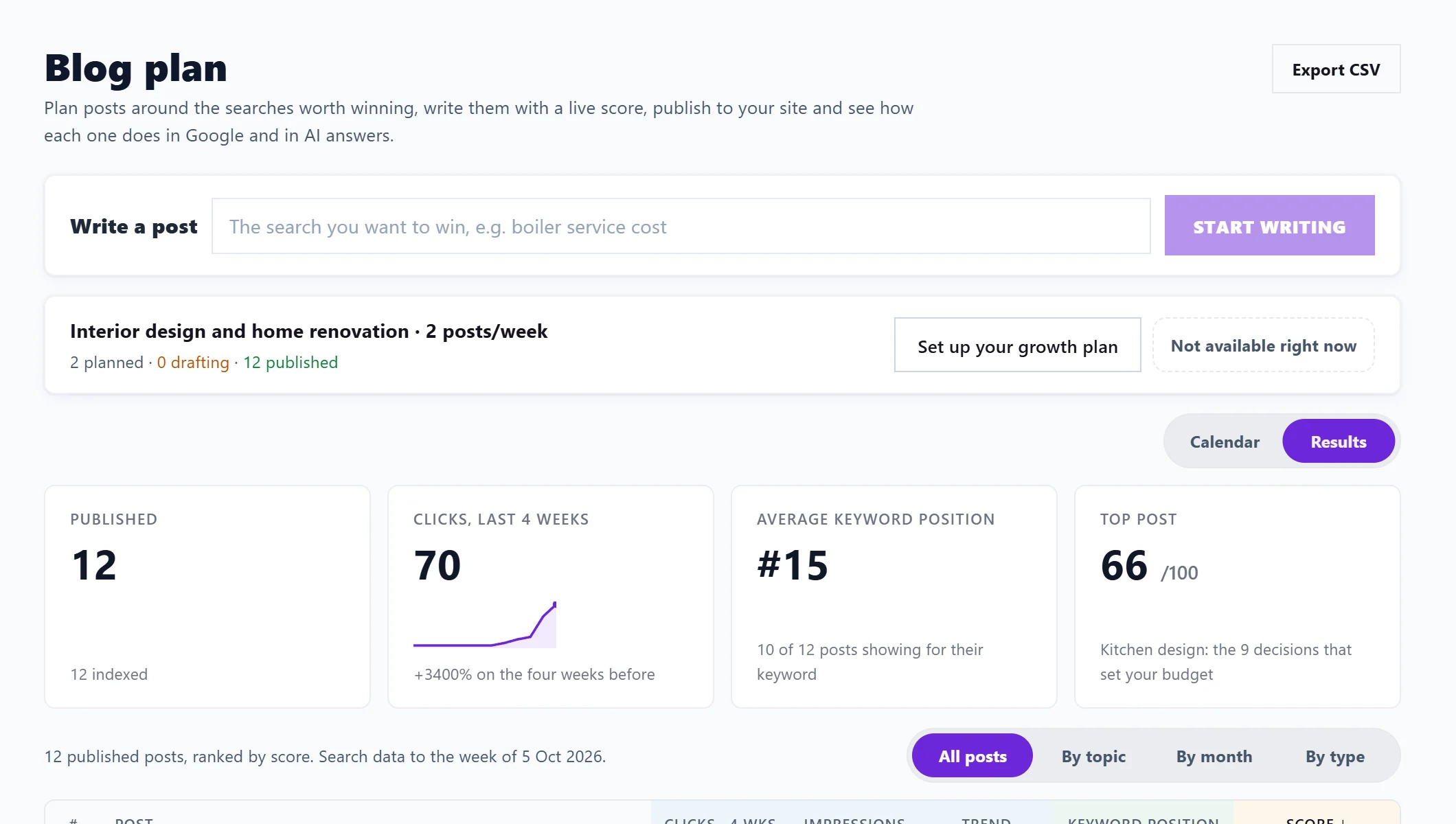
The plan header
The line at the top sums up your growth plan (goal, kind of searches, place and posts a week) and counts posts planned, drafting, published and overdue. Buttons:
- Change growth plan: see set up a growth plan.
- Suggest more ideas (1 AI use): writes new post ideas from your plan. They replace planned posts you have not started; drafts and published posts stay. On Entrepreneur and Enterprise.
- Export CSV (top right): the calendar as a spreadsheet, with date, title, main search, status and whether it is overdue.
The calendar
Posts are grouped by Week of each Monday. Each card shows the day, the type of post (such as How-to, List post, Comparison or Guide), the title and its main search. Status badges:
- Planned, Drafting, Published, Overdue or Skipped.
- For published posts, what Google says: Indexed, Not indexed, Blocked or Unknown to Google.
- Pillar or Cluster, when the post is part of a planned cluster.
Click a card to open the post in the Writer.
Results
Four boxes sum up your published posts: Published (and how many are indexed), Clicks, last 4 weeks against the four weeks before, Average keyword position and Top post.
The board lists each post with Clicks · 4 wks, Impressions, a Trend of clicks each week since it went live, Keyword position (and places gained or lost since it went live) and its Score. Each post is labelled Winning, Climbing, Too early to tell or Stalled.
The score is out of 100: 20 for being indexed, 40 for where the main search ranks now, 25 for clicks in the last four weeks and 15 for places gained since the post went live. Posts under six weeks old are marked too early to tell rather than stalled.
Group the board with:
- All posts: every post, ranked by score.
- By topic: by cluster, each with its average score, posts, indexed count, clicks and average position.
- By month: by the month they were published.
- By type: by kind of post.
Click a post to open its Track step. Posts still stalled after six weeks also appear on Track, Not winning: see the Not winning page.
Questions people ask
Why does Results say Connect Search Console to score your posts?
Without Search Console the board can say which posts are published and indexed, but not where they rank or what they earn.
Why is my post not on Results?
Only published posts with their live address are on the board. Add it on the post's Publish step under Add the published link.