How do I find topics my site is missing?
On this page
Open Track, then Topic gaps. Start from a topic and we gather the searches around it, group them into clusters with their search volume and show where you already rank. Start from a competitor and Compare sites shows the themes their site covers that yours does not. Either way, Plan this cluster puts a whole cluster into your blog plan in one click. Topic gaps is on every paid plan, from Minimum, and uses no AI.
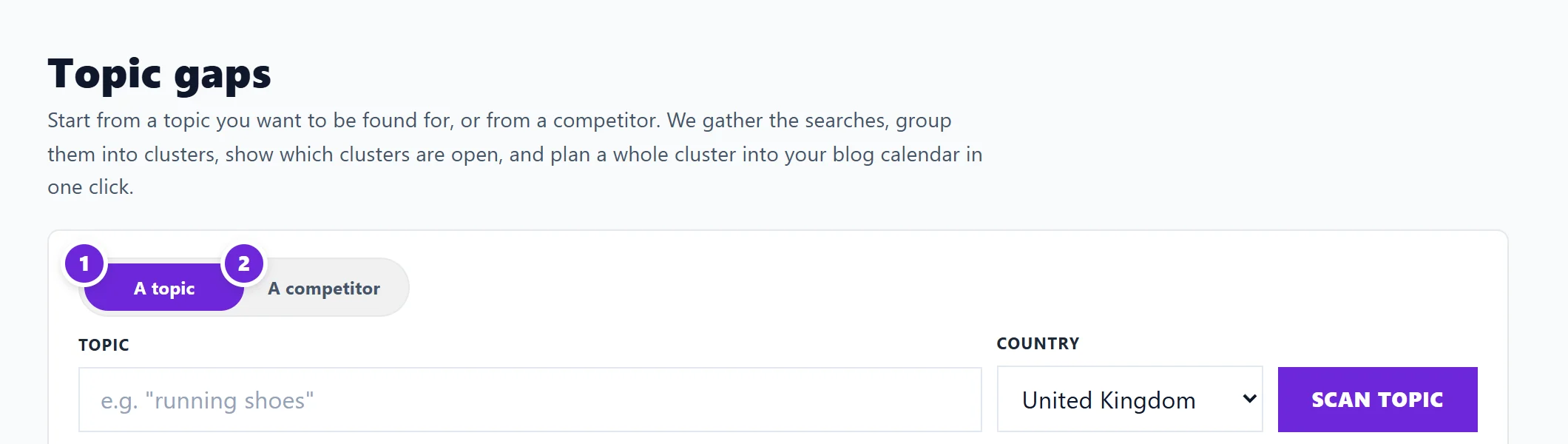
Start from a topic
- Set Start from to A topic.
- Type something your customers search for, such as the main thing you sell, and pick the Country (United Kingdom, United States, Ireland, Australia, Canada or New Zealand).
- Press Scan topic.
- Read the boxes at the top: Clusters, Searches, You rank for and, where shown, Not in yet.
- Read the clusters as a Map or a List. Grey searches are ones you do not show up for at all. See read a topic scan's Map and List.
- On any cluster, press Plan this cluster to add its searches to the blog plan as posts, or Track this search on a single search.
Start from a competitor
- Add competitors first, on Track, Competitor scores. See add or remove competitors.
- On Topic gaps, set Start from to A competitor and pick one.
- Press Compare sites. We read their sitemap and up to 150 of their pages, a page at a time and only what their robots.txt allows. It takes a minute or two; if you leave, pick the same competitor and it carries on.
- Read the tabs: Gaps, Both and Only you. The full guide is compare your site with a competitor.
Your side of the comparison comes from your last site scan and Search Console, so run a site scan first for a fair result. See run a site scan.
How many scans you get
30 topic gap scans a month on Minimum and Entrepreneur, 200 on Enterprise. Site comparisons are counted apart, with the same number of their own. The form shows how many you have used this month. Scanning the same thing again within a week with the same settings reopens the earlier scan at no charge, and a site comparison is kept for a week. Recent scans under the form reopens any of them.
What it does not show
The page itself says Competitor rankings are coming soon. Until then each scan shows its clusters, their search volume and where you already rank, but not who owns page one for each cluster. The site comparison shows what a competitor has built, not which of their pages win visitors.
Questions people ask
Where do the searches come from?
Google Autocomplete for the searches, Google's Keyword Planner for volume, and your Search Console for your own positions. See where keyword data comes from.
Why are some places left out of my topic?
Searches naming a town or country outside the market you picked are left out, so a UK topic does not fill up with searches from abroad.
Does a topic scan use AI uses?
No. Topic gaps uses no AI, so it costs no AI uses on any plan. Only the optional Write the post and Turn the questions into FAQs buttons under a search use AI, and those start on Entrepreneur.