What does the Not winning page show?
On this page
Not winning lists what is not working on your site: pages that used to earn traffic and quietly stopped, and blog posts that never got going. Open Track, then Not winning. Each row says what went wrong and can go straight onto your to-do list with Add to my to-do list, or into your blog plan as a rewrite with Plan a refresh. It needs Search Console connected.
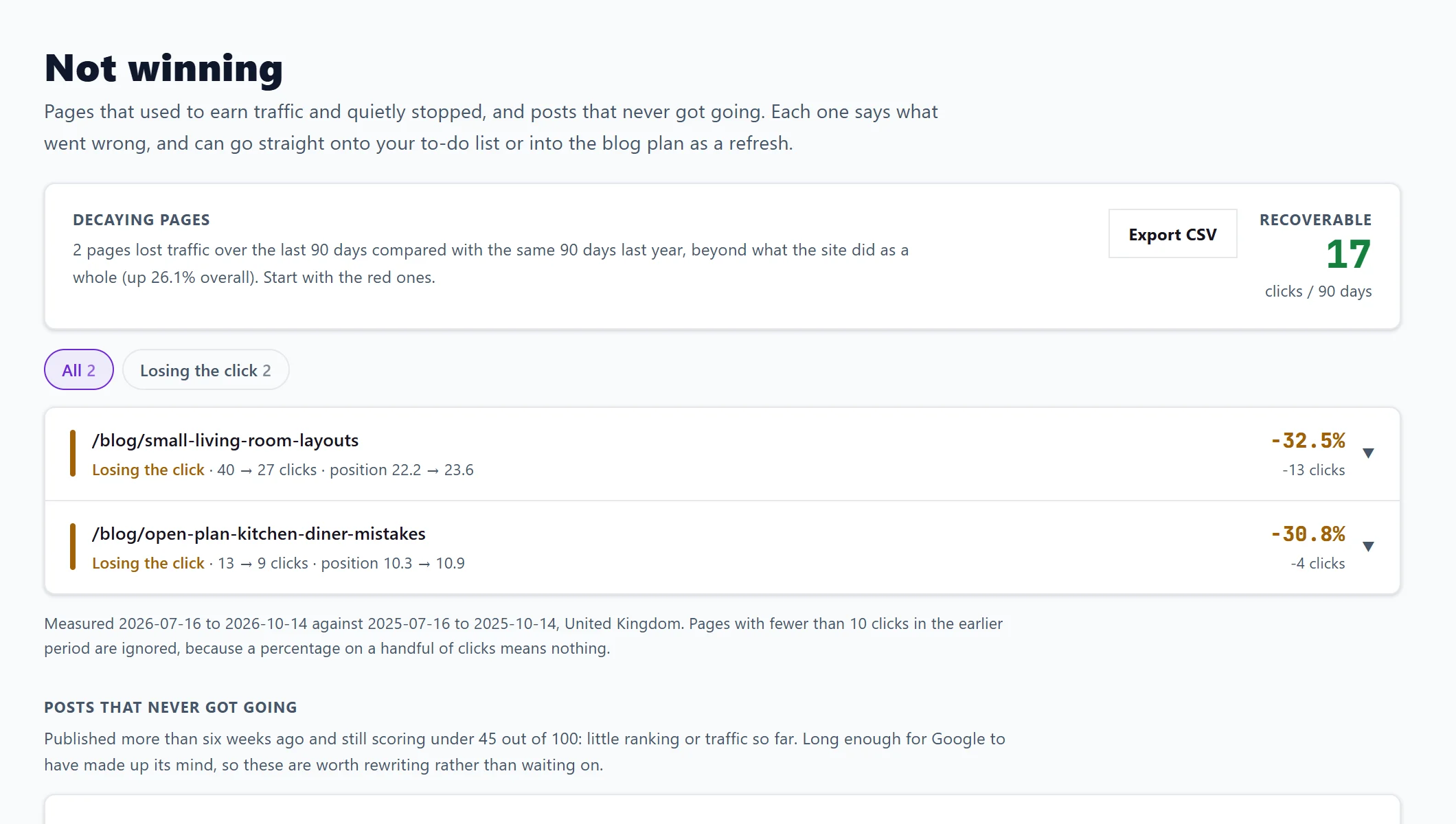
Decaying pages
Pages that lost clicks over the last 90 days compared with the same 90 days last year, beyond what your site did as a whole. If your site has less than a year of history, it compares with the 90 days before instead, and says so; seasonal businesses may see false drops until a full year builds up.
The headline is Recoverable: the clicks over 90 days you could win back. Start with the red rows. Each page is grouped by cause:
- Lost rankings: it slid down the results. The fixable kind: refresh the page, cover what the pages now above you cover, and update anything dated.
- Gone from search: it gets no clicks at all now. Check the page still loads, is still indexed and was not removed or redirected by accident.
- Losing the click: it ranks as well as it did, but fewer people click. Something above you is taking it, such as an AI answer or more ads. Rewrite the title and description.
- Fewer searches: fewer people searched for the topic. Rewriting is unlikely to bring the traffic back, so do not spend a day on it.
- Unclear: not enough signal to say.
Filter by cause with the chips. Open a row for Searches it stopped winning, with the position then and now, and Open the page. Pages with fewer than 10 clicks in the earlier period are ignored. Export CSV downloads the list.
Posts that never got going
Blog posts published more than six weeks ago that still score under 45 out of 100, with little ranking or traffic so far. Each shows its position, clicks in the last four weeks and days live. Google has had long enough to make up its mind, so these are worth rewriting rather than waiting on. The score is the one on the Blog Plan's Results; see the blog calendar and Results.
What the buttons do
- Plan a refresh: adds a rewrite of the page to your blog plan and says the date it is planned for, keeping the address. You need a blog plan first.
- Add to my to-do list: adds the job with the steps to follow.
Questions people ask
Why does it say Not enough history to measure decay yet?
Decay needs enough Search Console history to compare two periods. New sites fill in over time.
Why is a page I know dropped not listed?
It may have dropped no more than your whole site did, or had fewer than 10 clicks before. Only drops beyond the site's own trend are shown.
Does it use AI uses?
No. It reads your Search Console data and is on every paid plan.