What is the Quick Page Check?
On this page
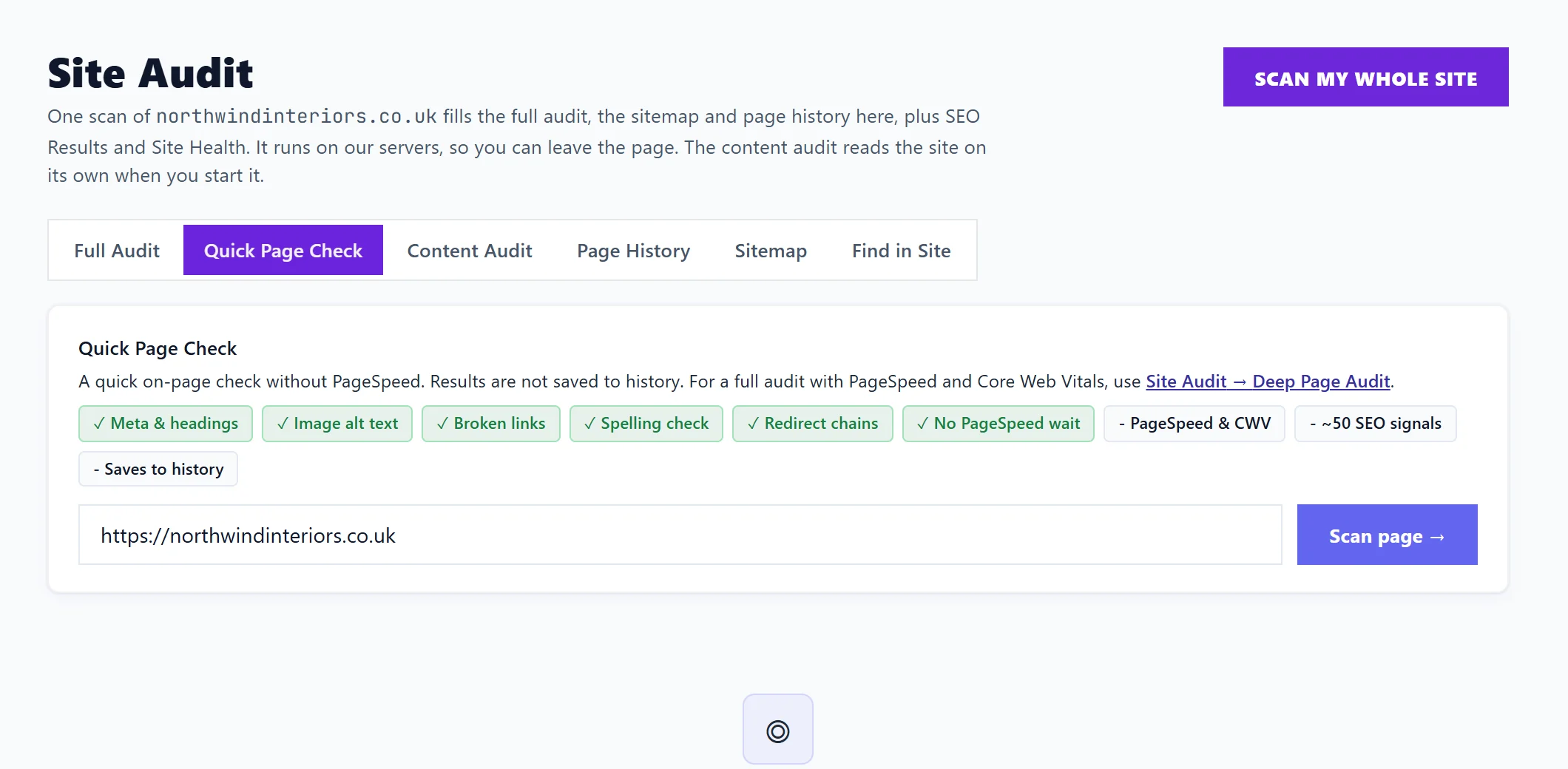
Quick Page Check is a fast check of one page for common problems: missing or poor titles, descriptions and headings, images without alt text, broken links, spelling mistakes and redirect chains. It skips Google's speed test, so the answer comes back in seconds. Open Audit, Site Audit, choose Quick Page Check, paste the page's address and press Scan page.
Run it
- Open Audit, then Site Audit, then Quick Page Check.
- Paste the full address of the page, for example https://yoursite.co.uk/about.
- Press Scan page.
What it checks
The labels above the box show what is in and what is not:
| Included | Not included |
|---|---|
| Meta and headings: the page title, description and headings | Google's speed test and Core Web Vitals |
| Image alt text: images with no description for screen readers and search engines | The wider set of around 50 SEO checks |
| Broken links on the page | Saving to your history |
| Spelling check | |
| Redirect chains: links that bounce through several addresses before arriving |
The results
You get a page score, how many issues were found and how many links lead off the page. Problems are grouped under Meta / Heading issues, Broken links, Missing image alt text, Redirect chains and Spelling errors. Re-scan checks the page again after you have changed it. If nothing is wrong, it says No SEO issues found on this page.
Which one-page check should I use?
| Check | Where | Best for |
|---|---|---|
| Quick Page Check | Site Audit | A fast look after editing a page |
| Deep Page Audit | Site Audit, Full Audit | The same checks plus Google's speed test, saved to history. See Site Audit and the Full Audit |
| Single URL | New Scan | Google's speed and quality scores with fix guides, on SEO Results. See check a single page |
Questions people ask
Why is the result not in my history?
Quick Page Check is meant for a quick look, so it is not saved. Use Deep Page Audit if you want a saved record.
Can I check a page that is not live yet?
Only pages our checker can reach on the internet can be checked. A page behind a login or on your own computer cannot be read.