How do I generate FAQs with FAQ schema for a page?
On this page
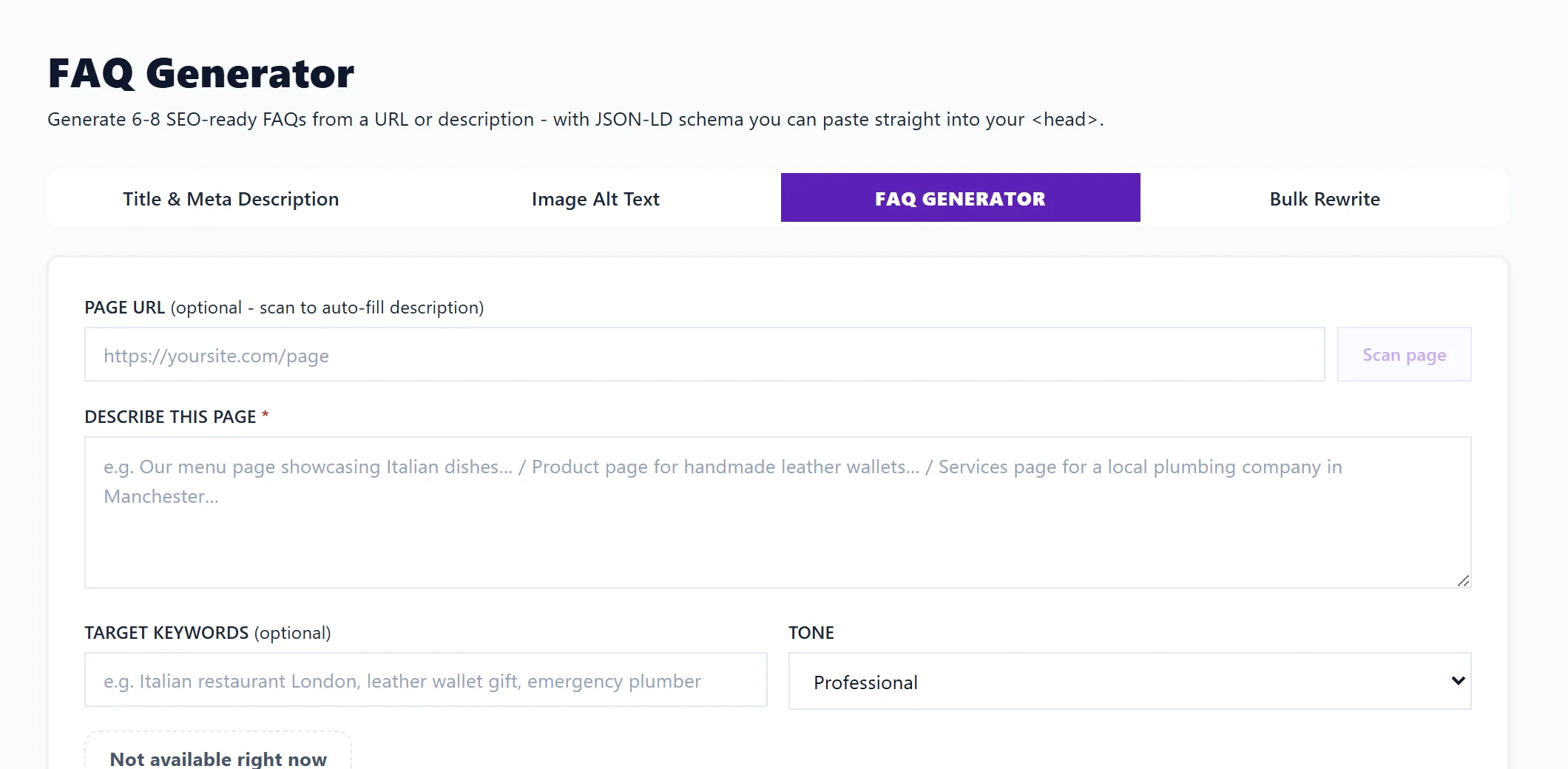
Open Content, then Meta Generator, and choose FAQ Generator. Give it the page's address and press Scan page, or describe the page yourself, then press Generate. You get 6 to 8 questions and answers written for that page, plus FAQ structured data (JSON-LD, a block of code search engines read) to paste into the page. Each Generate uses 1 AI use and is on Entrepreneur and Enterprise.
Generate FAQs
- Open Content, then Meta Generator, and choose FAQ Generator.
- Paste the page's address under PAGE URL and press Scan page. We read the page and fill in DESCRIBE THIS PAGE. You can also type the description yourself.
- Add TARGET KEYWORDS if you like, and pick a TONE.
- Press Generate.
Use the result
- Each question and answer has its own Copy, and Copy all as text copies them all. Add them to the page as a visible FAQ section.
- FAQ SCHEMA (JSON-LD): press Copy schema and paste it inside the page's
<head>, or ask whoever looks after your website to. Make sure the visible answers on the page match the schema.
What the schema does and does not do
The page says it plainly: since August 2023 Google only shows FAQ rich results for authoritative health and government sites, so most sites will not see the questions under their search result. The markup still helps: structured questions and answers give AI answers and Google's AI features clear context to quote. Treat it as useful markup, not a guaranteed rich result.
Other places that write FAQs
- In the Blog Plan's Writer, the outline includes FAQs for each post. See write a blog outline.
- On a topic scan or keyword, Turn the questions into FAQs writes an FAQ section from the questions people search for, with Copy text and Copy schema for developers.
- The Growth Engine may suggest Open FAQ Generator when you are under-cited in AI answers.
Questions people ask
Why did scanning the page fail?
The page may block us or have no text we could read. Describe the page under DESCRIBE THIS PAGE instead.
Can I check the schema after adding it?
Yes. Paste it into the Schema validator in the Listing Optimiser. See check structured data.