What is the Activity log?
On this page
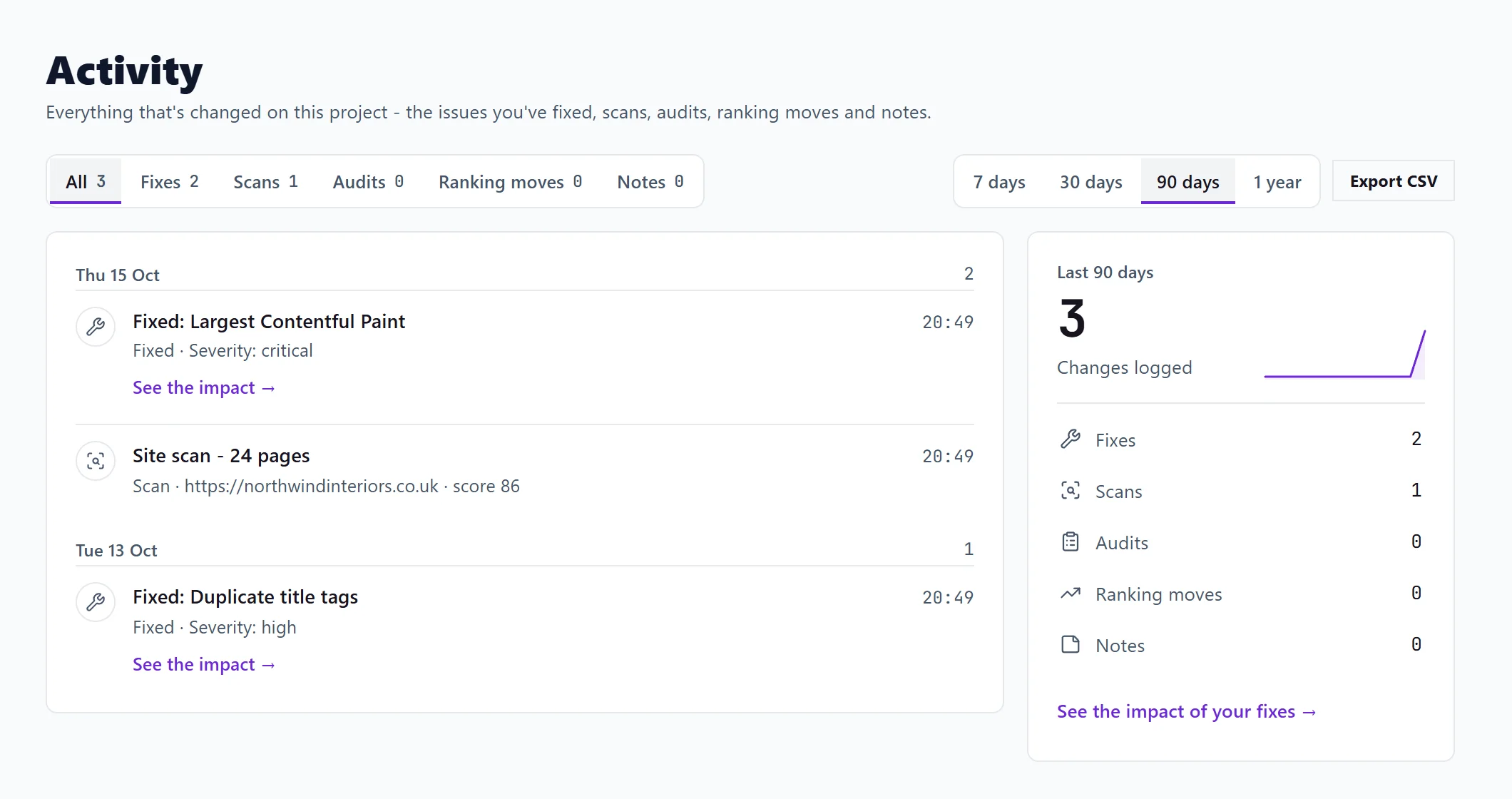
The Activity log is the history of everything that changed on a project: the issues you fixed, the scans and audits you ran, tracked searches entering or leaving Google's top 10, and notes you added. Open it with the Activity tab beside Dashboard, or press Changes logged or View all under Recent activity on the Dashboard.
What it shows
Each entry has an icon for its type, a title, a short detail and the time. Entries are grouped by day, newest first.
| Type | What adds it |
|---|---|
| Fixes | An issue marked fixed on your Progress list |
| Scans | A site scan or a single-page check, and issues that stopped appearing when you checked the same page again |
| Audits | A Full Audit from Site Audit |
| Ranking moves | A search entering or leaving Google's top 10, or Google's AI Overview, from your keyword history |
| Notes | A note you add on a trend chart, such as "new prices" or "new home page" |
Notes are worth adding: when traffic moves weeks later, the note is there to explain it.
Filter and period
- Show: All, or one type, each with its count.
- Period: 7 days, 30 days, 90 days or 1 year.
The summary beside the timeline shows a small chart of how much happened over the period (by day up to 30 days, by week beyond), and the count of each type. Click a type in the summary to filter to it.
See the impact of a fix
See the impact of your fixes, and See the impact on a single fix, open Opportunities on its history view, which shows the searches that moved since. It shows what happened afterwards; it cannot prove the fix caused it.
Export
The export button downloads the entries you are looking at, with the filter and period you chose, as a CSV file (one row per entry: date, type, event and detail). See export to CSV.
Questions people ask
The log is empty. What do I do?
Run a scan or fix an issue and it appears here. Each type has its own empty message with a button to the place where that kind of entry is made.
I ticked a finding fixed on SEO Results. Why is it not under Fixes?
Fixes come from issues marked fixed on your Progress list. Track the issue first (see track issues and the Progress list), then mark it fixed there.
Does Activity show what my team did?
It shows what happened on the project, whoever did it.