How do I compare Search Console clicks with Google Analytics visits?
On this page
On the GA4 page, the Organic Traffic tab puts your Search Console clicks beside your Google Analytics organic sessions, day by day, with a long-term history underneath. The Keyword → Sessions tab goes one step further: it estimates how many visits and conversions each search brings, so you can see which searches bring customers, not only clicks.
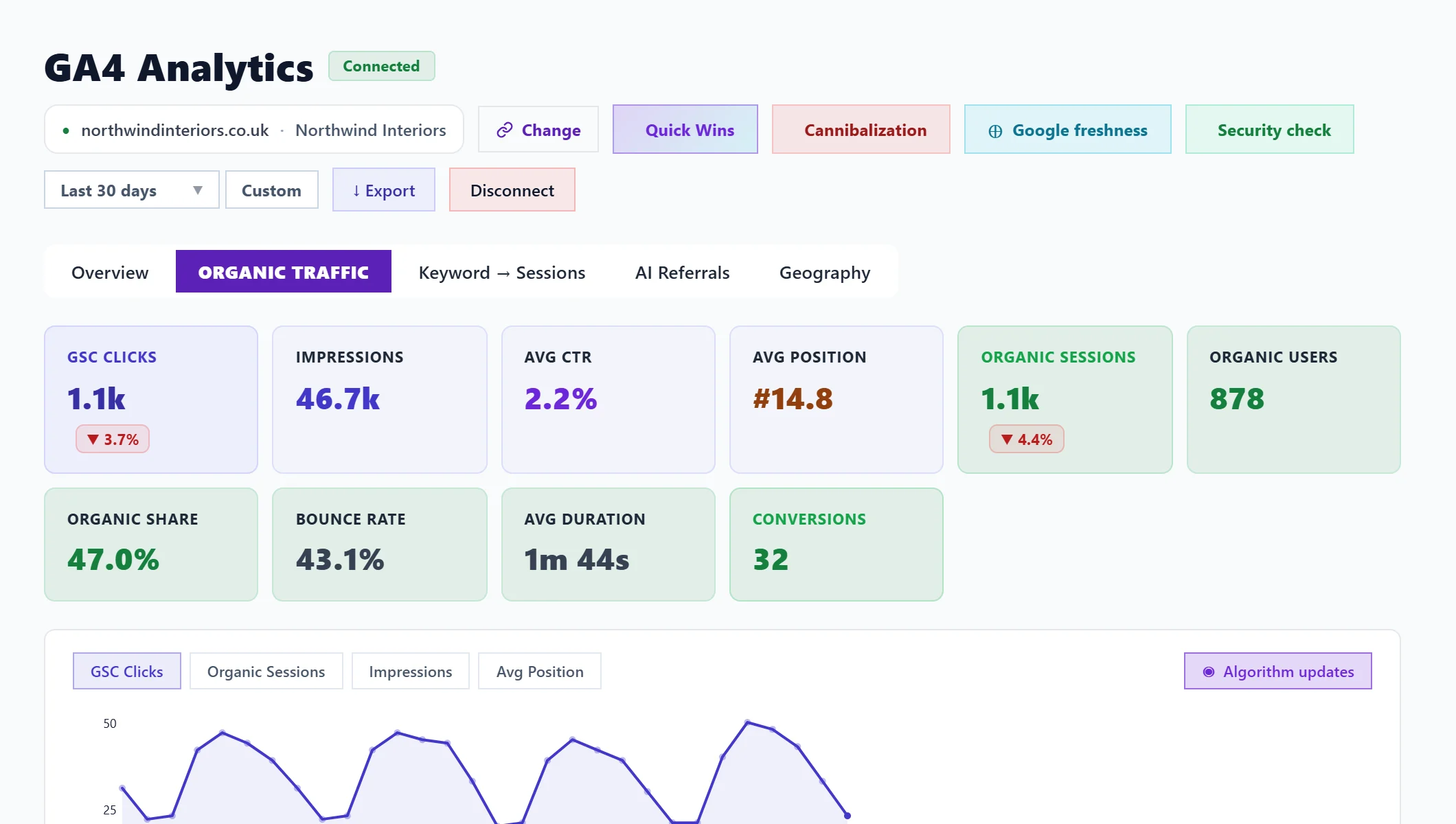
Organic Traffic
The top row shows GSC Clicks, Impressions, Avg CTR and Avg Position from Search Console, and Organic Sessions, Organic Users, Organic Share (organic as a share of all visits), Bounce Rate, Avg Duration and Conversions from Google Analytics.
The chart draws clicks, organic sessions and impressions together, with Google updates marked. GSC vs GA4 - Day by Day lists each day: clicks from search against sessions that landed.
Clicks and sessions rarely match exactly. A click is counted by Google when someone clicks your result; a session is counted by Analytics when your page loads with its tracking tag. Cookie refusals, people leaving before the page loads and pages without the tag all make sessions lower. A steady gap is normal; a sudden new gap is worth checking.
Without Google Analytics connected, the Search Console half still shows, with Connect GA4 for session data.
Full history
Under the chart, Full history reads our own weekly records of your Search Console clicks, impressions and position. They start from the first Monday after you connected Search Console and keep going after Google deletes its own copy at 16 months. These are totals for the whole property, so they run higher than the sum of your keywords, because Google keeps very rare searches private.
Keyword → Sessions
This joins each search from Search Console with the Analytics sessions on the page it lands on. The cards show Keywords tracked, Total GSC clicks, Est. organic sessions and Est. conversions.
The table lists each search with position, clicks, estimated sessions, estimated conversions, conversion rate and landing page. Sort by sessions, clicks, conversions or position; Best converters first puts the searches that bring customers at the top, because improving those pays first. Act on this gives the usual actions for a search, and Filter keywords narrows the list. The top 100 are shown.
The sessions and conversions are estimates. Analytics cannot see which search someone typed, so each landing page's organic sessions and conversions are shared among its searches by their share of the page's clicks.
Questions people ask
It says no conversion events found. What now?
Mark the events that matter as key events in GA4 (Admin, then Events). Until then conversion columns stay empty.
Why does Organic Traffic say no Search Console data?
Search Console is not connected for this project. Connect it on the Keywords page. See connect Search Console.