How do I change the app's language or switch to dark mode?
On this page
Open Settings, then Account, and pick a language under Language: English, Deutsch, Español, Français, Português, Italiano or Nederlands. The app switches straight away. To change between light and dark, use the Light and Dark switch at the top right of Settings; light is the default.
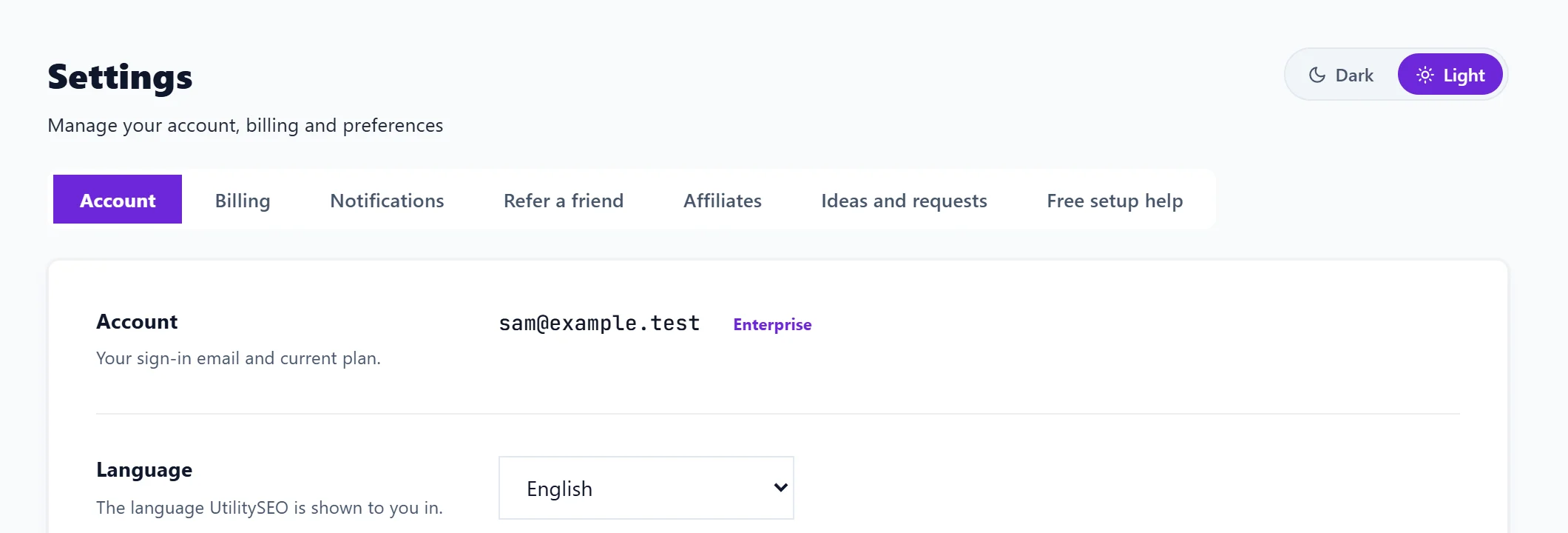
Change the language
- Open Settings (the Settings tab on the Projects screen).
- On the Account tab, find Language.
- Choose your language from the list. Saved appears beside it.
The choice belongs to your account, so it follows you to any computer you sign in on. Each person on a team picks their own.
What the language changes
- The app's buttons, menus, explanations and advice.
- Most of the emails we send you.
What it does not change
- What we write for your website. Titles, descriptions, FAQs and blog posts are written in the language of your website, which is set per project. See language of your website.
- Plan names stay in English in every language: Minimum, Entrepreneur and Enterprise.
- Your own data, such as the searches people type into Google, stays as it was typed.
Some newer parts of the app are not translated into every language yet and show in English until they are.
Light and dark mode
The app opens in light mode. To change it:
- Open Settings.
- At the top right, beside the Settings heading, press Dark or Light.
The switch is there whichever Settings tab you are on, and the whole app changes at once. Your choice is remembered on that browser.
Questions people ask
Can I have the app in German but write my blog in English?
Yes. Set Language in Settings to Deutsch, and leave the project's Language of your website on English. The advice is then in German and what we write for the site is in English.
Will my team see the app in my language?
No. Each person chooses their own language in their own Settings.
My language is not in the list. Can you add it?
Tell us in Settings, Ideas and requests. See ideas and requests.