Why did I get a "Search Console stopped, reconnect" email?
On this page
Google has stopped letting us read Search Console or Google Analytics (GA4) for one of your projects, so we emailed you to reconnect it. Until you do, we cannot record that project's clicks, positions or visits, and days that are missed cannot be filled in later. Reconnecting takes a minute: see reconnect Google.
Why it happens
Google tells us the connection is no longer allowed. The usual reasons are:
- the access was removed in your Google account's list of connected apps;
- the password of the Google account that connected it was changed;
- that Google account lost access to the Search Console or GA4 property, for example someone removed it as a user.
We notice when our regular collection runs: the weekly Search Console snapshot, or the daily GA4 snapshot. The email names the service and the project, and its button opens that project in UtilitySEO.
What the alert looks like
- By email, with a subject such as "Search Console stopped for Example Ltd: reconnect it", sent from noreply@utilityseo.com.
- In the app, as an item in the notification bell titled "Search Console stopped, reconnect" (or "GA4 stopped, reconnect").
It goes to the person who connected that Google account to the project. We send it at most once a week for each connection, so you are not flooded while it stays broken.
What to do
- Open the project and its Project settings (the cog on the Projects screen), then the Connections tab.
- Press Disconnect beside the service that stopped, then Connect.
- Sign in with the Google account that can see the property, and allow access.
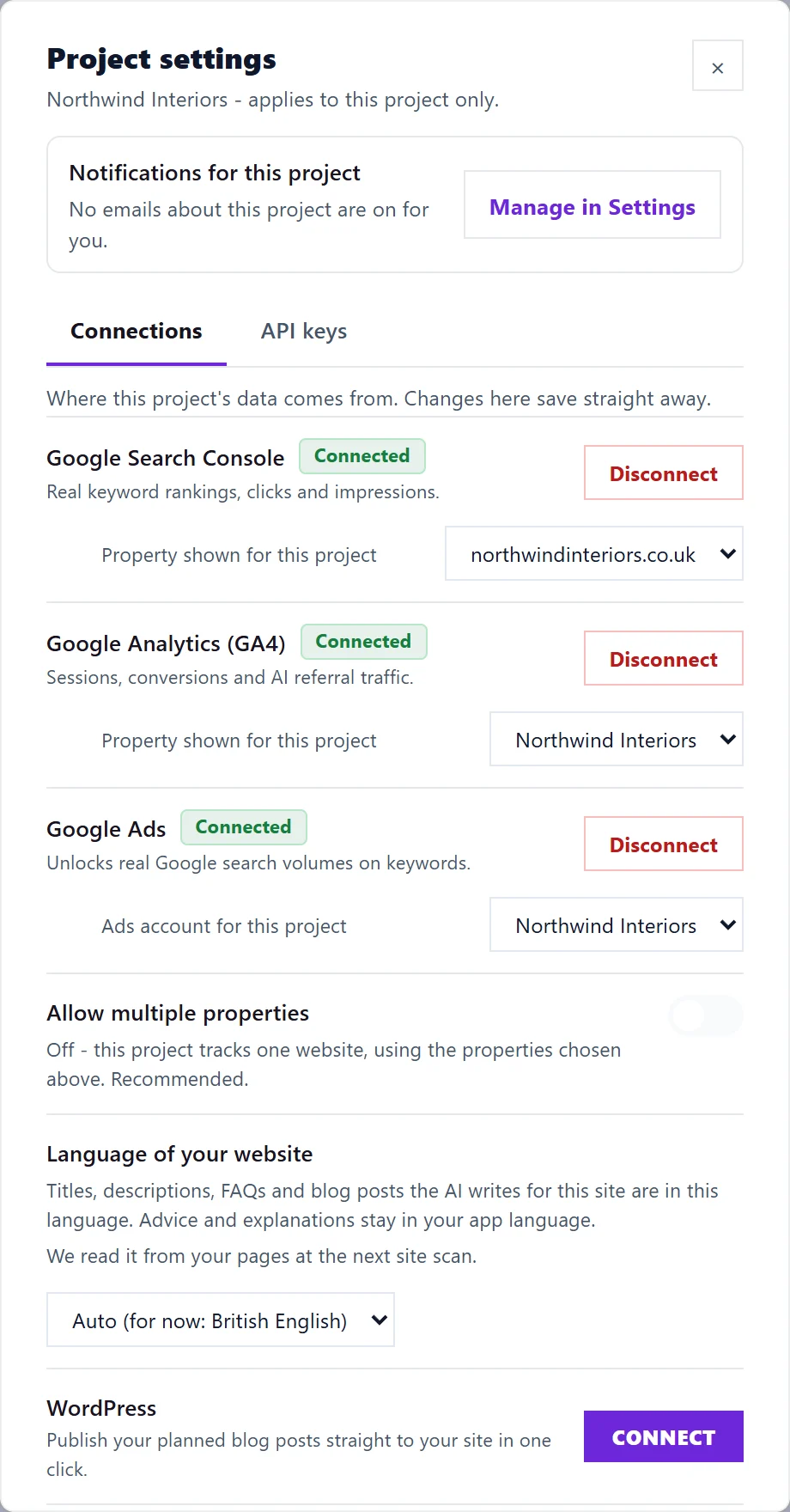
The full steps, and what to check if it fails again, are in reconnect Google.
Questions people ask
Can I turn this email off?
Yes, in Settings, then Notifications, under Alerts: Google connection stopped. It is on by default because a missed week of Search Console history cannot be recovered, so we suggest leaving it on. The bell item still appears in the app.
Have I lost my data?
No. Everything we collected before the connection stopped stays in your account. Only the days while it is broken are missing, and the history picks up again once you reconnect.
Does this cover Google Ads?
No. This alert is for Search Console and GA4. If Google Ads needs reconnecting, the Keywords page shows a Reconnect button where search volume would be.