I cannot sign in to UtilitySEO. What should I do?
Most sign-in problems are a forgotten password, a sign-in code that went to spam, or signing in a different way from how you signed up. Press Forgot password? on the sign-in page to get a reset link, check spam for the code from noreply@utilityseo.com, and if you signed up with Google, use Sign in with Google.
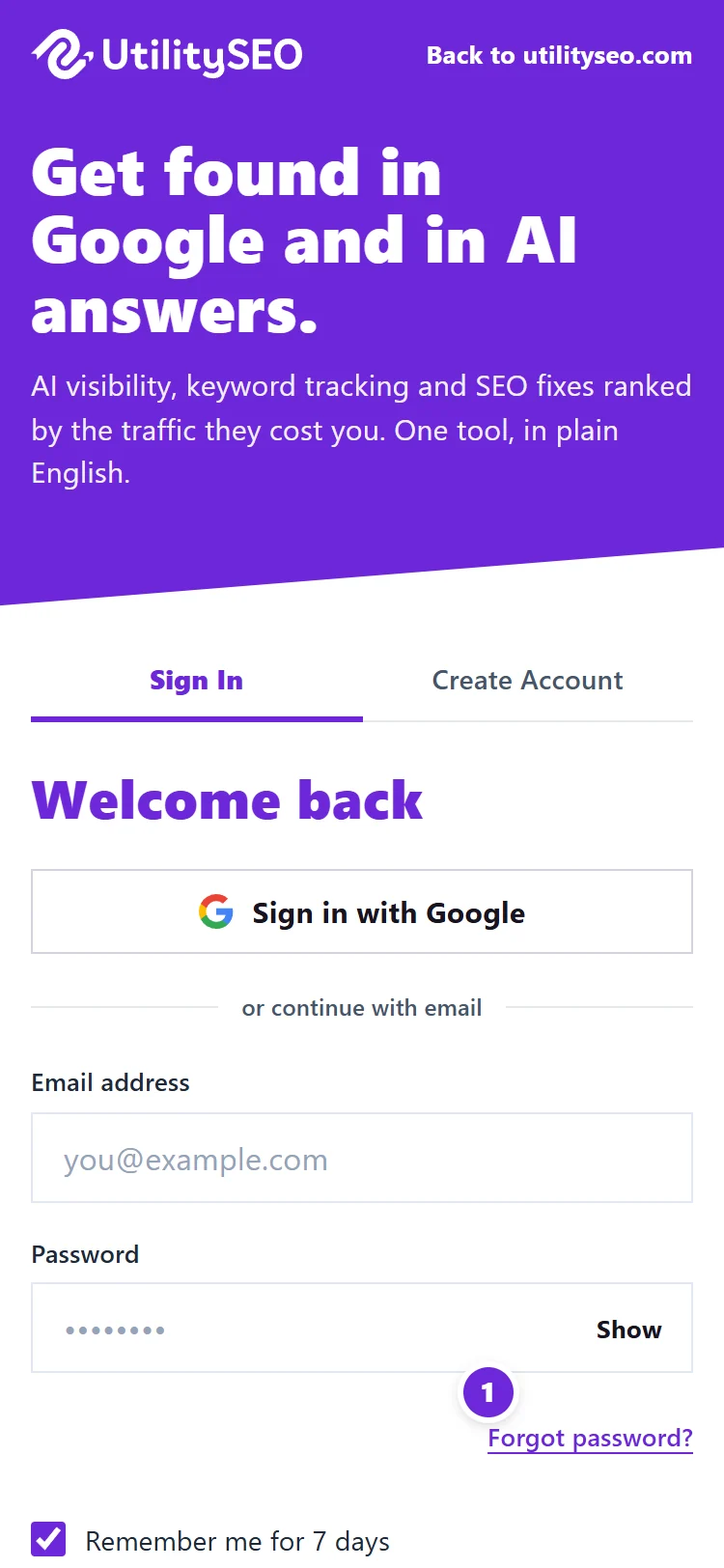
Work through these checks
- Go to the right address. Sign in at https://app.utilityseo.com.
- Use the way you signed up. If you created the account with Google, press Sign in with Google and pick the same Google account. If Google says "No account found for this Google login", no account uses that Google account's email address: your account is under a different email address, so sign in with that address and its password. See Sign in with Google.
- "Invalid credentials". The email or password is wrong. Check the email address for typos. If you are not sure of the password, press Forgot password?, enter your email and press Email me a reset link. The link lasts 30 minutes and works once. Your old password keeps working until you use it.
- The 6-digit code has not arrived. Look in spam, junk or Promotions for an email from noreply@utilityseo.com, then press Resend code. Codes expire after 15 minutes, so always use the newest one. See emails not arriving.
- "Too many incorrect codes." After five wrong codes the code stops working. Sign in again to get a fresh one.
- "Too many attempts. Please wait a minute and try again." Several failed tries in a row pause sign-in briefly. Wait a minute.
- "Your session has ended. Please sign in again." Your password was changed or reset elsewhere, or the sign-in ran out. Sign in again; you return to the page you were on.
- Signed out every time you close the browser? Tick Remember me for 7 days when you sign in. Private windows and browsers that clear data on close also sign you out. See sign-in codes and Remember me.
- "This account has been deactivated." The account was closed. If you closed it yourself in the last 30 days, sign in with your email and password and enter the code we send: the account reopens. A reset link is not sent for a closed account. If you only used Google sign-in, or we closed the account, email support@utilityseo.com.
- Invited by a colleague? Use the Choose your password button in the invitation email. If the link has run out (after 7 days), press Forgot password? with the same email address.
Questions people ask
Can support reset my password for me?
No. For your security we never set or send passwords. The reset link from Forgot password? is the way back in, and it only goes to the email address on the account.
I no longer have access to the email address on my account. What now?
Email support@utilityseo.com from an address you can use, with your name, company and website, and we will help you prove the account is yours.
Did the reset email not arrive?
We send it only if the address has an active account, and we answer the same either way to protect your privacy. Check the spelling, check spam, and wait a few minutes before asking again, as repeated requests are limited.