How do I set up a growth plan for my blog?
On this page
Open Content, then Blog Plan, and press Set up your growth plan. Four short steps follow: Goal, Searches, Pick and Calendar. You say what the blog is for, which kind of searches to go after, tick the searches to focus on and choose how often you publish. Each chosen search becomes a post on your calendar. No AI and no Growth blogs are used.
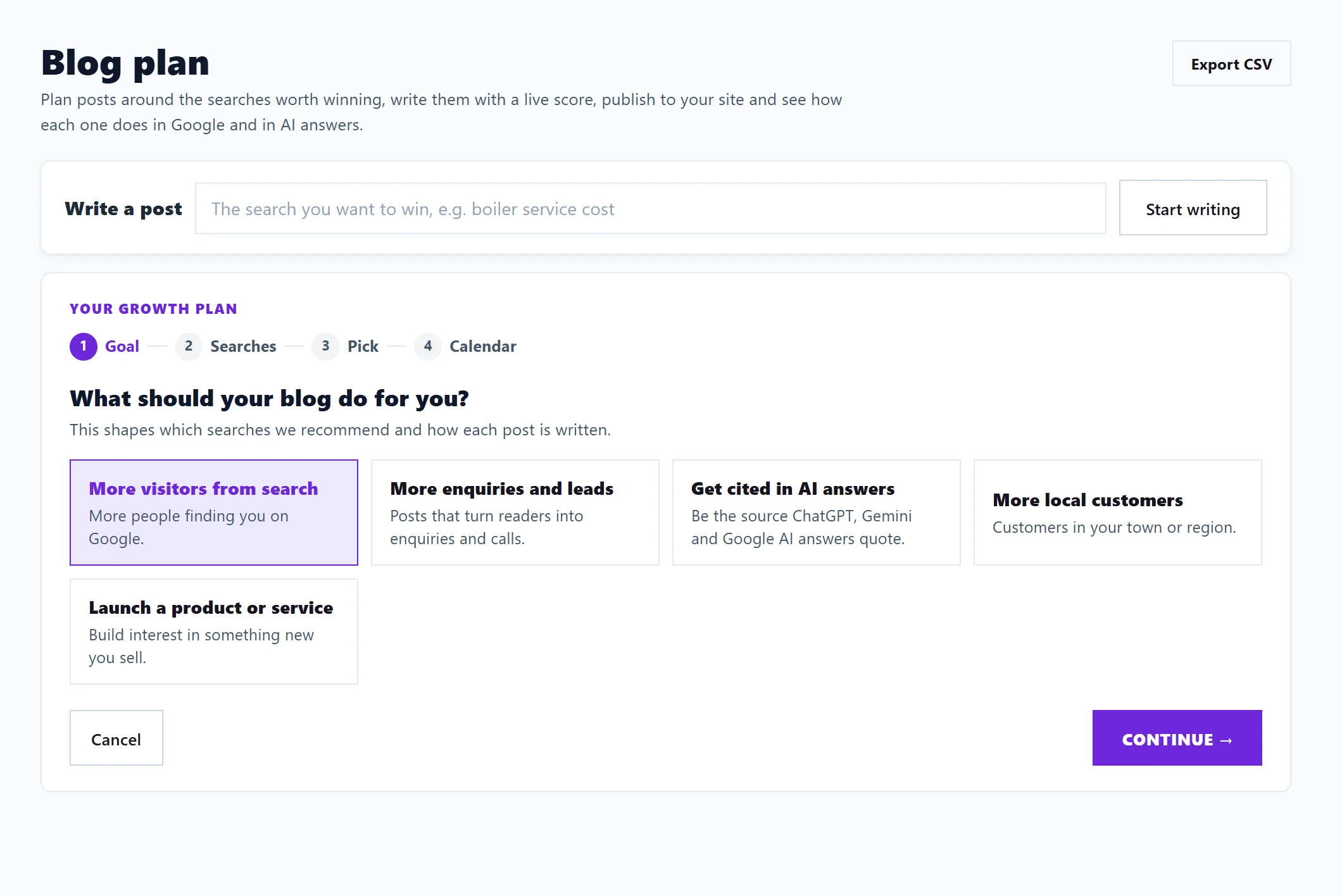
1. Goal
What should your blog do for you? Pick one:
- More visitors from search
- More enquiries and leads
- Get cited in AI answers
- More local customers
- Launch a product or service
This shapes which searches we recommend and how each post is written.
2. Searches
Which kind of searches?
- Mostly short: broad searches ("boiler service") with more people and more competition.
- Mostly long: specific questions ("how often should a boiler be serviced"), easier to win and often closer to buying.
- A mix: whatever has the most opportunity.
Where are your customers? Anywhere (online, or all over the country) or In one area, with your Town or region. Local adds searches such as "near me".
3. Pick
Pick the searches to focus on. They are ranked by opportunity, out of 10: how many people search, where you are now and how hard it is, with quick wins first. The best ones are ticked for you; change anything.
- Each row shows monthly searches (or impressions), your position (or Not showing yet) and the opportunity score.
- Filter with Recommended, All, Your searches, Missing and Local.
- Search Console searches from picks the country your own searches are read for, the same choice as on Keywords.
- Add your own under Add your own search.
The sources line says where the ideas came from: your Search Console searches, Google Ads monthly searches and searches missing from your site. With no data at all you can type your own searches.
4. Calendar
How often will you publish? Choose 1 to 5 posts a week, and say What your business does. The summary says how many weeks of posts that makes. Then:
- Save and add posts: saves the plan and puts each chosen search on the calendar, one slot at a time.
- Save without adding posts: saves the settings only.
Nothing is written until you open a post.
Change it later
Change growth plan at the top of the Blog Plan opens the same steps filled in. Posts you already have stay.
Questions people ask
Do I need Search Console?
No, but it helps. Without it we cannot see what you already appear for, so type the searches you want.
Can Minimum use the growth plan?
Yes. Planning is free. Writing the outline and draft starts on Entrepreneur.