How does the traffic Forecast work?
On this page
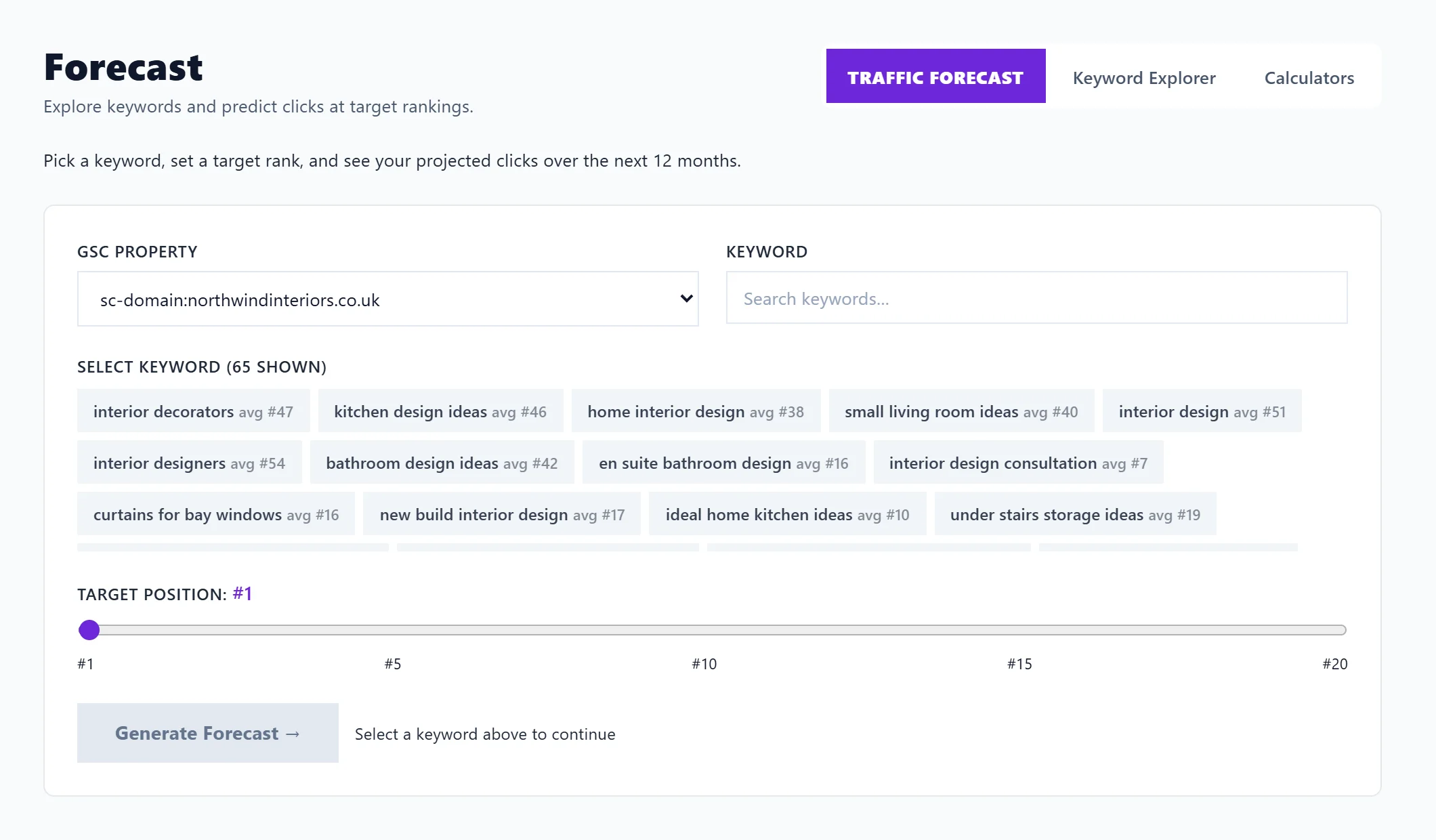
Open Growth, then Forecast. On Traffic Forecast, pick one of your searches, drag Target position to the rank you are aiming for and press Generate Forecast. You get the extra clicks reaching that rank could bring over the next 12 months, month by month, with how realistic the target is and what to do to get there. It needs Search Console connected and is on every paid plan.
Make a forecast
- Open Growth, then Forecast, and stay on Traffic Forecast.
- Under Keyword, search your keywords, or pick one from the list. Each shows Search Console's average position across all your pages.
- Drag Target position between 1 and 20.
- Press Generate Forecast.
What you get
- The summary: the Keyword, Your leading page and its position (the page that leads for the search, with the all-pages figure beside it when they differ), Target position, 30-day trend, Monthly impressions, Target CTR (the share of searchers who click at that rank), 12-month clicks and Additional clicks.
- Make this happen: one line on the move to make, with the Act on this buttons to add it to your blog plan or to-do list.
- A score for how achievable the target is, labelled Realistic, Ambitious or Very Ambitious, with a Score breakdown: Position gap, Rank trend, Search volume, CTR efficiency and Already ranking, each out of 100 with a reason.
- Projected clicks over 12 months: a chart of projected gain against current clicks.
- 12-month forecast table: each month's estimated impressions, seasonality, current, projected, additional and cumulative clicks, with the peak and trough months. Export CSV downloads it.
How it is worked out
It starts from the impressions and position Search Console records for the search. Projected clicks use the typical click rate for the target position; current clicks are what the search earns now. Seasonality compares each month last year with your 12-month average. With less than six months of data for the search, seasonality is not applied and the forecast uses flat monthly impressions; the page says so.
It is an estimate from your own figures, not a promise.
Keyword Explorer and Calculators
The other two tabs on Forecast are Keyword Explorer, which finds the searches around a topic or page, with the ones you rank for and the gaps (see Keyword Explorer), and Calculators (see the SEO calculators).
Questions people ask
Why does it say Connect Google Search Console?
The forecast needs your Search Console impressions and positions. See connect Search Console.
Does it use AI uses?
No. It is a calculation from your data.