Where do I see notifications and alerts?
On this page
Alerts about your sites, such as a keyword falling, traffic dropping or an AI assistant no longer naming you, appear in two places. The bell on the Projects screen collects them for every project. Inside a project, a bar across the top shows the unread alerts for that project only, with Take a look to open the right screen.
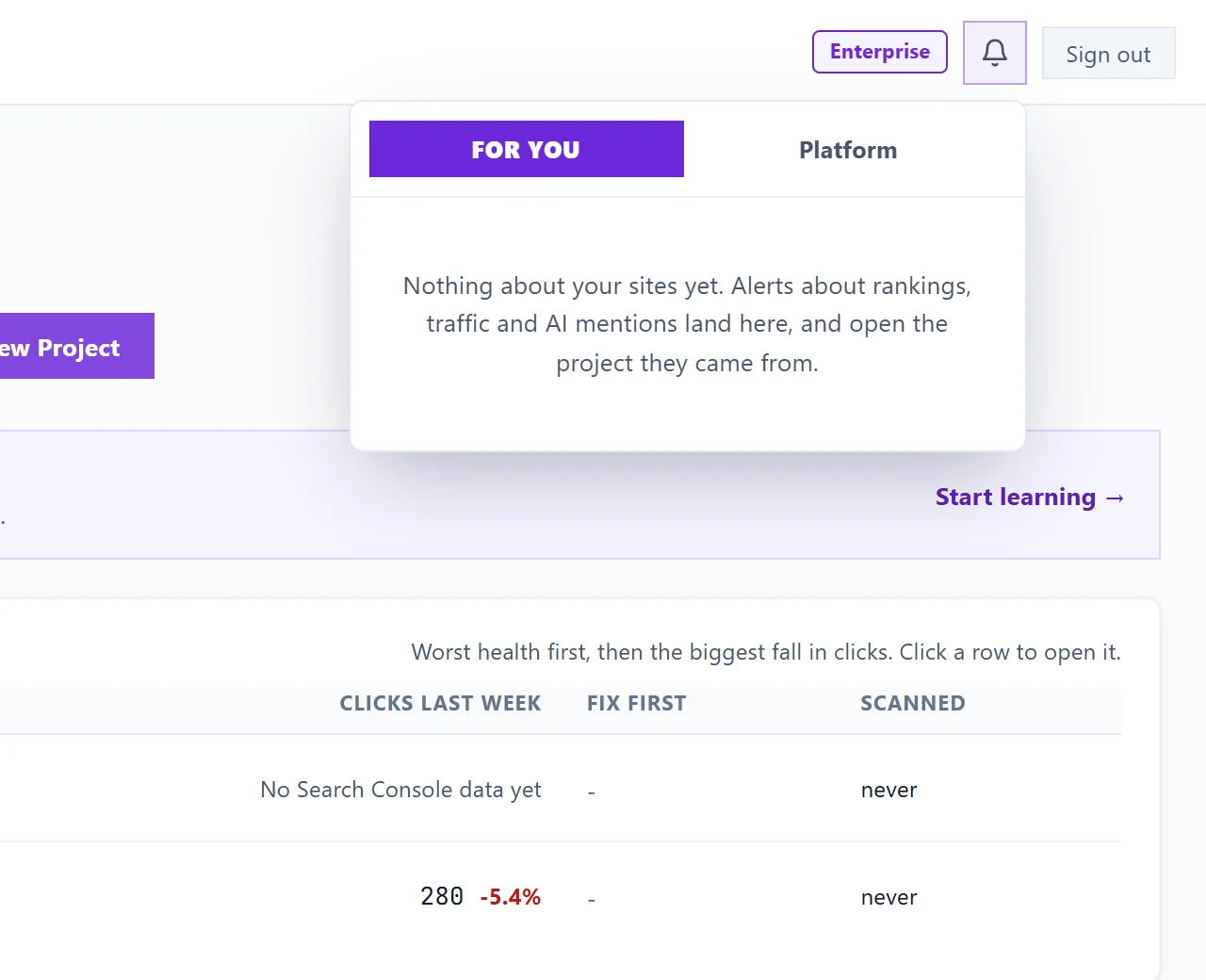
The bell on the Projects screen
The bell sits at the top of the Projects screen and shows how many notifications are unread. Click it to open two tabs:
- For you: alerts about your own sites, labelled by kind (Rankings, Traffic, Brand, Billing or Notice). Each one names its project, and Open takes you into that project on the screen the alert is about, such as Keywords, AI Visibility, the Blog Plan or Site Audit.
- Platform: news from us for everyone, such as maintenance or an update, from the last 6 months. These have nowhere to click through to.
Opening the bell marks the tab you land on as read. It opens on the tab with something new, For you first.
The bar inside a project
When you are working inside a project and it has unread alerts, a bar appears at the top of the page with the latest one and +N more if there are others. Take a look opens the screen the alert is about; for a ranking alert, that is the movement itself on Keywords. The cross dismisses it and marks it read. When there is nothing new, the bar is not there at all.
Alerts and emails
Bell alerts keep coming even if you have paused notification emails. To choose which emails you get, see choose your emails.
Questions people ask
The bell says nothing about my sites yet. Is that right?
Yes, for a new account. Alerts about rankings, traffic and AI mentions arrive as your project collects data, and each one opens the project it came from.
Why did I get an alert about Google?
If a Google connection stops working, we tell you so you can reconnect. See Google connection stopped alert.