Why is there no keyword data on my Keywords page yet?
On this page
Your keywords come from Google Search Console (Google's free report of how your site shows in search), so the Keywords page stays empty until Search Console is connected to the project and the right property is chosen. A new or very small site may have little to show at first, and Search Console always reports a few days behind.
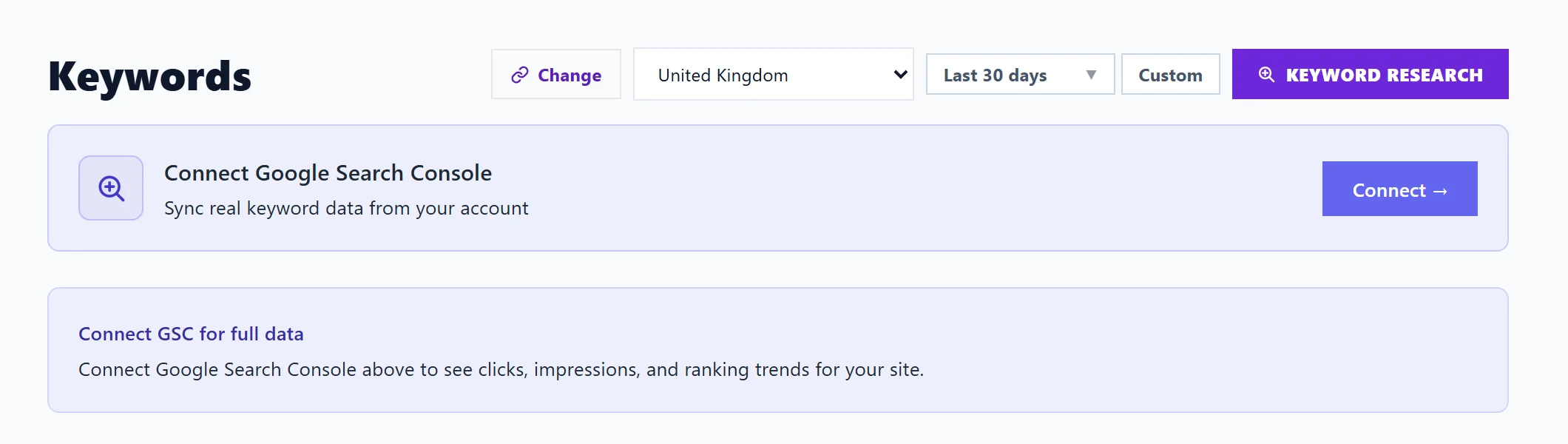
Work through these checks
- Connect Search Console. Open Keywords. If you see Connect Google Search Console, press Connect → and sign in with the Google account that can see your site in Search Console. See connect Search Console.
- Check the property. A project reads one Search Console property, matched to the project's web address. If the addresses differ (www against no www, or http against https), open Project settings (the cog on the Projects screen) and choose the property on the Connections tab. See one website, one property.
- Check the site is in Search Console at all. If your Google account has no property for this site, add and verify it in Search Console first. A property added in the last few days usually has little or nothing to show yet.
- Allow for Google's delay. Search Console reports a few days behind, so the newest days are never in the figures. Trend lines appear once there are a few days of data.
- Widen the dates. A site with few visits may show nothing for a short range. Try a longer range at the top of the page.
- Check your filters. "No keywords match your filters" means the data is there but your search, group or filter hides it. Clear them.
- Check the market. The country chosen in the market selector limits the searches shown. If most of your visitors are elsewhere, pick their country.
- Check the connection still works. If you had a "Search Console stopped, reconnect" email, see reconnect Google.
Why some searches never show
Google leaves out searches that very few people made, to protect their privacy, so the totals of individual keywords add up to less than your site's total clicks. We also tuck away one-off searches with fewer than 3 impressions and no clicks, such as pasted web addresses or product codes. A keyword you track always shows, whatever its numbers. See where keyword data comes from.
Questions people ask
Why is the Volume column empty?
Monthly search volume comes from Google Ads' Keyword Planner. Press Connect Google Ads on the Keywords page. It is free and needs no ad spend. See search volume.
Why does a keyword say "Not ranking yet"?
Google has not shown your site for that search in the period you are looking at. It is a fact about the dates shown, not an error.
When does the weekly history start?
We save a snapshot of your Search Console data each week, and keep it for longer than Google's 16 months. The first weekly report arrives after a full week of being connected.