What is on the Google Ads Insights & Opportunities tab?
On this page
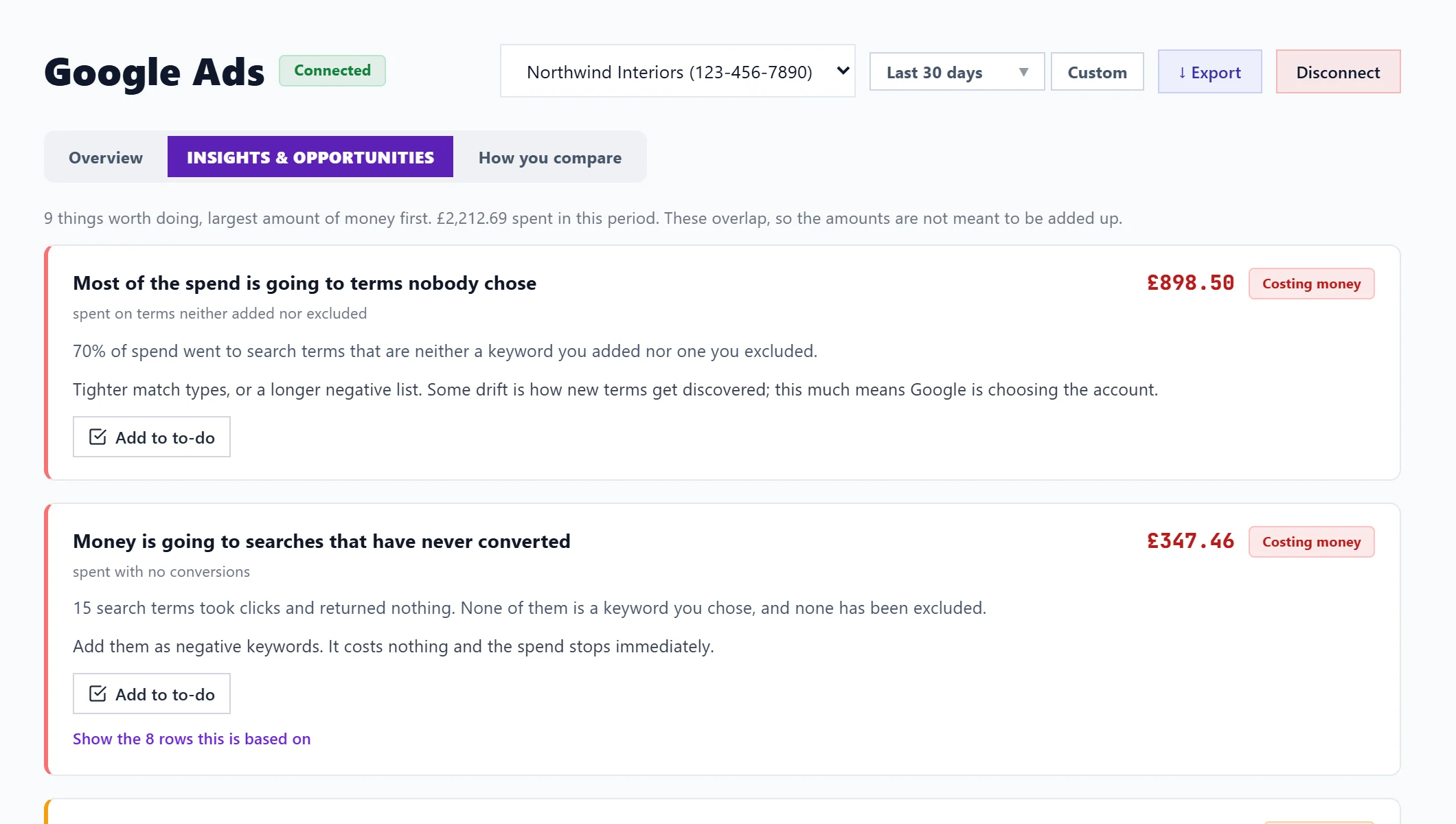
Insights & Opportunities on the Google Ads page lists what is worth changing in your ads, largest amount of money first: wasted spend, keywords that cost more than they return, search terms to add or exclude, and paid keywords you already rank for in Google for free. Each finding names the keywords and gives the exact steps to take in Google Ads, with a button to add them to your to-do list.
Things worth doing
At the top, a short list of the changes worth most, each marked Costing money, Worth fixing, Minor or Opportunity, with the money involved. Findings can overlap, so the amounts are not meant to be added up. Show the rows this is based on lists the keywords behind each. If nothing is wrong, it says Nothing is obviously wrong: that is a checked result, not an empty page.
Search terms
The phrases people actually typed that triggered your ads, which is often where wasted spend and new keyword ideas turn up. Only phrases that are neither one of your keywords nor already excluded are listed.
- Paying, not converting: clicked at least three times and never converted. Check each really is a poor fit, then add it as a negative keyword (one your ads must not show for).
- Converting without being bid on: earned conversions but is not one of your keywords. Add it as its own keyword with its own ad text.
- Shown, never clicked: 50 or more impressions and no clicks. Usually the phrase means something different to the searcher; it lowers your click rate, which raises what you pay elsewhere.
Paid against organic
With Search Console connected for the project, your paid keywords are compared with your free Google rankings:
- Paying for keywords you already own: you rank in the top 3 for free and still pay. Test pausing them and watch total clicks for two to four weeks.
- Paid works, organic doesn't: keywords that convert well as ads where you rank below 20 or not at all. Act on this helps you write a page for them, so you depend less on ads.
Without Search Console these two checks say how to switch them on; the rest work either way.
Keyword checks
- Spending more than they return (ROAS under 1x): lower bids, tighten the match type, improve the landing page, and pause if it is still under 1x after a month.
- High spend, zero conversions: pause, switch to exact match, or check the landing page and that conversion tracking works.
- Campaigns losing impressions: how often each campaign showed, and how much it lost to budget (raise the daily budget) or to rank (improve ad quality or bid higher).
Questions people ask
It says nothing to check yet. Why?
This fills in once your ads have run. A new or paused account has no keywords with data yet.
Will UtilitySEO make these changes?
No. The connection is read only. Each finding says where to make the change in Google Ads.