How do I see how my Google ads compare with competitors?
On this page
Open the How you compare tab on the Google Ads page. How often your ads show reads from your account the share of searches your ads appeared on and what took the rest: budget or ad rank. Who you compete with lists the other advertisers in your auctions, from the Auction insights report you download from Google Ads and upload here.
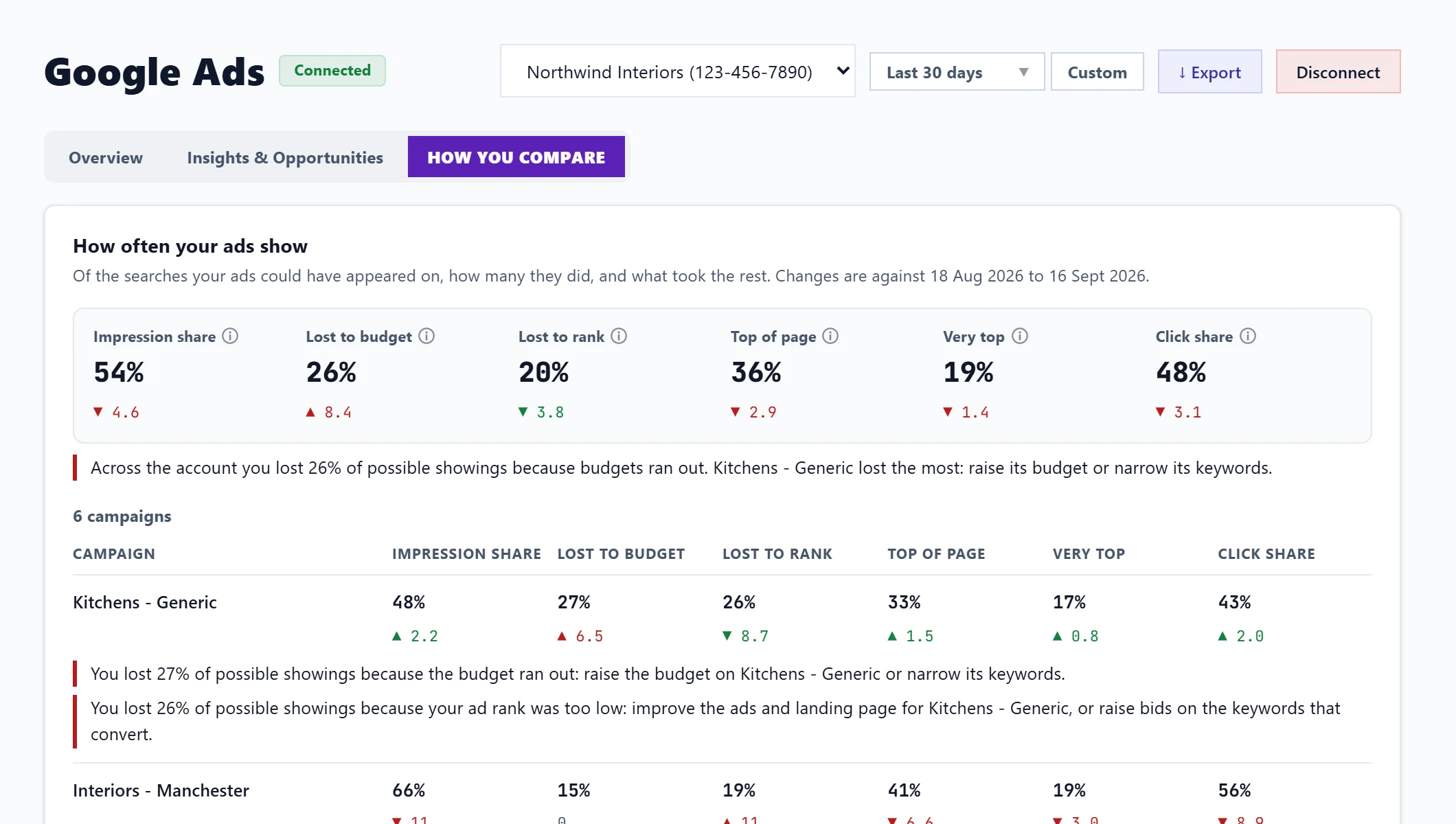
How often your ads show
For the account and for each campaign:
| Figure | What it means |
|---|---|
| Impression share | Of the searches your ads could have shown on, the share they did. |
| Lost to budget | Showings missed because the daily budget ran out. |
| Lost to rank | Showings missed because your ad rank (bid, ad quality and landing page) was too low. |
| Top of page | Of the places above the organic results, the share you got. |
| Very top | The same for the very first position. |
| Click share | Of the clicks your ads could have had, the share they got. |
Changes are against the period before. Google shows shares under 10% as "< 10%" and lost shares over 90% as "> 90%". Google only reports these for Search and Shopping campaigns once they have been shown, so a new or quiet account may have none; Look at the last 90 days widens the range.
Who you compete with
Google does not share competitor figures through its connection, so they come from a file. To add it:
- In Google Ads, open Campaigns.
- In the menu on the left, open Insights and reports, then Auction insights.
- Set the date range at the top right, for example the last 30 days. Leave out any segments.
- Press the download button above the table and choose .csv.
- Back here, press Upload the Auction insights report and choose the file.
Each competitor's web address is listed with you for comparison:
- Impression share: how often they showed.
- Overlap rate: how often they showed when you did.
- Position above rate: how often they were above you when you both showed.
- Top of page rate and Abs. top of page rate: how often they were above the organic results, and first.
- Outranking share: how often you were above them, or showed when they did not.
Upload a newer report replaces it with a fresher one, and Earlier uploads keeps the ones before. Remove this report deletes one; you can upload it again at any time.
Questions people ask
It says my access is view-only. What does that mean?
You were invited to the project with view-only access, so someone with edit access needs to upload the report.
Can UtilitySEO fetch Auction insights automatically?
No. Google does not offer it through its connection, so the upload is the only way in.